Recommended
PPTX
Networking Essential 2.0 module basics concepts
PPSX
Cisco Networking Essentials 2.0 Module3.ppsx
PPT
PPTX
Networking Essentials 2.0 Module2.pptx
PPT
PPTX
Packet tracer 6.2 new features
PPTX
I2IoT20_Chp1_Instructor_Supplemental_Material.pptx
PDF
2.1.1.5 Packet Tracer - Create a Simple Network Using Packet Tracer (3).pdf
PPTX
CCNA v6.0 ITN - Chapter 01
PDF
Cisco Packet Tracer Modules 1 to 7 Introduction to Networks v7.0.pdf
PPT
Cisco packettracer overview_20jul09
PDF
PPT
PPTX
Networking Essentials 2.0 Module1 (1).pptx
PPTX
CCNA_Product_OverviewCCNA_Productsa.pptx
PPTX
ITN_ModuleCCNA Course first Lecture_1.pptx
PPTX
PPTX
--Networking Today_Module 1_ITNv7.pptx--
PPTX
ITN_Module_1-Networking Today.pptx
PPSX
Cisco Networking Essentials 2.0 Module2.ppsx
PDF
PPTX
NetEss_Lecture Notes 1 (1).pptx
PDF
PPSX
Cisco Networking Essentials 2.0 Module1.ppsx
PDF
1.5.7 packet-tracer---network-representation (1)
PPTX
ITN_Module_1ppppppppppppppppppppppp.pptx
PPTX
PDF
Cisco connect winnipeg 2018 introducing the network intuitive
More Related Content
PPTX
Networking Essential 2.0 module basics concepts
PPSX
Cisco Networking Essentials 2.0 Module3.ppsx
PPT
PPTX
Networking Essentials 2.0 Module2.pptx
PPT
PPTX
Packet tracer 6.2 new features
PPTX
I2IoT20_Chp1_Instructor_Supplemental_Material.pptx
PDF
2.1.1.5 Packet Tracer - Create a Simple Network Using Packet Tracer (3).pdf
Similar to Introduction to Packet Tracer Course Overview - Aug 21 (1).pptx
PPTX
CCNA v6.0 ITN - Chapter 01
PDF
Cisco Packet Tracer Modules 1 to 7 Introduction to Networks v7.0.pdf
PPT
Cisco packettracer overview_20jul09
PDF
PPT
PPTX
Networking Essentials 2.0 Module1 (1).pptx
PPTX
CCNA_Product_OverviewCCNA_Productsa.pptx
PPTX
ITN_ModuleCCNA Course first Lecture_1.pptx
PPTX
PPTX
--Networking Today_Module 1_ITNv7.pptx--
PPTX
ITN_Module_1-Networking Today.pptx
PPSX
Cisco Networking Essentials 2.0 Module2.ppsx
PDF
PPTX
NetEss_Lecture Notes 1 (1).pptx
PDF
PPSX
Cisco Networking Essentials 2.0 Module1.ppsx
PDF
1.5.7 packet-tracer---network-representation (1)
PPTX
ITN_Module_1ppppppppppppppppppppppp.pptx
PPTX
PDF
Cisco connect winnipeg 2018 introducing the network intuitive
Introduction to Packet Tracer Course Overview - Aug 21 (1).pptx 1. 2. 2
© 2016 Cisco and/or its affiliates. All rights reserved. Cisco Confidential
Introduction to Packet Tracer Course Overview
AVAILABILITY
• Language: English
• Available September 2017
TARGET AUDIENCE
• Students with minimal knowledge of Packet Tracer
• Students with some knowledge of networking and IoT
• Students do not have access to NetAcad instructors
DESCRIPTION
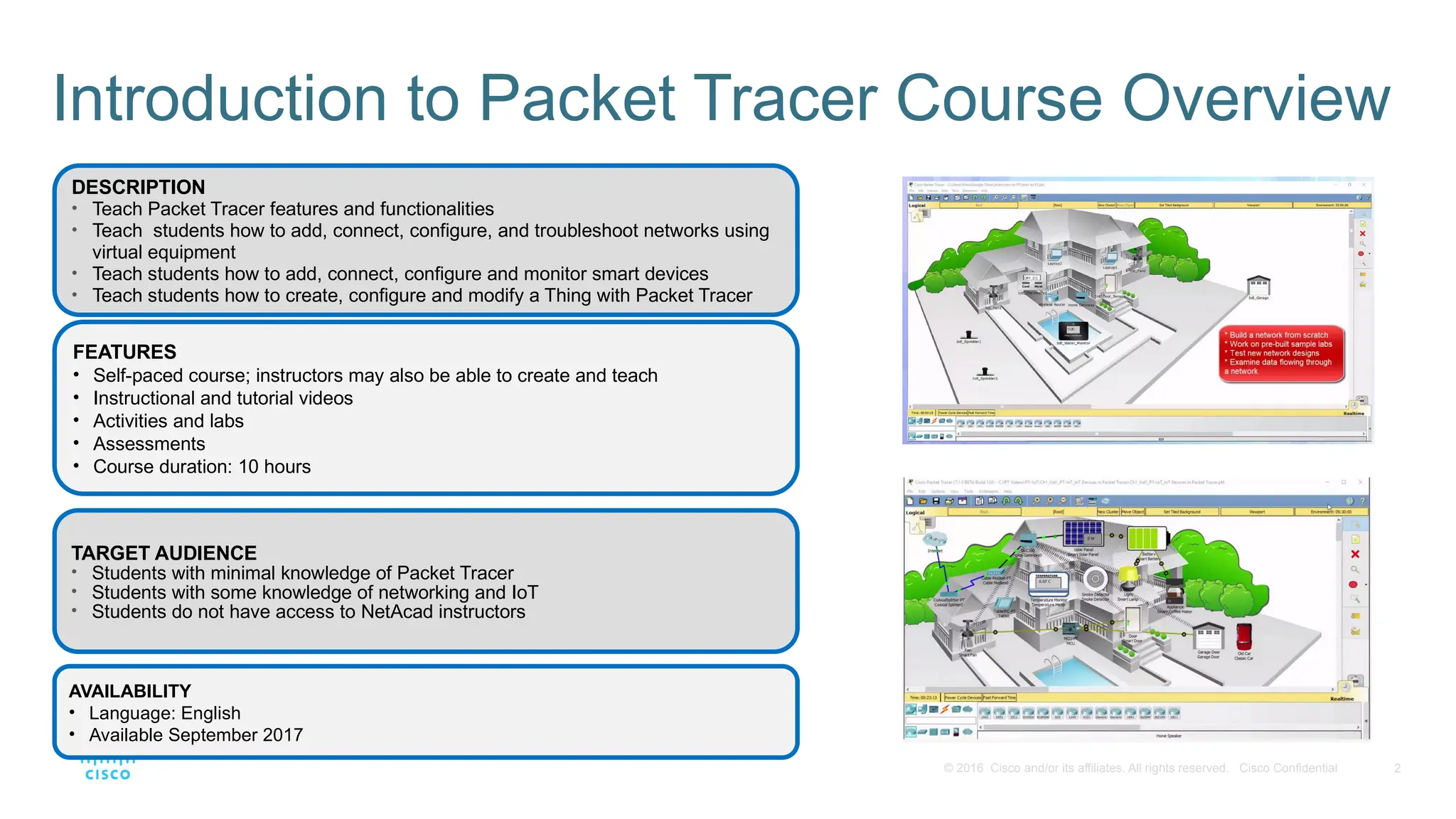
• Teach Packet Tracer features and functionalities
• Teach students how to add, connect, configure, and troubleshoot networks using
virtual equipment
• Teach students how to add, connect, configure and monitor smart devices
• Teach students how to create, configure and modify a Thing with Packet Tracer
FEATURES
• Self-paced course; instructors may also be able to create and teach
• Instructional and tutorial videos
• Activities and labs
• Assessments
• Course duration: 10 hours
3. 3
© 2016 Cisco and/or its affiliates. All rights reserved. Cisco Confidential
Introduction to Packet Tracer 1.0
Course Overview
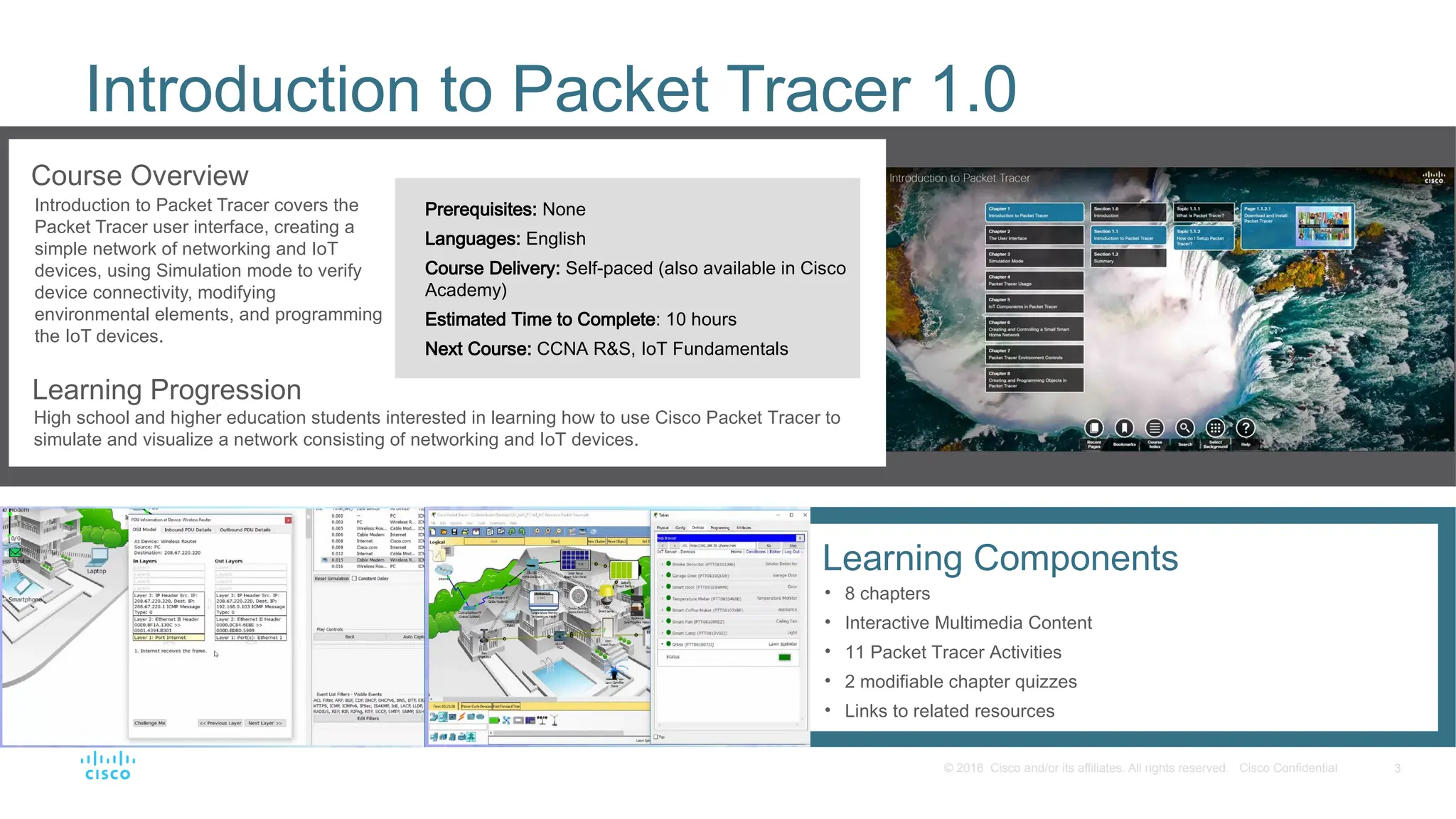
Introduction to Packet Tracer covers the
Packet Tracer user interface, creating a
simple network of networking and IoT
devices, using Simulation mode to verify
device connectivity, modifying
environmental elements, and programming
the IoT devices.
Learning Progression
High school and higher education students interested in learning how to use Cisco Packet Tracer to
simulate and visualize a network consisting of networking and IoT devices.
Prerequisites: None
Languages: English
Course Delivery: Self-paced (also available in Cisco
Academy)
Estimated Time to Complete: 10 hours
Next Course: CCNA R&S, IoT Fundamentals
Learning Components
• 8 chapters
• Interactive Multimedia Content
• 11 Packet Tracer Activities
• 2 modifiable chapter quizzes
• Links to related resources
4. 4
© 2016 Cisco and/or its affiliates. All rights reserved. Cisco Confidential
Course Design
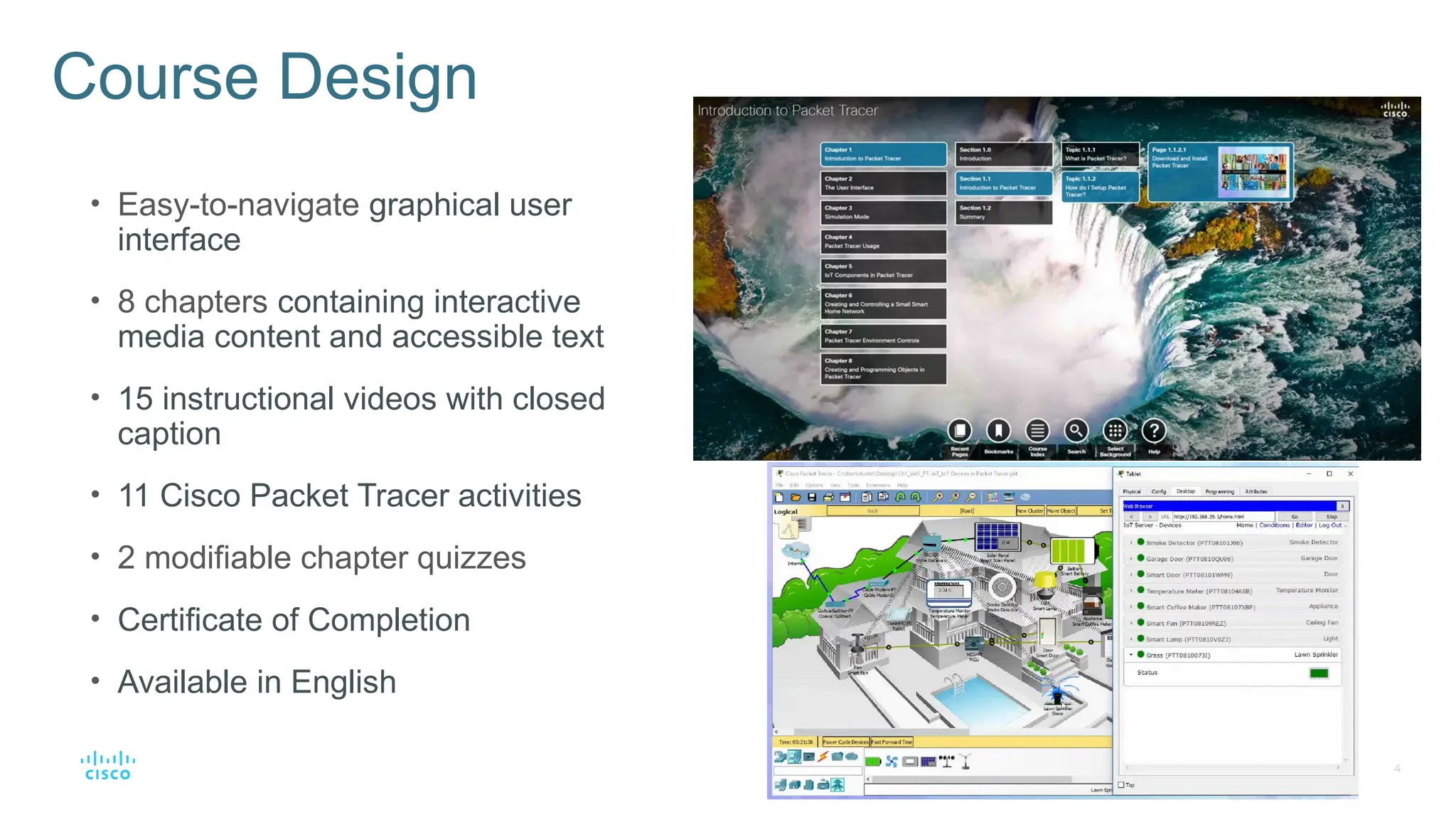
• Easy-to-navigate graphical user
interface
• 8 chapters containing interactive
media content and accessible text
• 15 instructional videos with closed
caption
• 11 Cisco Packet Tracer activities
• 2 modifiable chapter quizzes
• Certificate of Completion
• Available in English
5. 5
© 2016 Cisco and/or its affiliates. All rights reserved. Cisco Confidential
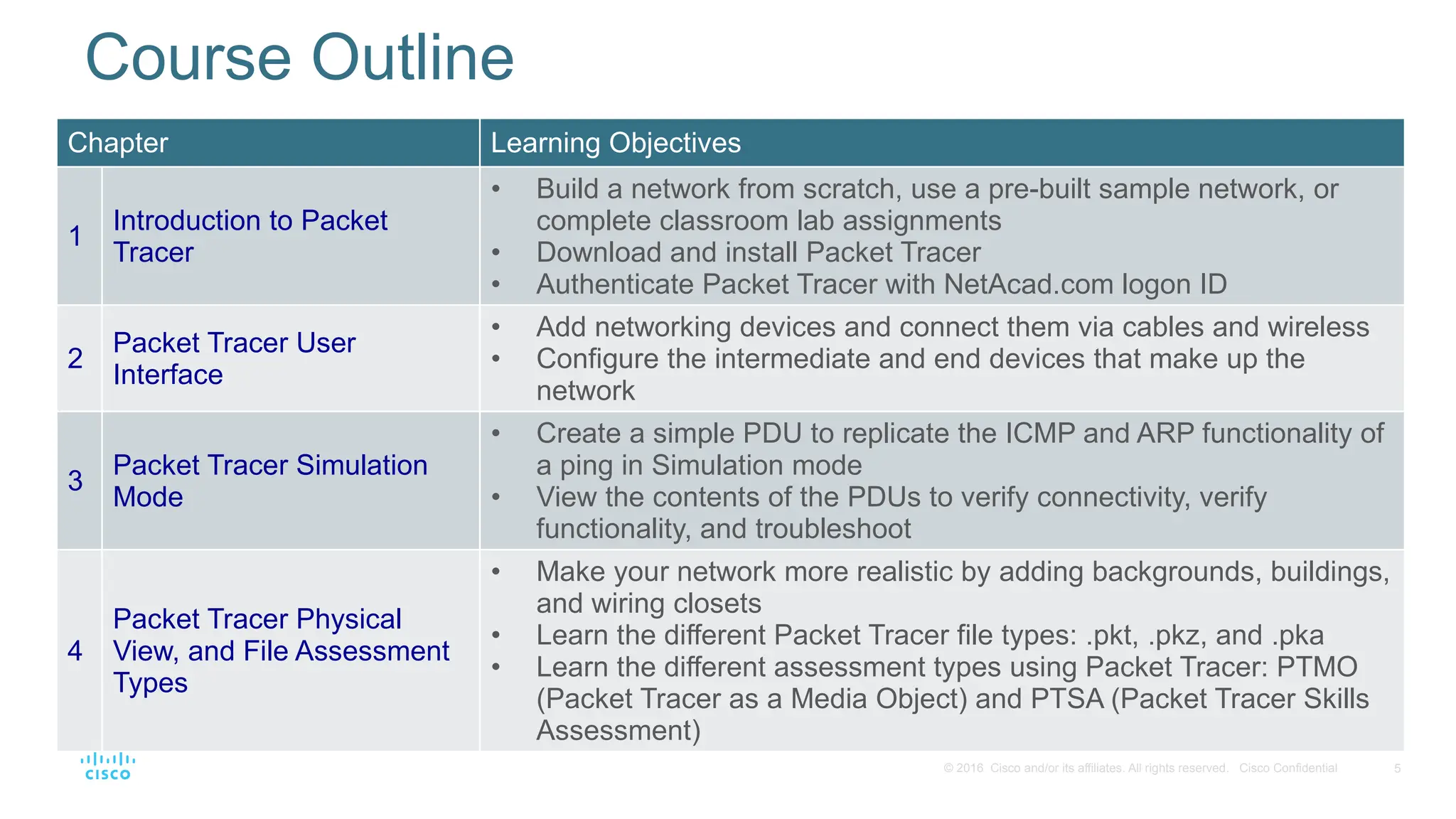
Chapter Learning Objectives
1
Introduction to Packet
Tracer
• Build a network from scratch, use a pre-built sample network, or
complete classroom lab assignments
• Download and install Packet Tracer
• Authenticate Packet Tracer with NetAcad.com logon ID
2
Packet Tracer User
Interface
• Add networking devices and connect them via cables and wireless
• Configure the intermediate and end devices that make up the
network
3
Packet Tracer Simulation
Mode
• Create a simple PDU to replicate the ICMP and ARP functionality of
a ping in Simulation mode
• View the contents of the PDUs to verify connectivity, verify
functionality, and troubleshoot
4
Packet Tracer Physical
View, and File Assessment
Types
• Make your network more realistic by adding backgrounds, buildings,
and wiring closets
• Learn the different Packet Tracer file types: .pkt, .pkz, and .pka
• Learn the different assessment types using Packet Tracer: PTMO
(Packet Tracer as a Media Object) and PTSA (Packet Tracer Skills
Assessment)
Course Outline
6. 6
© 2016 Cisco and/or its affiliates. All rights reserved. Cisco Confidential
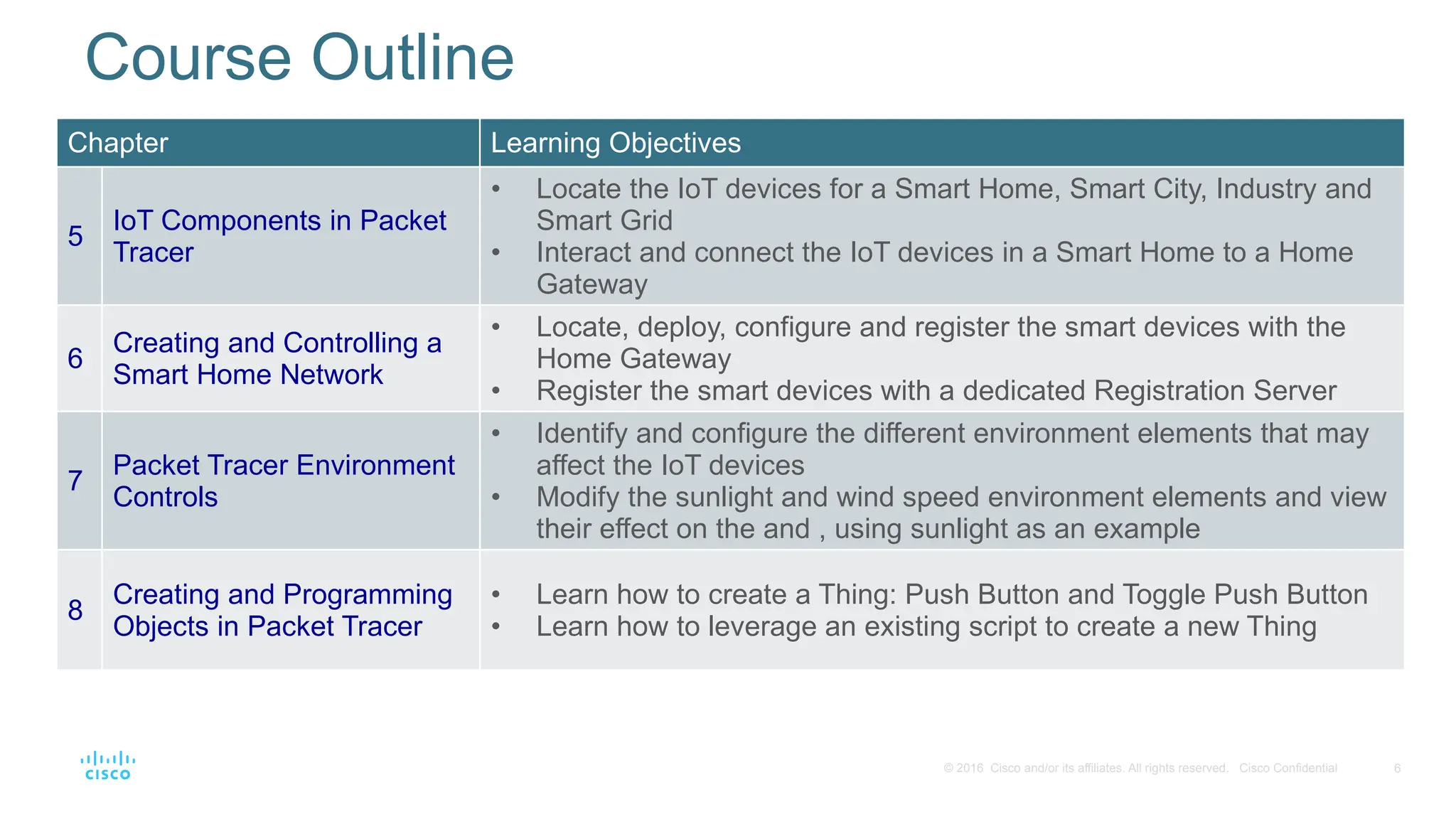
Chapter Learning Objectives
5
IoT Components in Packet
Tracer
• Locate the IoT devices for a Smart Home, Smart City, Industry and
Smart Grid
• Interact and connect the IoT devices in a Smart Home to a Home
Gateway
6
Creating and Controlling a
Smart Home Network
• Locate, deploy, configure and register the smart devices with the
Home Gateway
• Register the smart devices with a dedicated Registration Server
7
Packet Tracer Environment
Controls
• Identify and configure the different environment elements that may
affect the IoT devices
• Modify the sunlight and wind speed environment elements and view
their effect on the and , using sunlight as an example
8
Creating and Programming
Objects in Packet Tracer
• Learn how to create a Thing: Push Button and Toggle Push Button
• Learn how to leverage an existing script to create a new Thing
Course Outline
7. 7
© 2016 Cisco and/or its affiliates. All rights reserved. Cisco Confidential
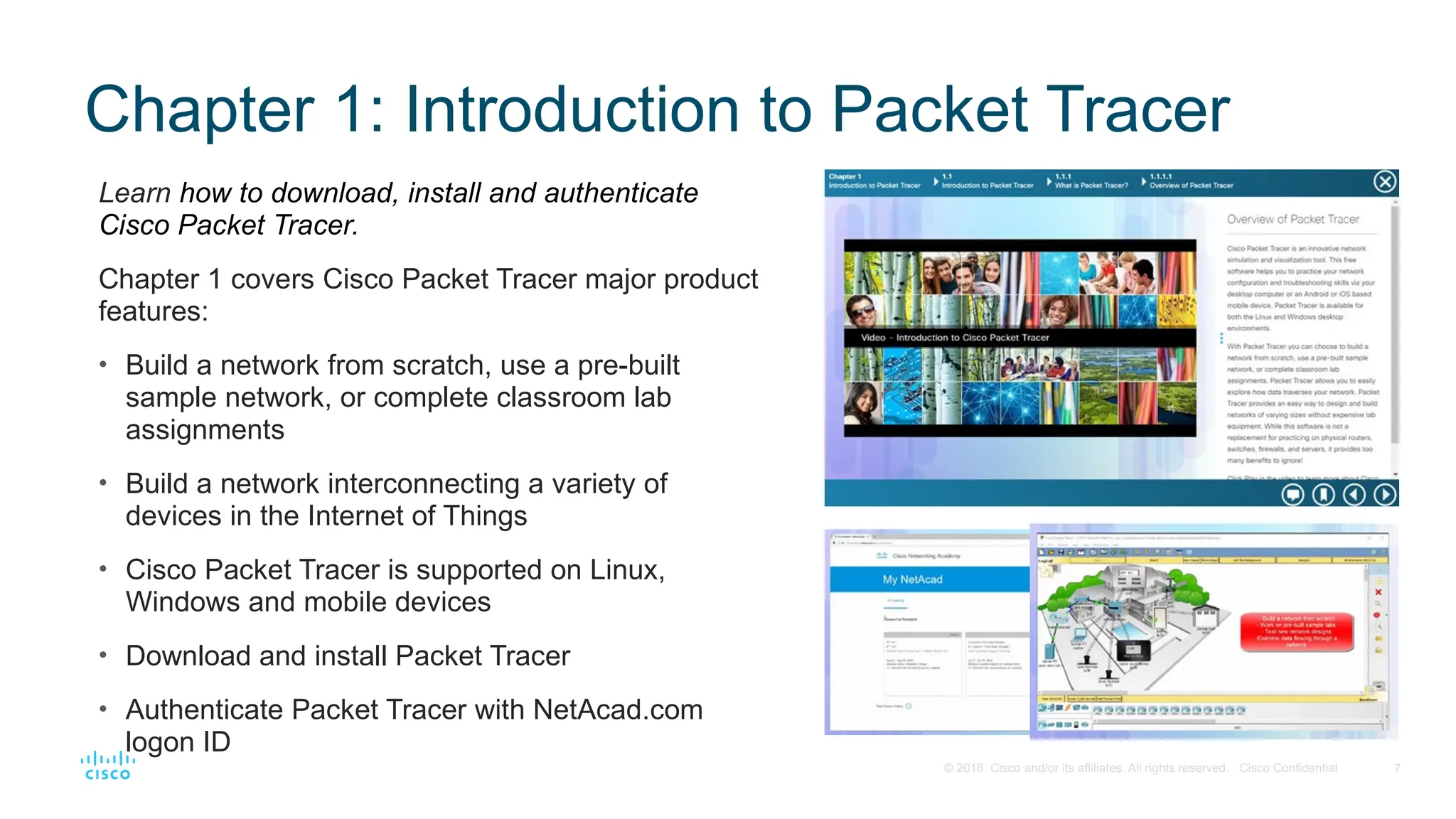
Chapter 1: Introduction to Packet Tracer
Learn how to download, install and authenticate
Cisco Packet Tracer.
Chapter 1 covers Cisco Packet Tracer major product
features:
• Build a network from scratch, use a pre-built
sample network, or complete classroom lab
assignments
• Build a network interconnecting a variety of
devices in the Internet of Things
• Cisco Packet Tracer is supported on Linux,
Windows and mobile devices
• Download and install Packet Tracer
• Authenticate Packet Tracer with NetAcad.com
logon ID
8. 8
© 2016 Cisco and/or its affiliates. All rights reserved. Cisco Confidential
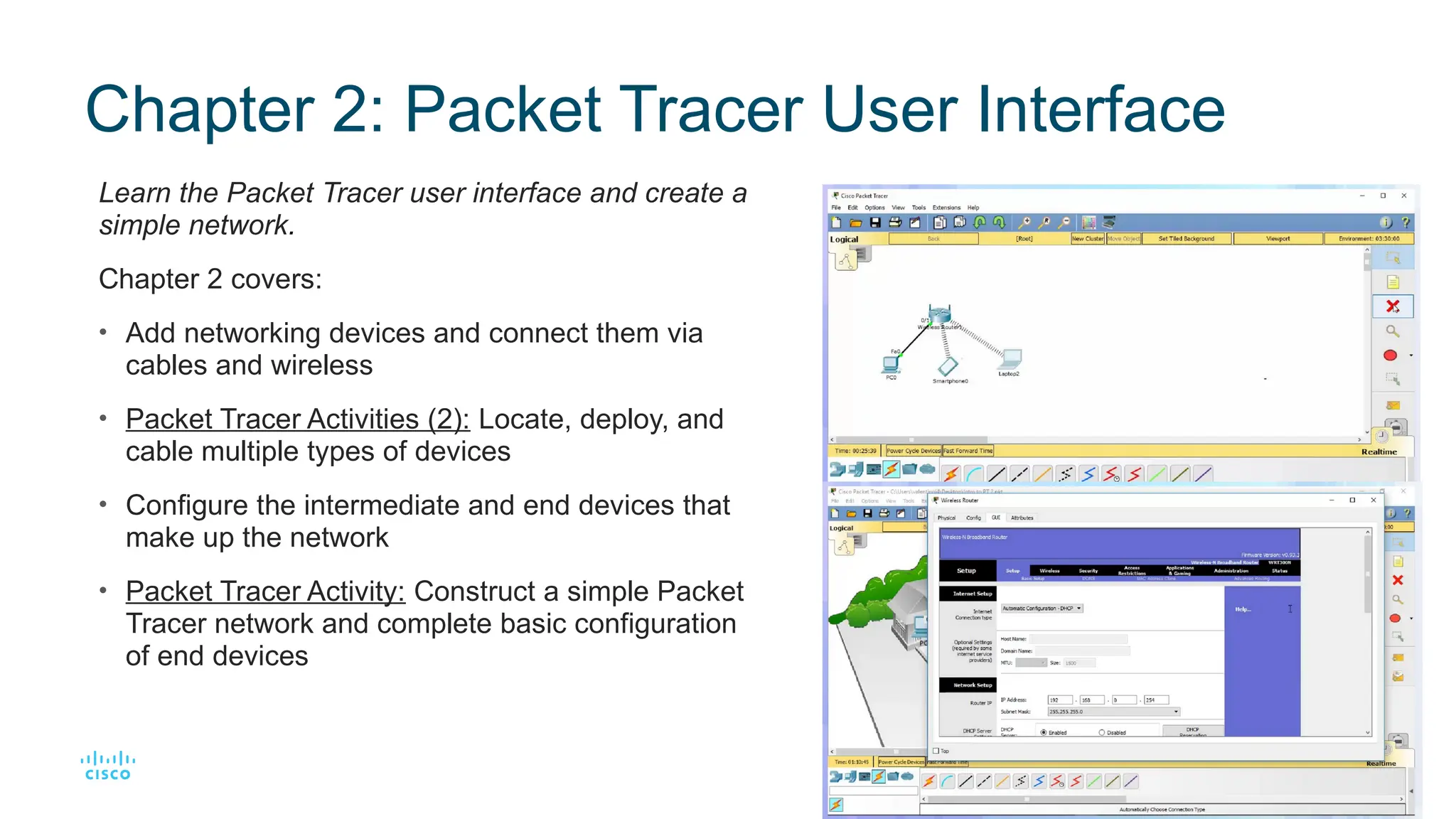
Chapter 2: Packet Tracer User Interface
Learn the Packet Tracer user interface and create a
simple network.
Chapter 2 covers:
• Add networking devices and connect them via
cables and wireless
• Packet Tracer Activities (2): Locate, deploy, and
cable multiple types of devices
• Configure the intermediate and end devices that
make up the network
• Packet Tracer Activity: Construct a simple Packet
Tracer network and complete basic configuration
of end devices
9. 9
© 2016 Cisco and/or its affiliates. All rights reserved. Cisco Confidential
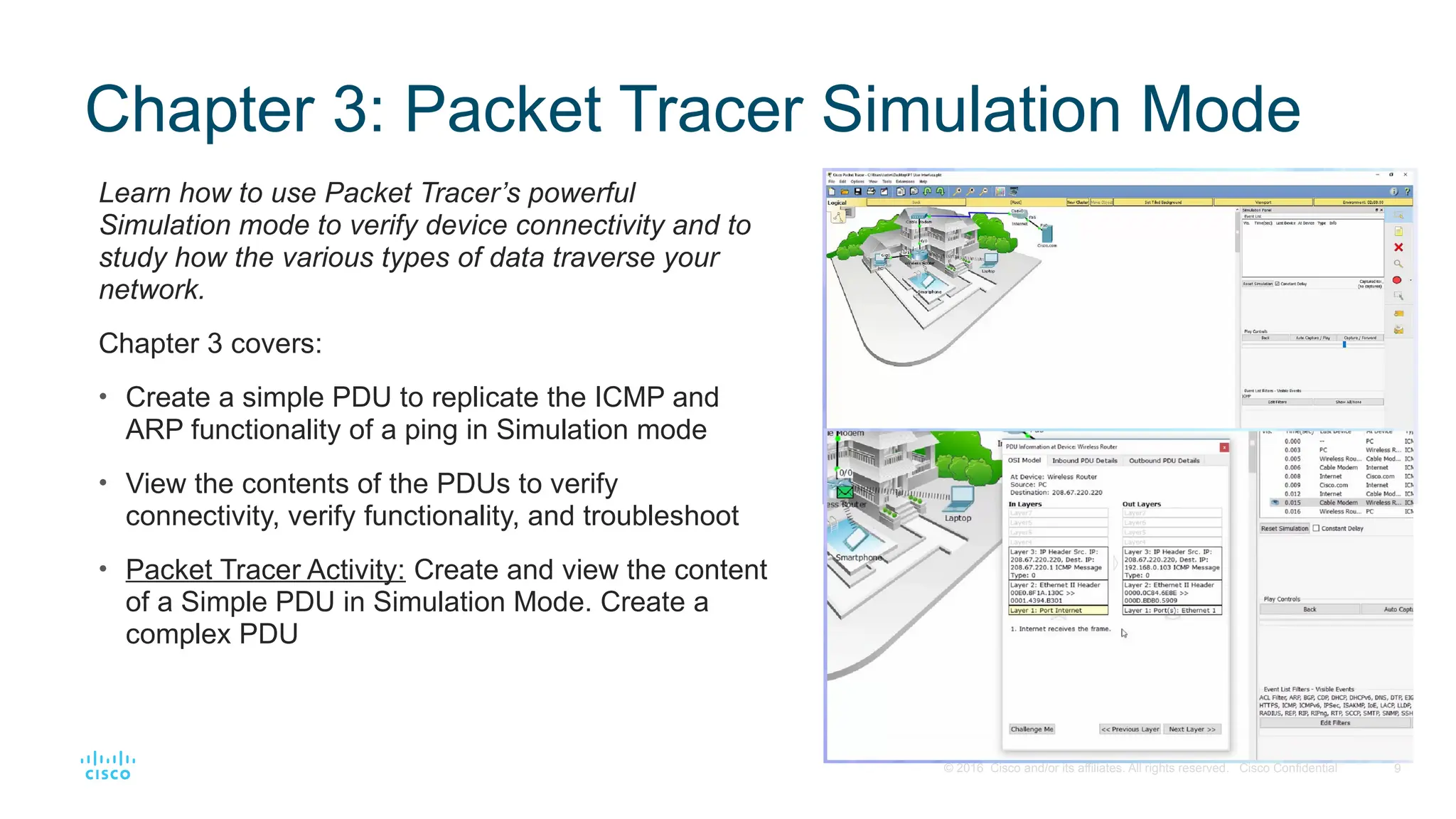
Chapter 3: Packet Tracer Simulation Mode
Learn how to use Packet Tracer’s powerful
Simulation mode to verify device connectivity and to
study how the various types of data traverse your
network.
Chapter 3 covers:
• Create a simple PDU to replicate the ICMP and
ARP functionality of a ping in Simulation mode
• View the contents of the PDUs to verify
connectivity, verify functionality, and troubleshoot
• Packet Tracer Activity: Create and view the content
of a Simple PDU in Simulation Mode. Create a
complex PDU
10. 10
© 2016 Cisco and/or its affiliates. All rights reserved. Cisco Confidential
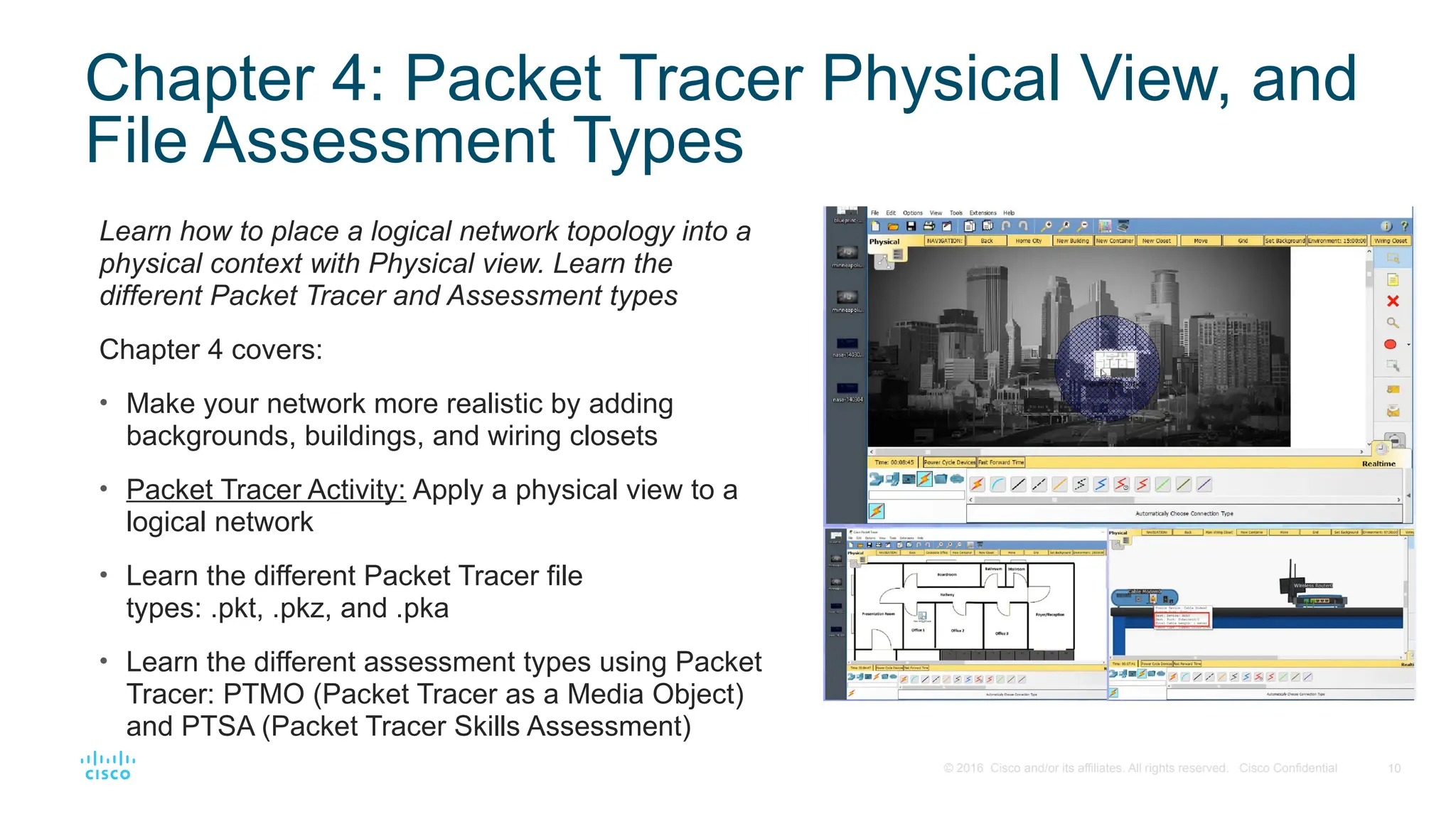
Chapter 4: Packet Tracer Physical View, and
File Assessment Types
Learn how to place a logical network topology into a
physical context with Physical view. Learn the
different Packet Tracer and Assessment types
Chapter 4 covers:
• Make your network more realistic by adding
backgrounds, buildings, and wiring closets
• Packet Tracer Activity: Apply a physical view to a
logical network
• Learn the different Packet Tracer file
types: .pkt, .pkz, and .pka
• Learn the different assessment types using Packet
Tracer: PTMO (Packet Tracer as a Media Object)
and PTSA (Packet Tracer Skills Assessment)
11. 11
© 2016 Cisco and/or its affiliates. All rights reserved. Cisco Confidential
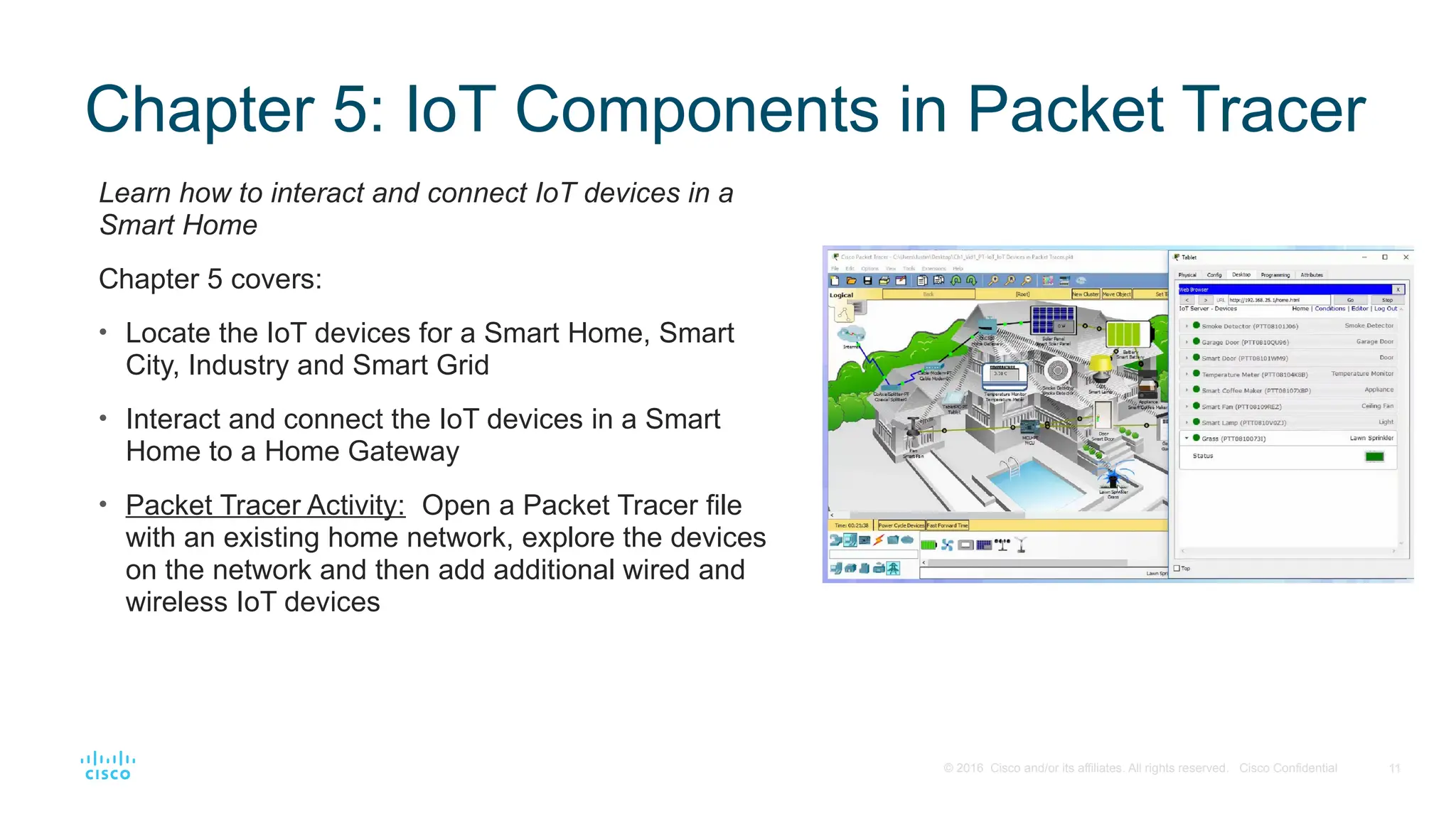
Chapter 5: IoT Components in Packet Tracer
Learn how to interact and connect IoT devices in a
Smart Home
Chapter 5 covers:
• Locate the IoT devices for a Smart Home, Smart
City, Industry and Smart Grid
• Interact and connect the IoT devices in a Smart
Home to a Home Gateway
• Packet Tracer Activity: Open a Packet Tracer file
with an existing home network, explore the devices
on the network and then add additional wired and
wireless IoT devices
12. 12
© 2016 Cisco and/or its affiliates. All rights reserved. Cisco Confidential
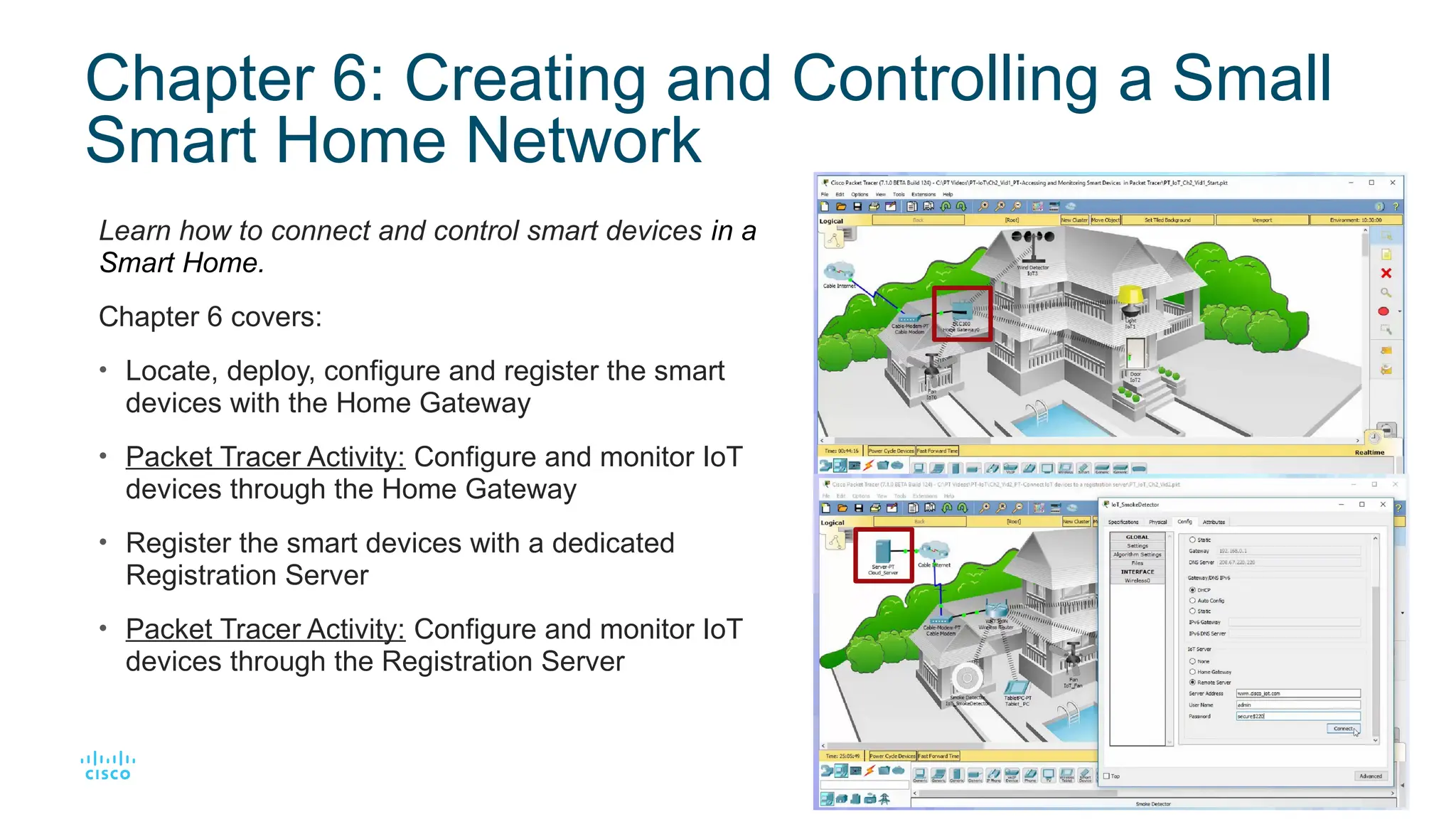
Chapter 6: Creating and Controlling a Small
Smart Home Network
Learn how to connect and control smart devices in a
Smart Home.
Chapter 6 covers:
• Locate, deploy, configure and register the smart
devices with the Home Gateway
• Packet Tracer Activity: Configure and monitor IoT
devices through the Home Gateway
• Register the smart devices with a dedicated
Registration Server
• Packet Tracer Activity: Configure and monitor IoT
devices through the Registration Server
13. 13
© 2016 Cisco and/or its affiliates. All rights reserved. Cisco Confidential
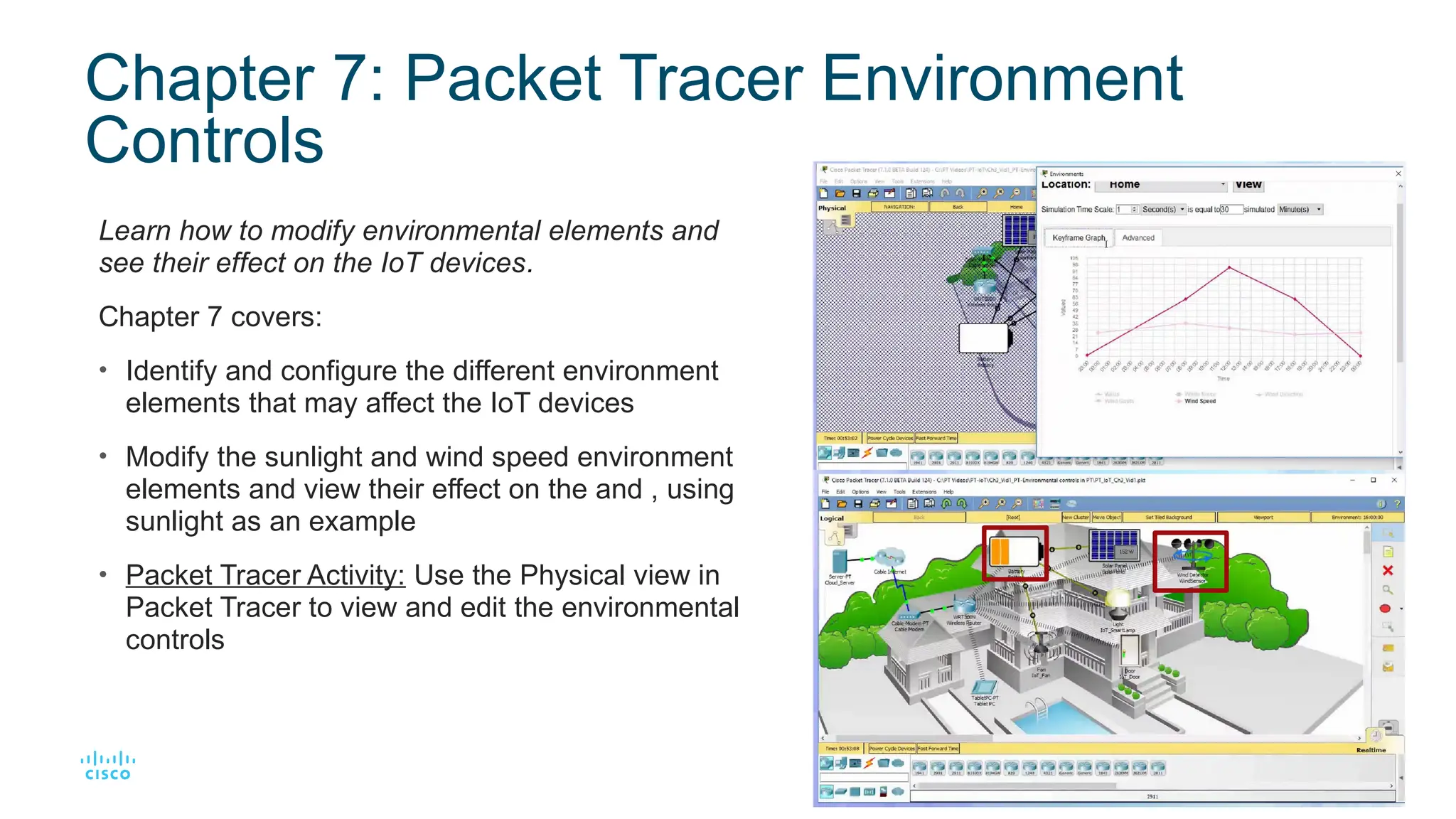
Chapter 7: Packet Tracer Environment
Controls
Learn how to modify environmental elements and
see their effect on the IoT devices.
Chapter 7 covers:
• Identify and configure the different environment
elements that may affect the IoT devices
• Modify the sunlight and wind speed environment
elements and view their effect on the and , using
sunlight as an example
• Packet Tracer Activity: Use the Physical view in
Packet Tracer to view and edit the environmental
controls
14. 14
© 2016 Cisco and/or its affiliates. All rights reserved. Cisco Confidential
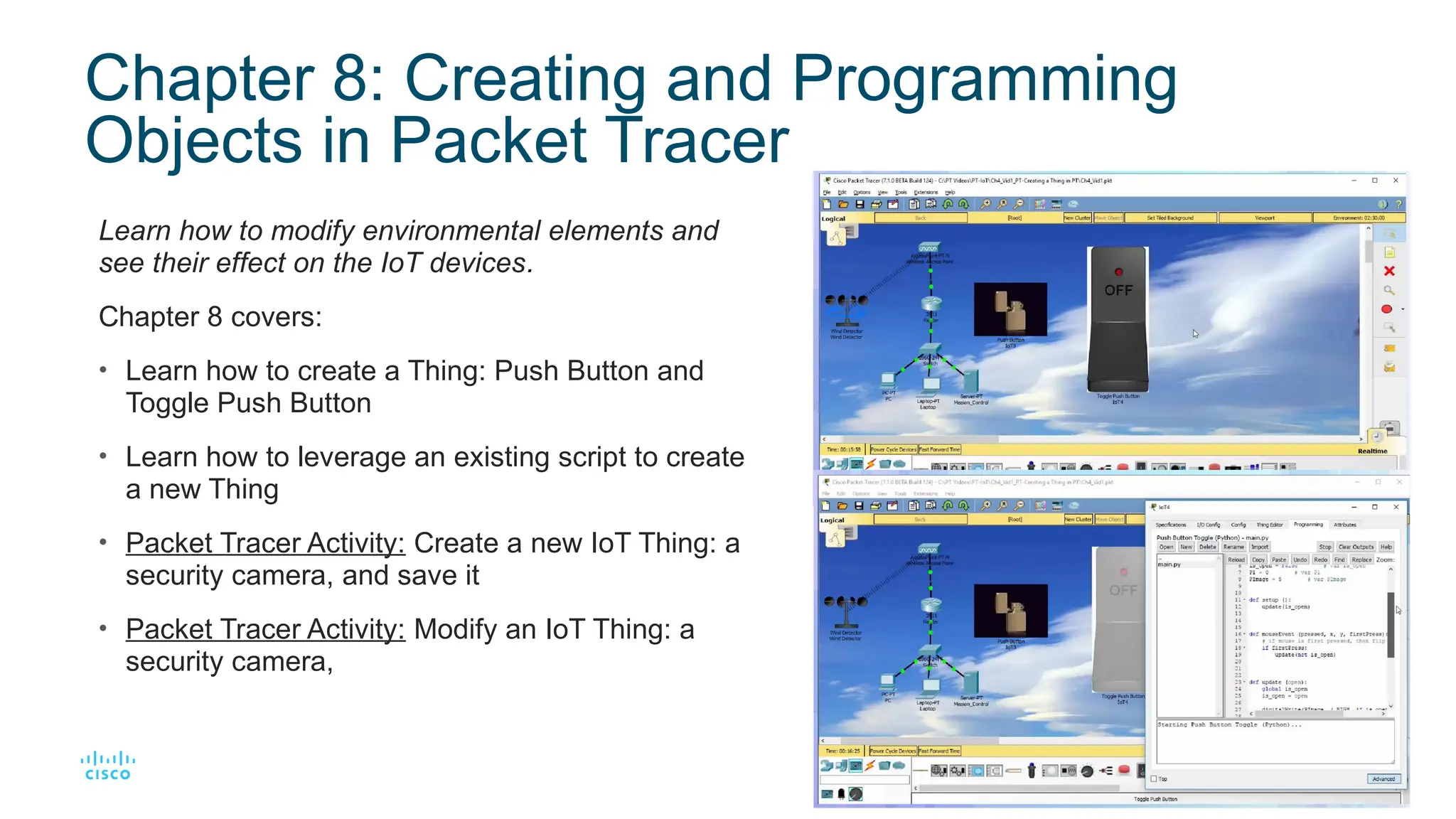
Chapter 8: Creating and Programming
Objects in Packet Tracer
Learn how to modify environmental elements and
see their effect on the IoT devices.
Chapter 8 covers:
• Learn how to create a Thing: Push Button and
Toggle Push Button
• Learn how to leverage an existing script to create
a new Thing
• Packet Tracer Activity: Create a new IoT Thing: a
security camera, and save it
• Packet Tracer Activity: Modify an IoT Thing: a
security camera,
Editor's Notes #3 The next course to take is either 1) CCNA R&S courses ITN and RSE if they have not been taken yet or b) CCNA Security if CCNA R&S ITN and RSE have been completed.