Hands-On iOS Application
Penetration Testing
By Akash Katare
- Experienced Security Consultant with 6+ years of expertise in VAPT,
specializing in Web, API, Thick Client, Android, iOS, and Source Code
Reviews.
- Currently serving as an Advanced Cybersecurity Architect/Engineer at
Honeywell.
- Passionate about analyzing and breaking the logic of mobile
applications.
- Previously worked renowned companies:
- Synopsys SIG
- AppSecure Security
- Securelayer7 Technologies Private Limited
Akash Katare
Null Bangalore / OWASP® Foundation
Bangalore Chapters Combined Meetup
Agenda:
iOS Application & Pentesting
Background:
● iOS Architecture Overview
● Understanding Jailbreak & Its Types
● Rootless vs. Rootful Jailbreaks
● Jailbreaking an iDevice (Multiple
Methods)
○ Unc0ver, Palera1n (Rootful &
Rootless), Dopamine, Dopamine
RootHide, Bootstrap Roothide
etc.
● Physical Device vs. Corellium for
Testing
● IPA File Structure Breakdown (Swift,
Cordova, Flutter & XAMARIN)
● Installing iOS Applications on
Jailbroken & Non-Jailbroken Devices
(Various Methods)
● iOS Application Sandbox Structure
● Necessary Tools Installation
● Extracting & Dumping Decrypted IPA
Files (Multiple Methods)
● Static Analysis of Applications
(Manual & Automated Approaches)
Agenda:
Exploring Some basic
Vulnerabilities:
● Testing Local Storage Security (Filza &
Objection)
● Assessing Application Binary
Protection
● Dumping & Analyzing Sensitive Data
in Keychain
● Performing Memory Dumps
Agenda:
Advanced Testing Techniques:
● Bypassing Advanced Jailbreak Detection
Using (Swift, Cordova, Flutter & XAMARIN):
○ 14+ Tweaks
○ Frida & Custom Script Creation
○ Objection
○ Custom Hooking
● Intercepting iOS application traffic
● Understanding Certificate Pinning
● Bypassing Certificate Pinning Using:
○ Tweaks
○ Frida
○ Objection
● Intercepting Traffic from Flutter
Applications
● Bypassing Certificate Pinning on
Flutter Apps (Multiple Methods)
● Bypassing Certificate Pinning on
XAMARIN Apps
● Capturing HTTP/HTTPS Traffic
Without Bypassing Certificate
Pinning
● Reversing iOS application (Swift,
Cordova, Flutter & XAMARIN)
Agenda:
Exploiting DeepLinking:
URLScheme & Universal Link
● URLScheme vs Universal Link
● To load an Arbitrary load (Host
Validation, No validation)
● Testing DeepLink to Perform
Account Compromise
● Testing DeepLink via URL
(browser)
● Testing DeepLink via html
webpage
Agenda:
Pentesting Non-Jailbroken Devices:
● Evaluating Local Storage Security Risks on Non-Jailbroken iOS Devices
● Exploring Frida & Objection on Non-Jailbroken Devices:
○ By Patching the Application
○ Without Patching the Application
Disclaimer:
All applications and tools mentioned in the following
slides are publicly available and intended for use in practice and
training purposes only. The attacks demonstrated are solely
performed on publicly available vulnerable applications. The
objective of demonstrating the attack scenarios is to educate on
identifying, testing, and ultimately securing vulnerabilities.
iOS Architecture
Overview
01
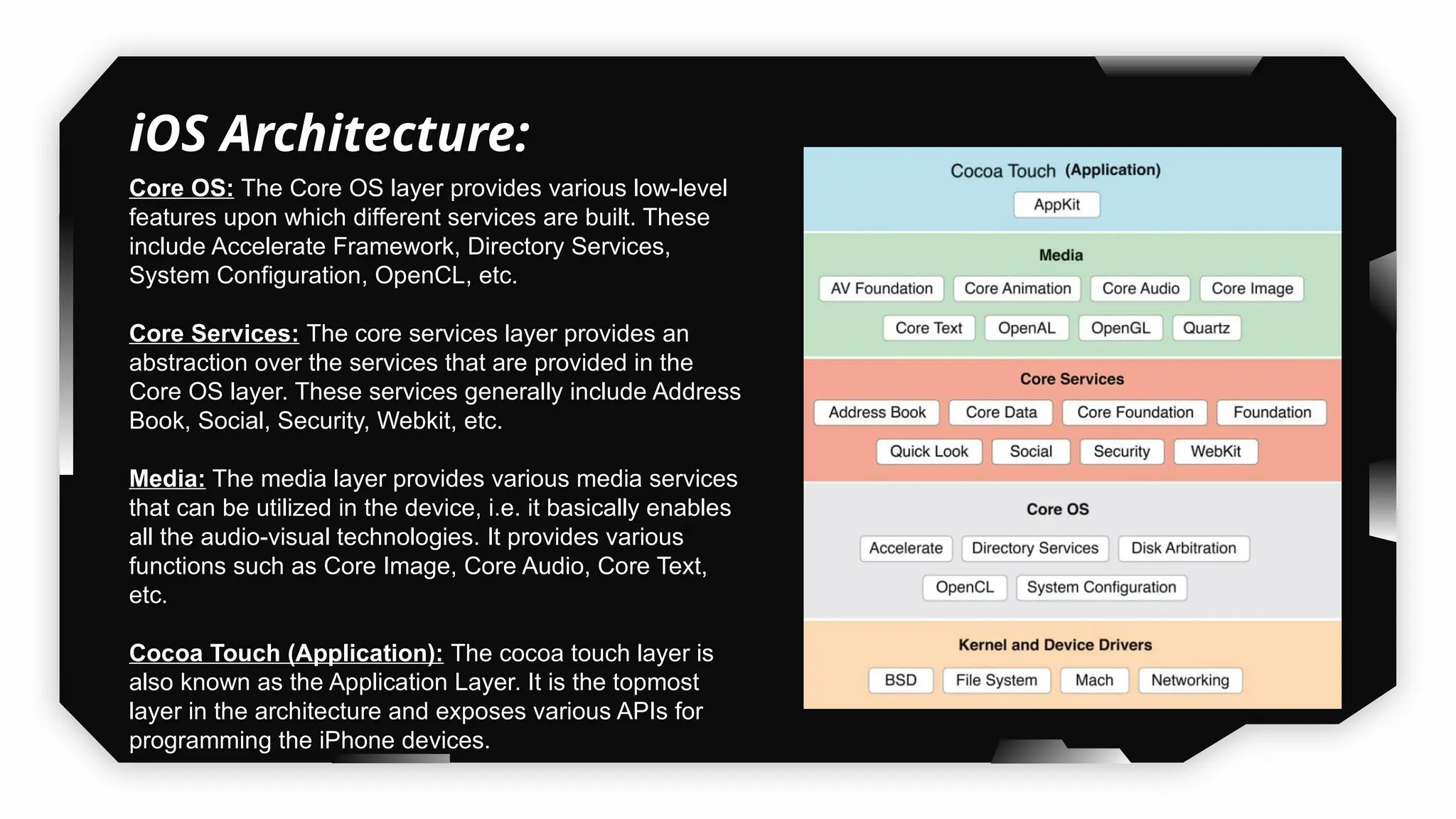
iOS Architecture:
Core OS: The Core OS layer provides various low-level
features upon which different services are built. These
include Accelerate Framework, Directory Services,
System Configuration, OpenCL, etc.
Core Services: The core services layer provides an
abstraction over the services that are provided in the
Core OS layer. These services generally include Address
Book, Social, Security, Webkit, etc.
Media: The media layer provides various media services
that can be utilized in the device, i.e. it basically enables
all the audio-visual technologies. It provides various
functions such as Core Image, Core Audio, Core Text,
etc.
Cocoa Touch (Application): The cocoa touch layer is
also known as the Application Layer. It is the topmost
layer in the architecture and exposes various APIs for
programming the iPhone devices.
Understanding
Jailbreak & Types of
Jailbreaks
02
• A jailbreak is typically a third-party program that uses a string of vulnerabilities to
achieve root access.
• Jailbreaking allows the user to bypass/remove software restrictions imposed by the
manufacturer on iOS devices.
• Jailbreaking allows the user to install third-party applications on the iDevices.
• Jailbreaking permits root access to the iOS file system and manager.
There are 4 main types of jailbreaks:
Untethered Jailbreak, Semi-Untethered Jailbreak, Semi-tethered Jailbreak, Tethered
Jailbreak.
 Untethered Jailbreaks:
 They only require the exploit to be ran once either via a website, an app or a
computer.
 The iDevices remains jailbroken even after a reboot.

Types of Jailbreak:
What is Jailbreak?
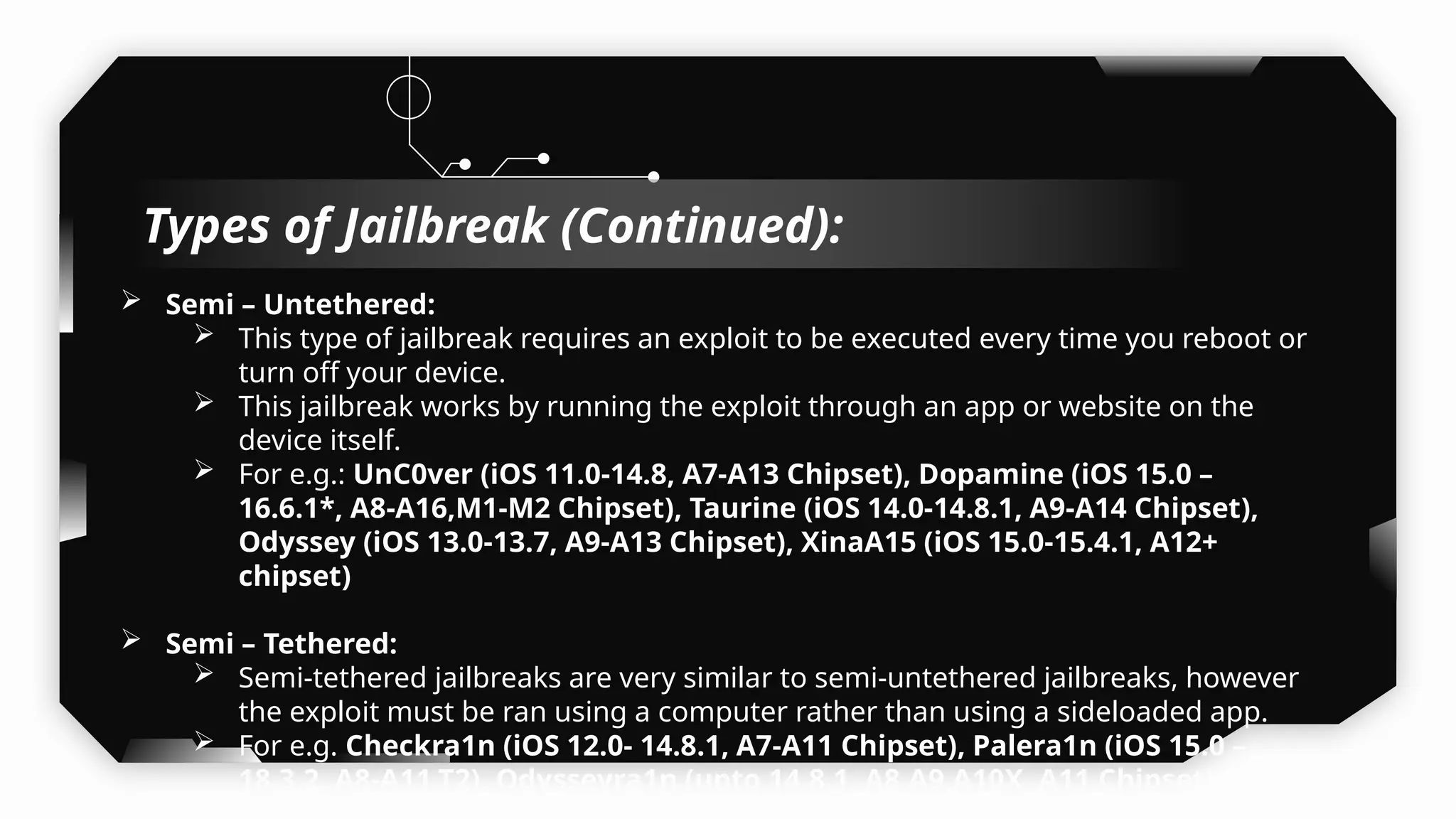
 Semi – Untethered:
 This type of jailbreak requires an exploit to be executed every time you reboot or
turn off your device.
 This jailbreak works by running the exploit through an app or website on the
device itself.
 For e.g.: UnC0ver (iOS 11.0-14.8, A7-A13 Chipset), Dopamine (iOS 15.0 –
16.6.1*, A8-A16,M1-M2 Chipset), Taurine (iOS 14.0-14.8.1, A9-A14 Chipset),
Odyssey (iOS 13.0-13.7, A9-A13 Chipset), XinaA15 (iOS 15.0-15.4.1, A12+
chipset)
 Semi – Tethered:
 Semi-tethered jailbreaks are very similar to semi-untethered jailbreaks, however
the exploit must be ran using a computer rather than using a sideloaded app.
 For e.g. Checkra1n (iOS 12.0- 14.8.1, A7-A11 Chipset), Palera1n (iOS 15.0 –
18.3.2, A8-A11,T2), Odysseyra1n (upto 14.8.1, A8,A9,A10X, A11 Chipset) (A8X
Types of Jailbreak (Continued):
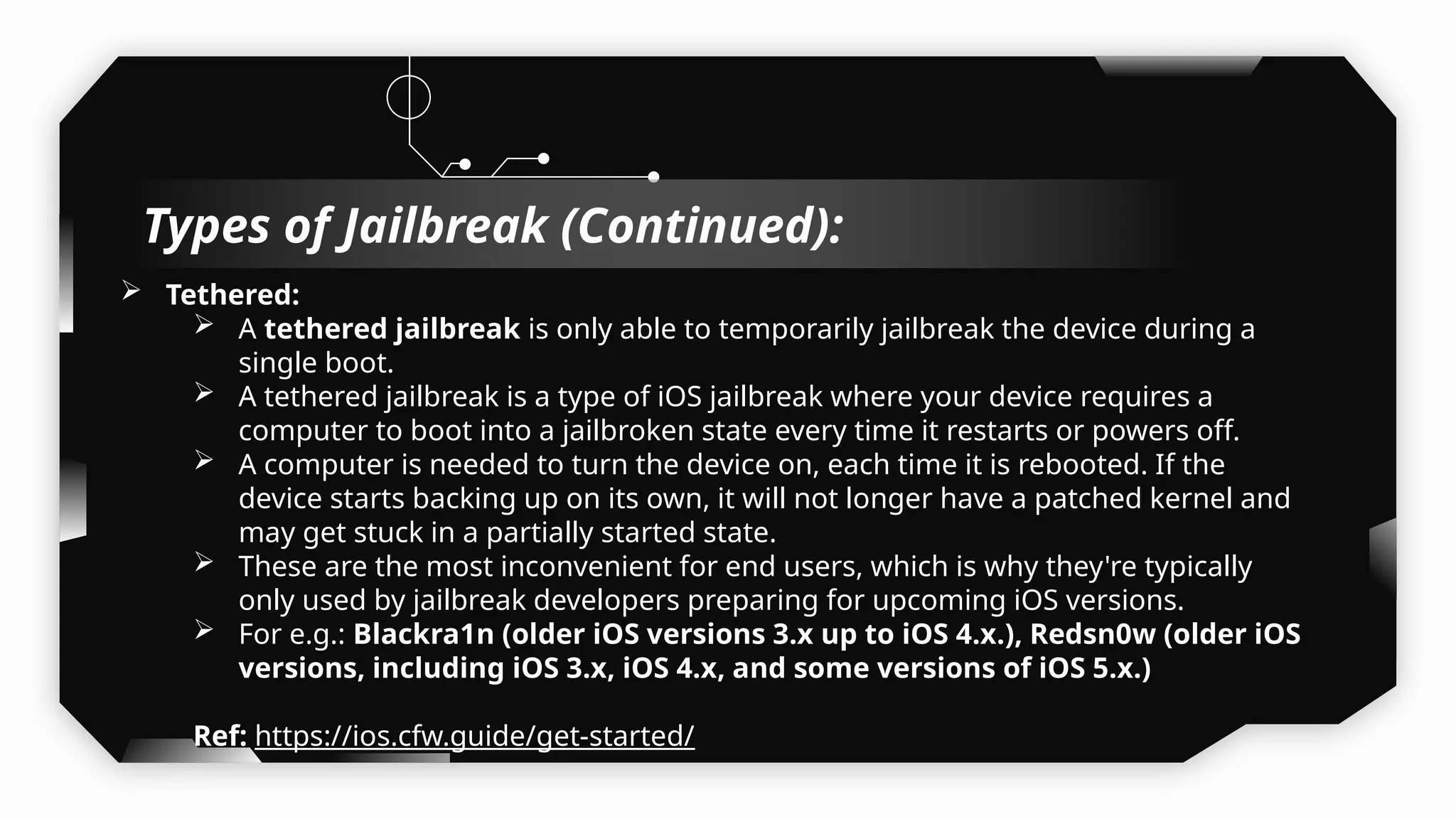
 Tethered:
 A tethered jailbreak is only able to temporarily jailbreak the device during a
single boot.
 A tethered jailbreak is a type of iOS jailbreak where your device requires a
computer to boot into a jailbroken state every time it restarts or powers off.
 A computer is needed to turn the device on, each time it is rebooted. If the
device starts backing up on its own, it will not longer have a patched kernel and
may get stuck in a partially started state.
 These are the most inconvenient for end users, which is why they're typically
only used by jailbreak developers preparing for upcoming iOS versions.
 For e.g.: Blackra1n (older iOS versions 3.x up to iOS 4.x.), Redsn0w (older iOS
versions, including iOS 3.x, iOS 4.x, and some versions of iOS 5.x.)
Ref: https://ios.cfw.guide/get-started/
Types of Jailbreak (Continued):
Demo Time
Let’s Jailbreak the iDevice
(Multiple Methods)
03
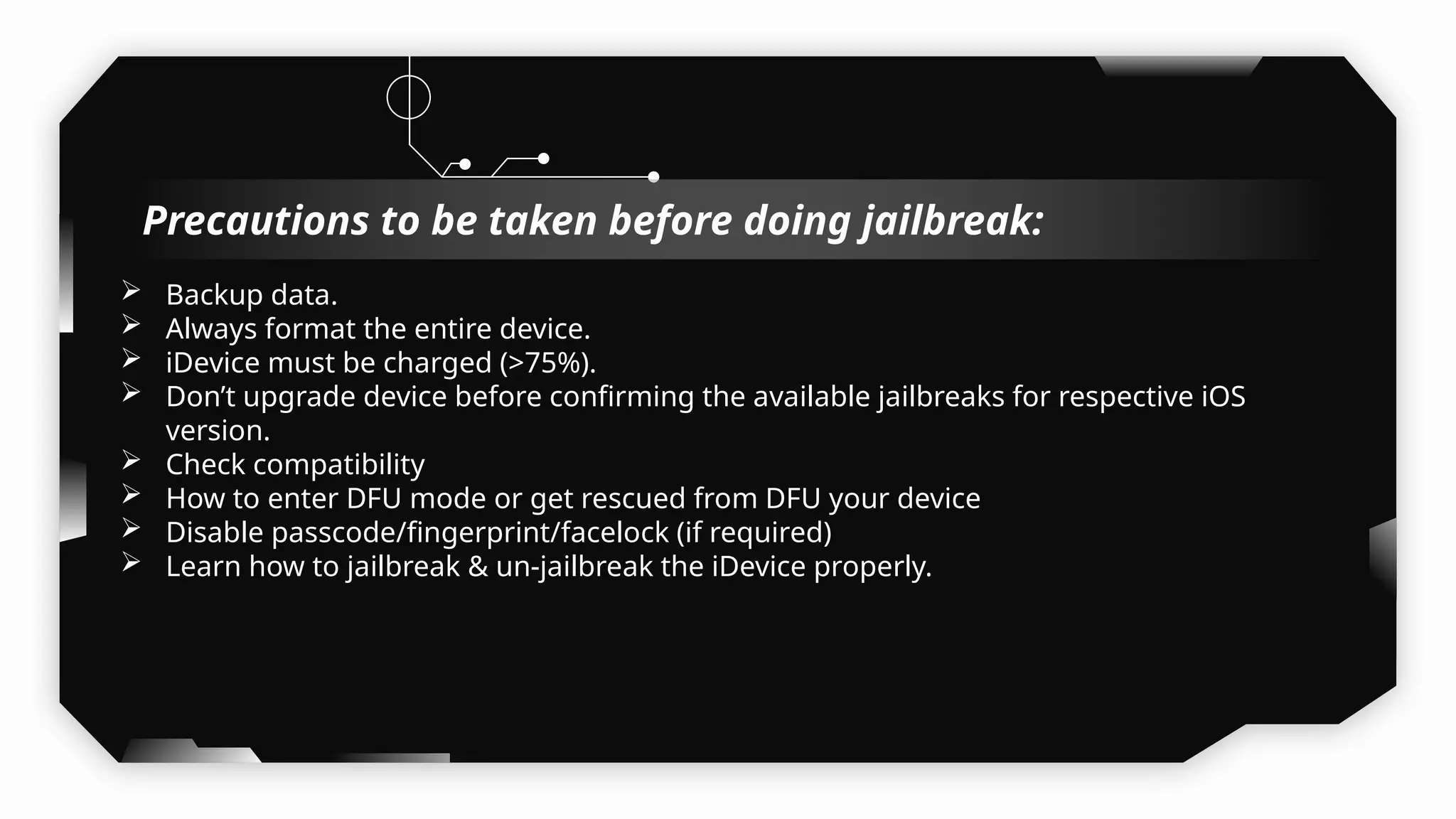
 Backup data.
 Always format the entire device.
 iDevice must be charged (>75%).
 Don’t upgrade device before confirming the available jailbreaks for respective iOS
version.
 Check compatibility
 How to enter DFU mode or get rescued from DFU your device
 Disable passcode/fingerprint/facelock (if required)
 Learn how to jailbreak & un-jailbreak the iDevice properly.
Precautions to be taken before doing jailbreak:
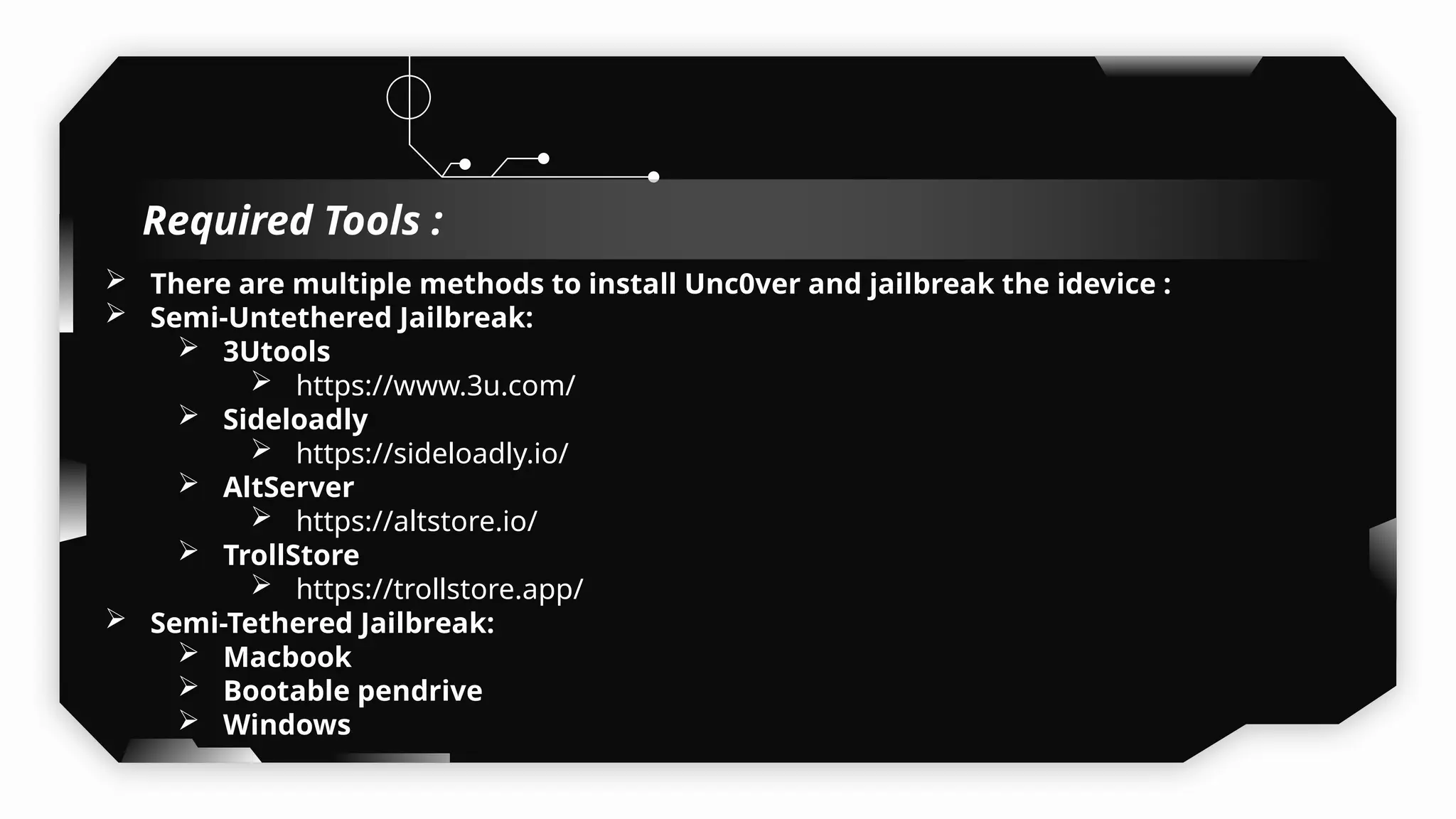
 There are multiple methods to install Unc0ver and jailbreak the idevice :
 Semi-Untethered Jailbreak:
 3Utools
 https://www.3u.com/
 Sideloadly
 https://sideloadly.io/
 AltServer
 https://altstore.io/
 TrollStore
 https://trollstore.app/
 Semi-Tethered Jailbreak:
 Macbook
 Bootable pendrive
 Windows
Required Tools :
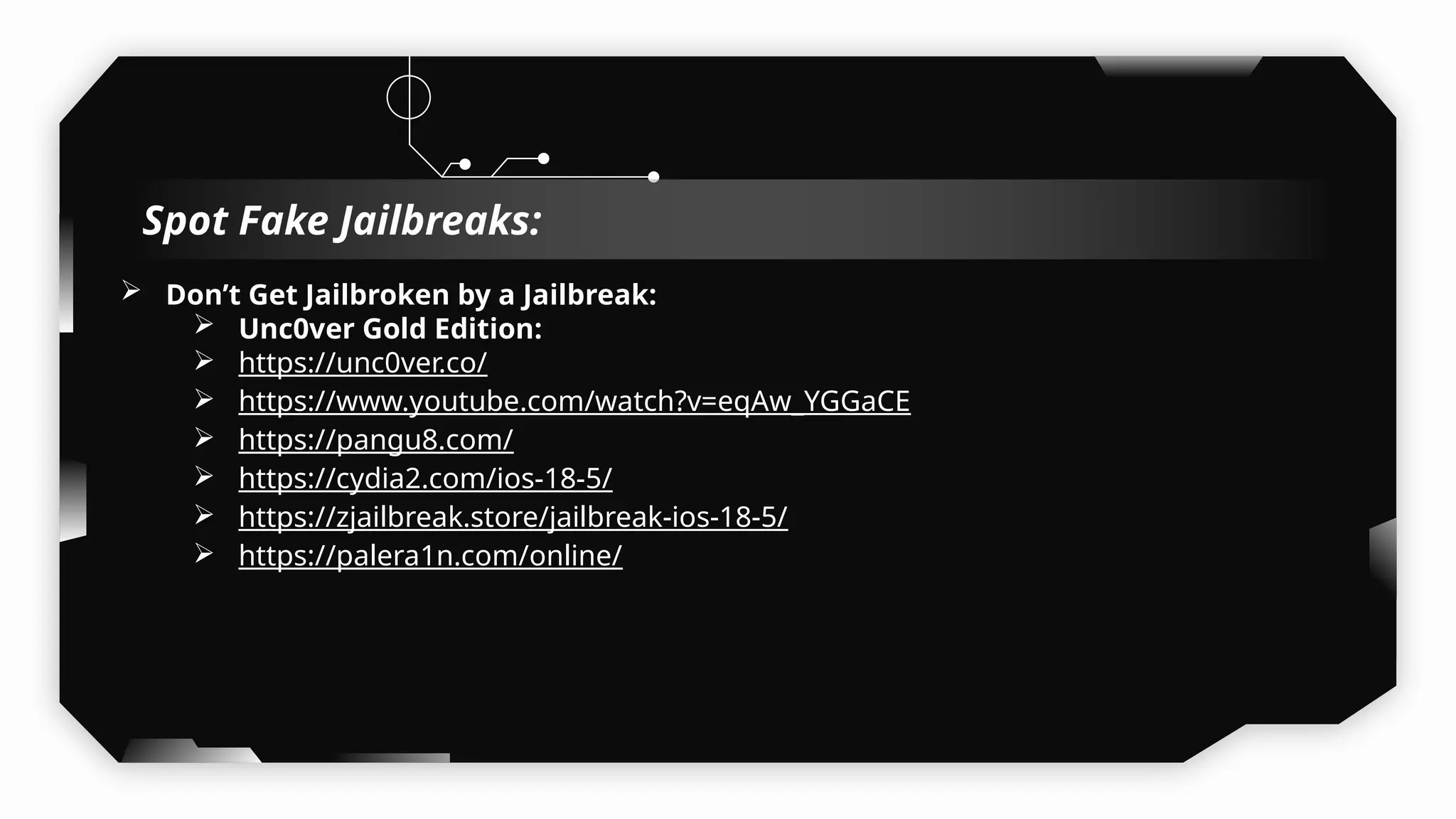
 Don’t Get Jailbroken by a Jailbreak:
 Unc0ver Gold Edition:
 https://unc0ver.co/
 https://www.youtube.com/watch?v=eqAw_YGGaCE
 https://pangu8.com/
 https://cydia2.com/ios-18-5/
 https://zjailbreak.store/jailbreak-ios-18-5/
 https://palera1n.com/online/
Spot Fake Jailbreaks:
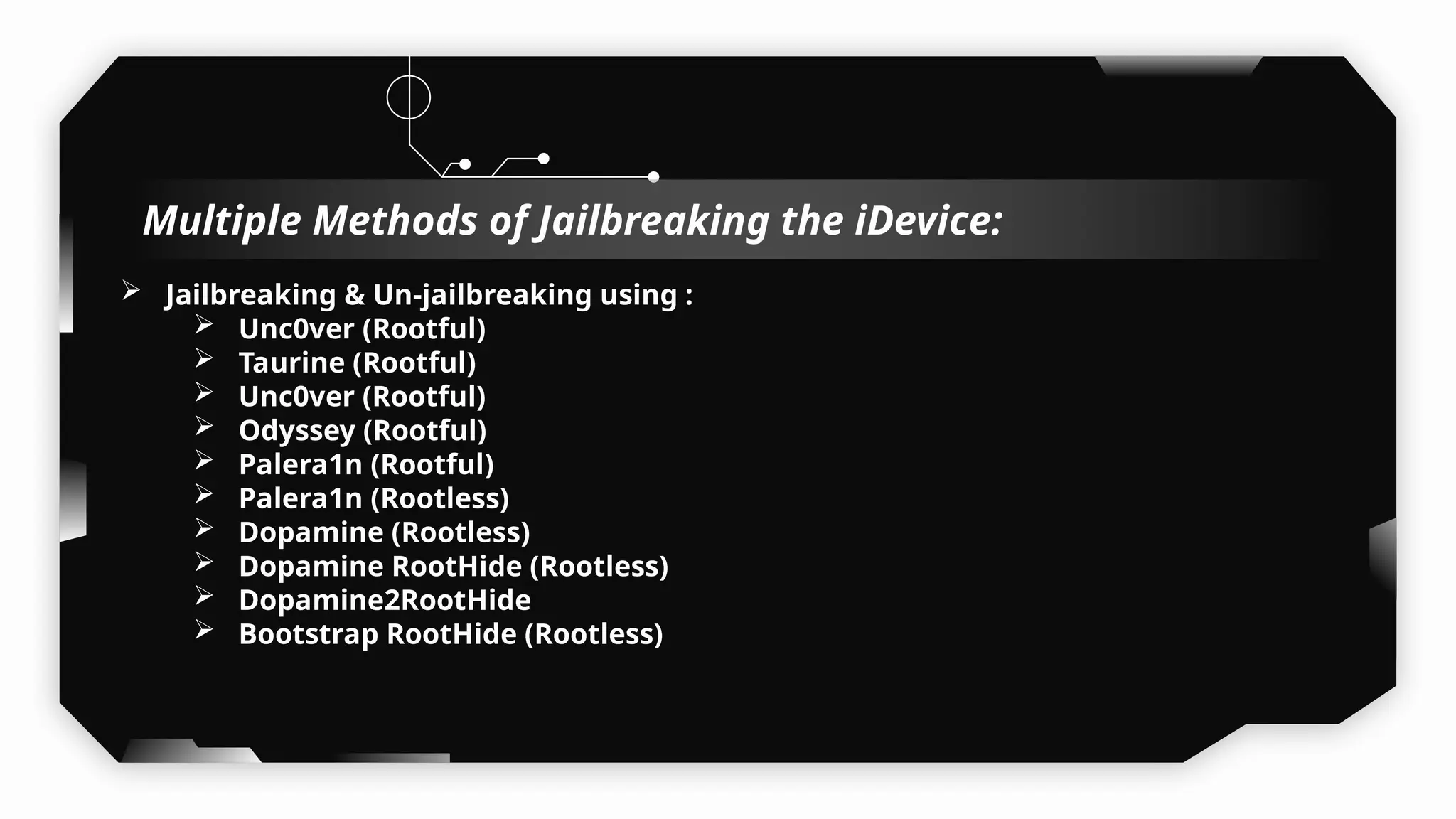
 Jailbreaking & Un-jailbreaking using :
 Unc0ver (Rootful)
 Taurine (Rootful)
 Unc0ver (Rootful)
 Odyssey (Rootful)
 Palera1n (Rootful)
 Palera1n (Rootless)
 Dopamine (Rootless)
 Dopamine RootHide (Rootless)
 Dopamine2RootHide
 Bootstrap RootHide (Rootless)
Multiple Methods of Jailbreaking the iDevice:
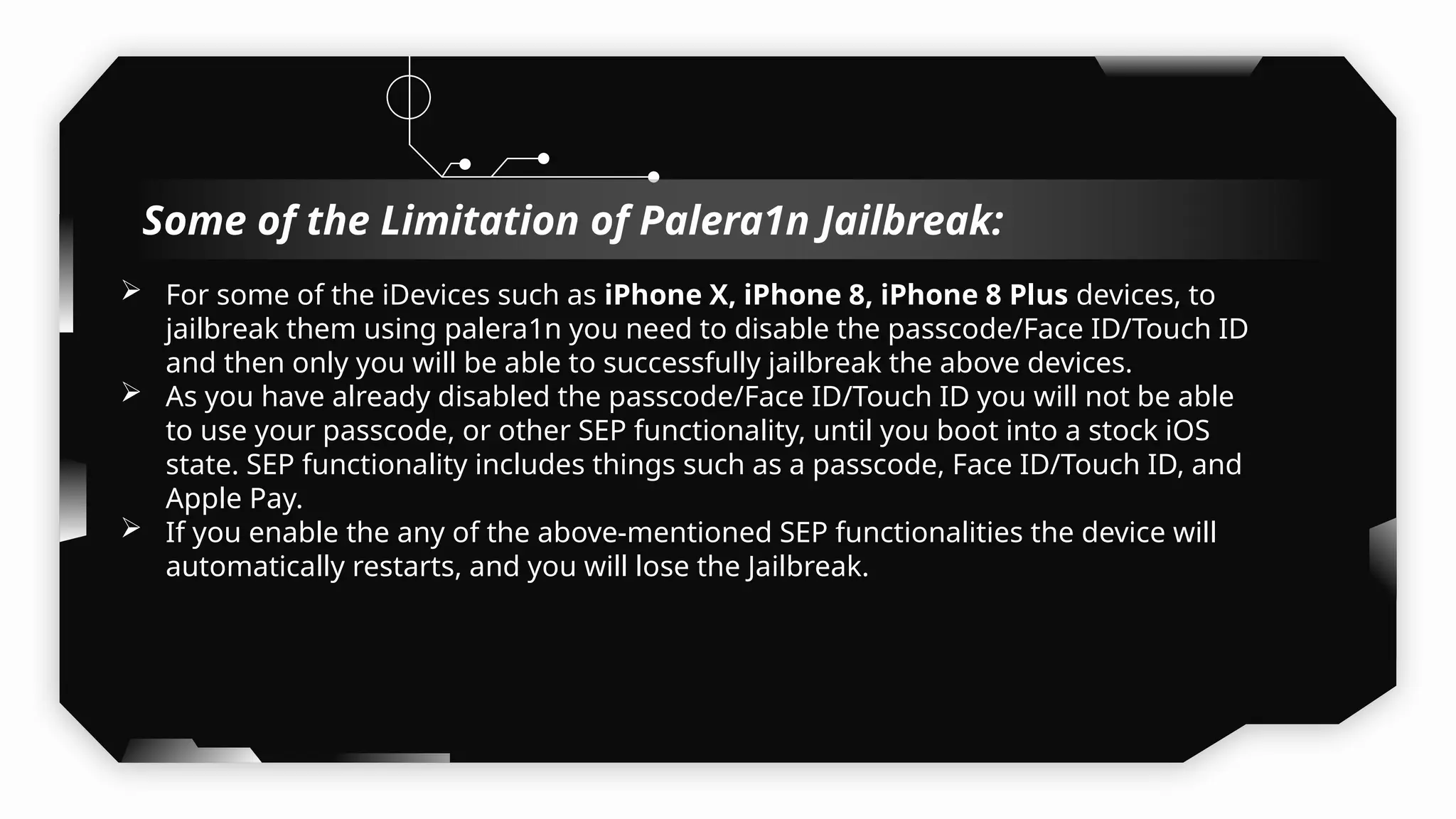
 For some of the iDevices such as iPhone X, iPhone 8, iPhone 8 Plus devices, to
jailbreak them using palera1n you need to disable the passcode/Face ID/Touch ID
and then only you will be able to successfully jailbreak the above devices.
 As you have already disabled the passcode/Face ID/Touch ID you will not be able
to use your passcode, or other SEP functionality, until you boot into a stock iOS
state. SEP functionality includes things such as a passcode, Face ID/Touch ID, and
Apple Pay.
 If you enable the any of the above-mentioned SEP functionalities the device will
automatically restarts, and you will lose the Jailbreak.
Some of the Limitation of Palera1n Jailbreak:
Understanding
RootLess vs RootFul vs
RootHide Jailbreaks
04
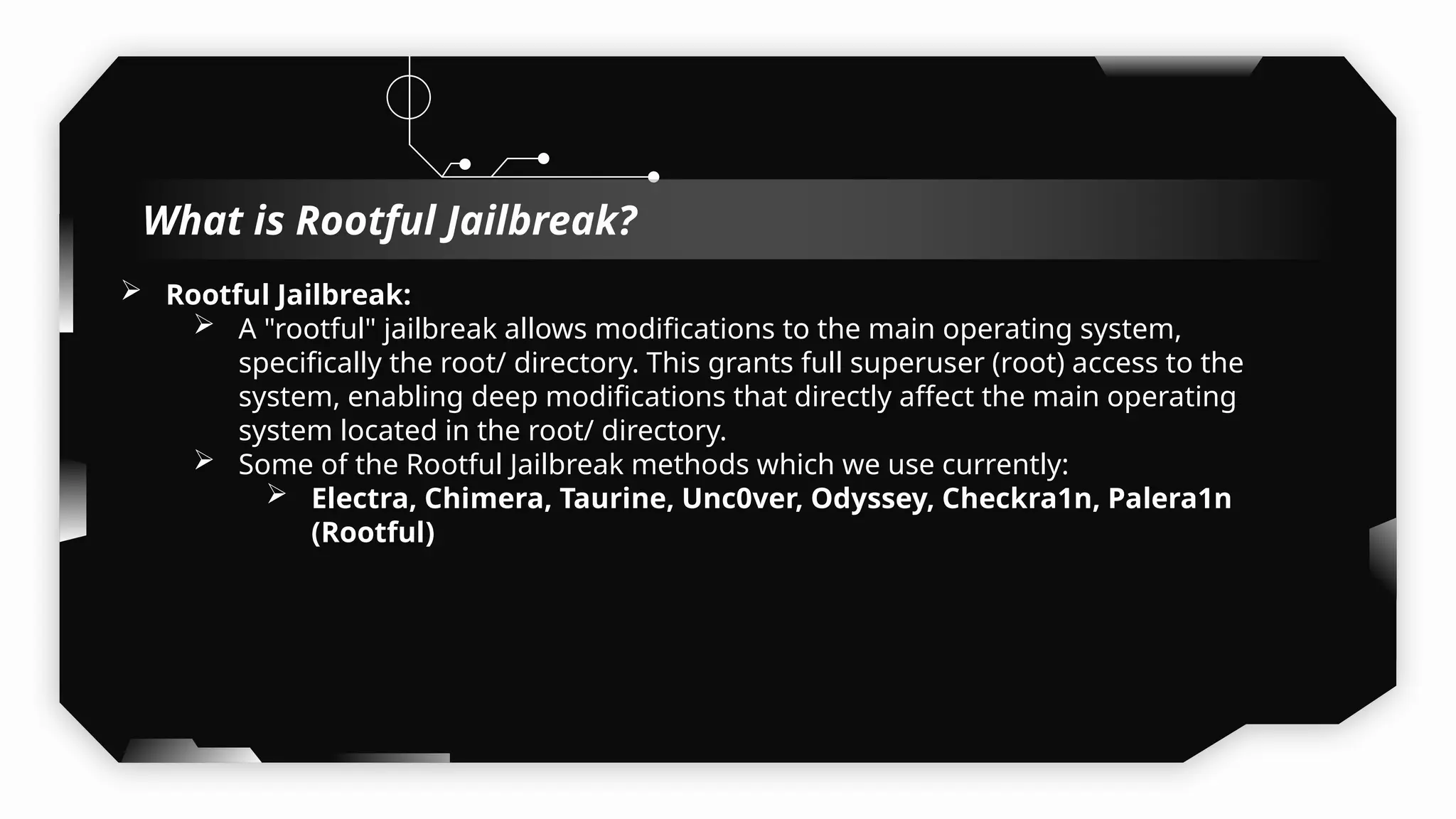
 Rootful Jailbreak:
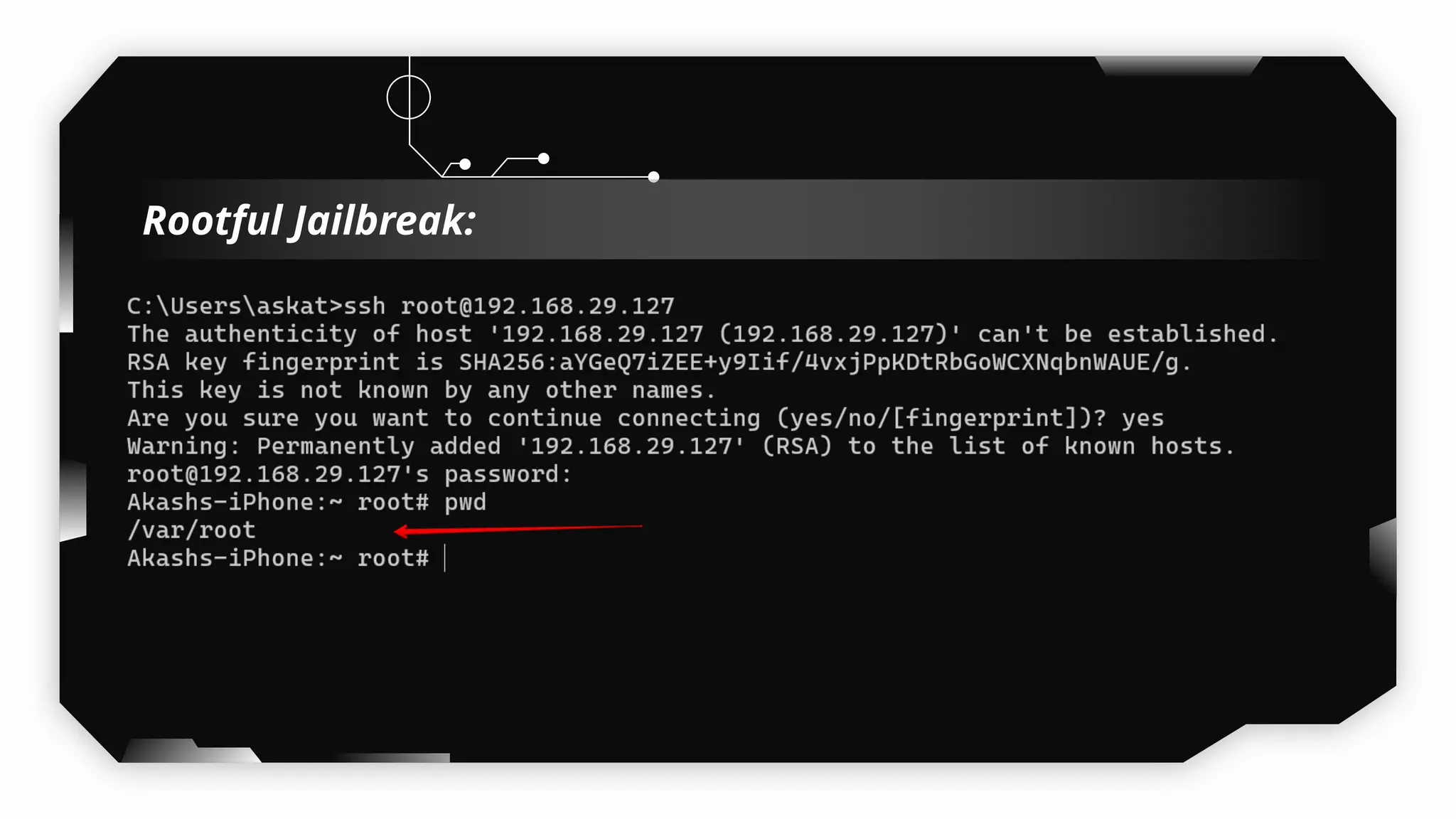
 A "rootful" jailbreak allows modifications to the main operating system,
specifically the root/ directory. This grants full superuser (root) access to the
system, enabling deep modifications that directly affect the main operating
system located in the root/ directory.
 Some of the Rootful Jailbreak methods which we use currently:
 Electra, Chimera, Taurine, Unc0ver, Odyssey, Checkra1n, Palera1n
(Rootful)
What is Rootful Jailbreak?
Rootful Jailbreak:
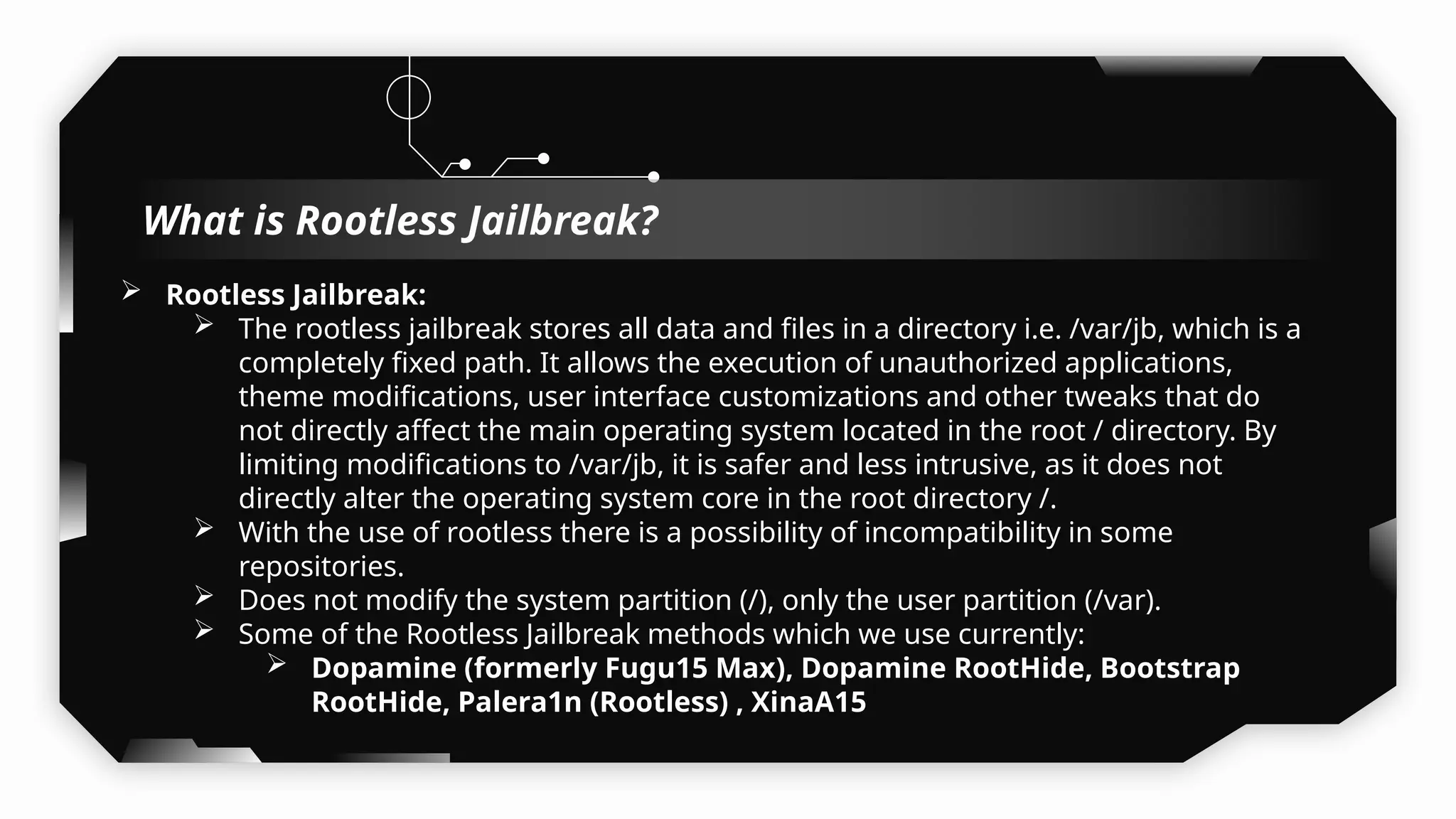
 Rootless Jailbreak:
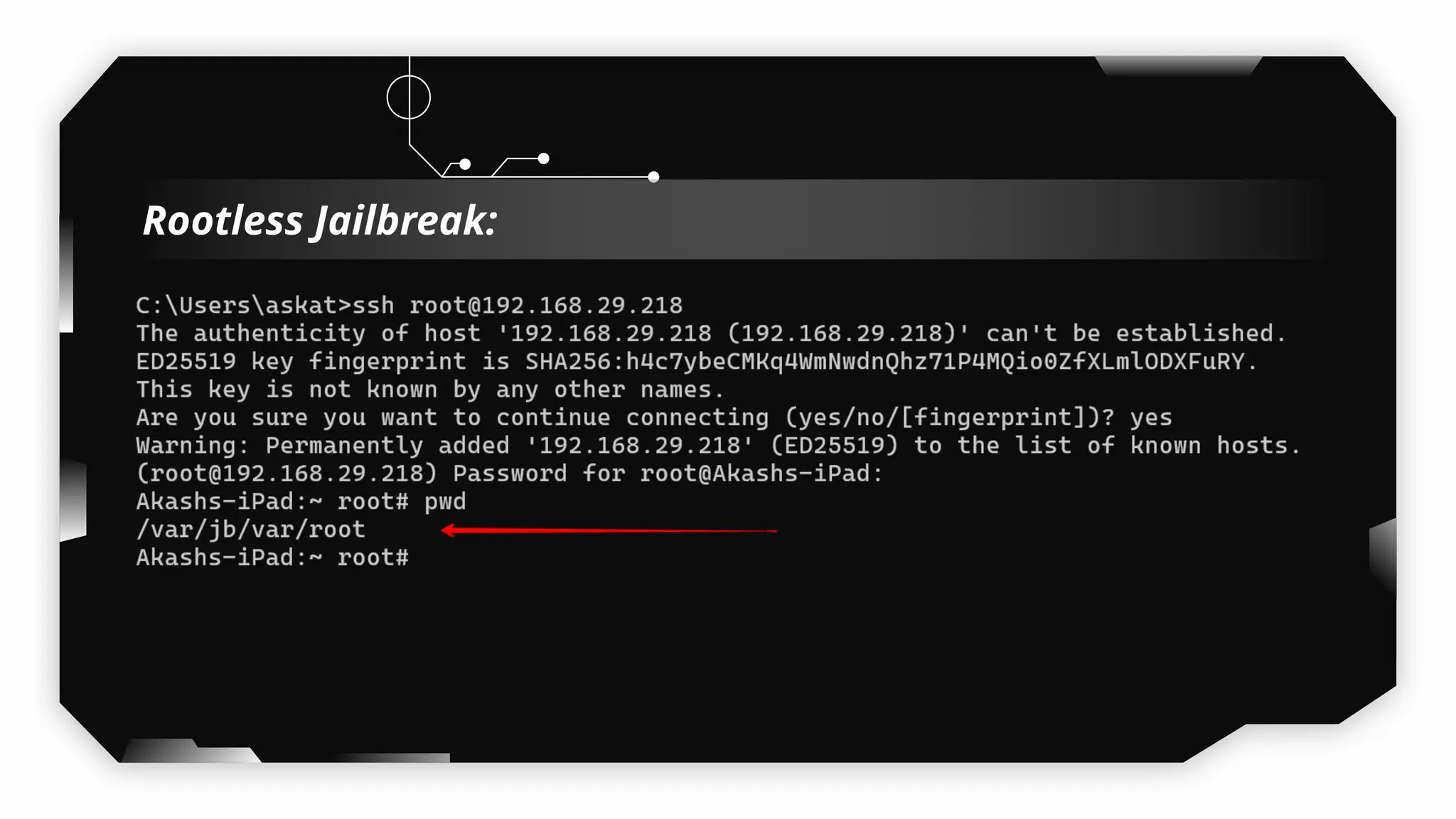
 The rootless jailbreak stores all data and files in a directory i.e. /var/jb, which is a
completely fixed path. It allows the execution of unauthorized applications,
theme modifications, user interface customizations and other tweaks that do
not directly affect the main operating system located in the root / directory. By
limiting modifications to /var/jb, it is safer and less intrusive, as it does not
directly alter the operating system core in the root directory /.
 With the use of rootless there is a possibility of incompatibility in some
repositories.
 Does not modify the system partition (/), only the user partition (/var).
 Some of the Rootless Jailbreak methods which we use currently:
 Dopamine (formerly Fugu15 Max), Dopamine RootHide, Bootstrap
RootHide, Palera1n (Rootless) , XinaA15
What is Rootless Jailbreak?
Rootless Jailbreak:
 RootHide:
 /var/jb:
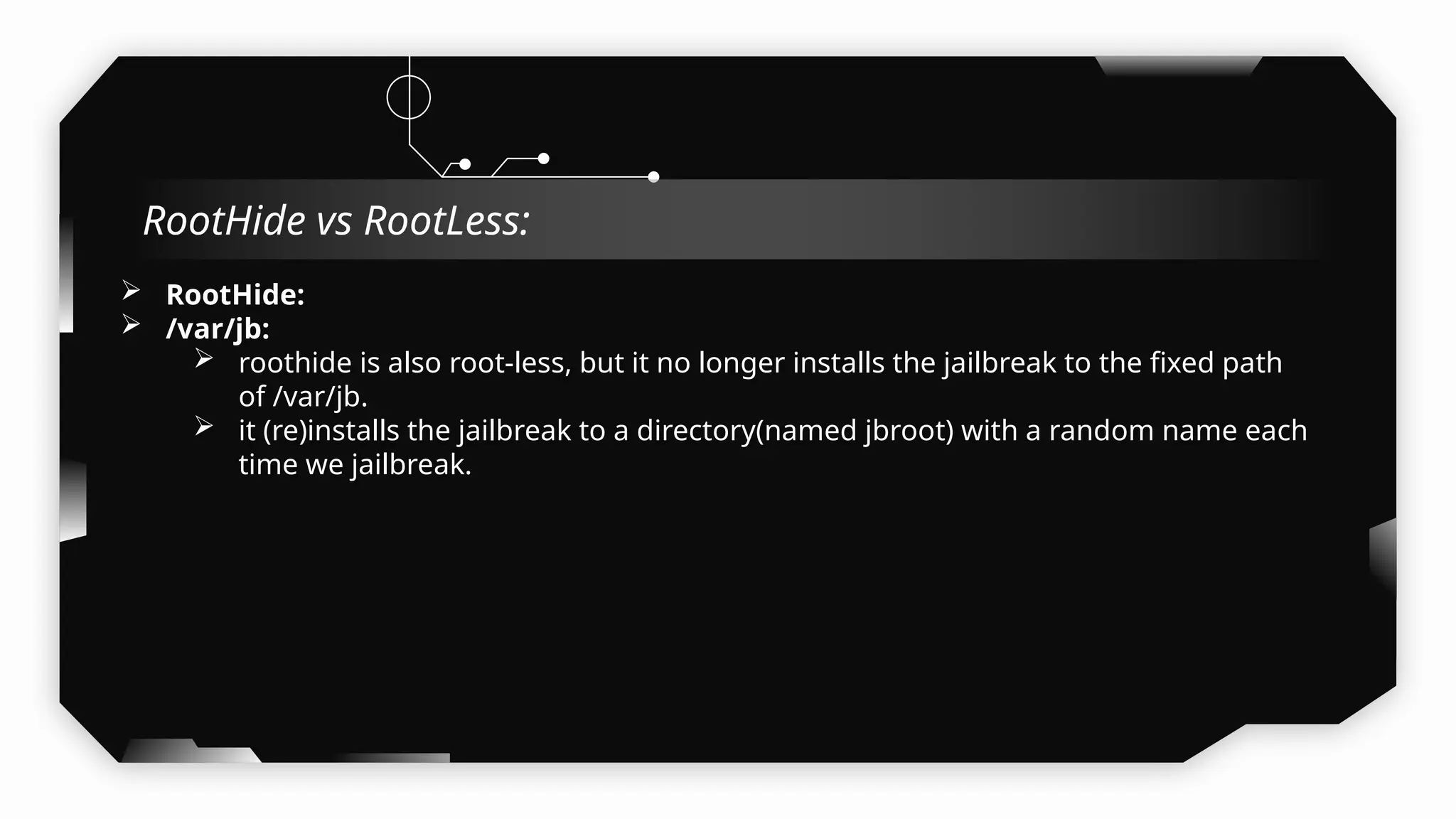
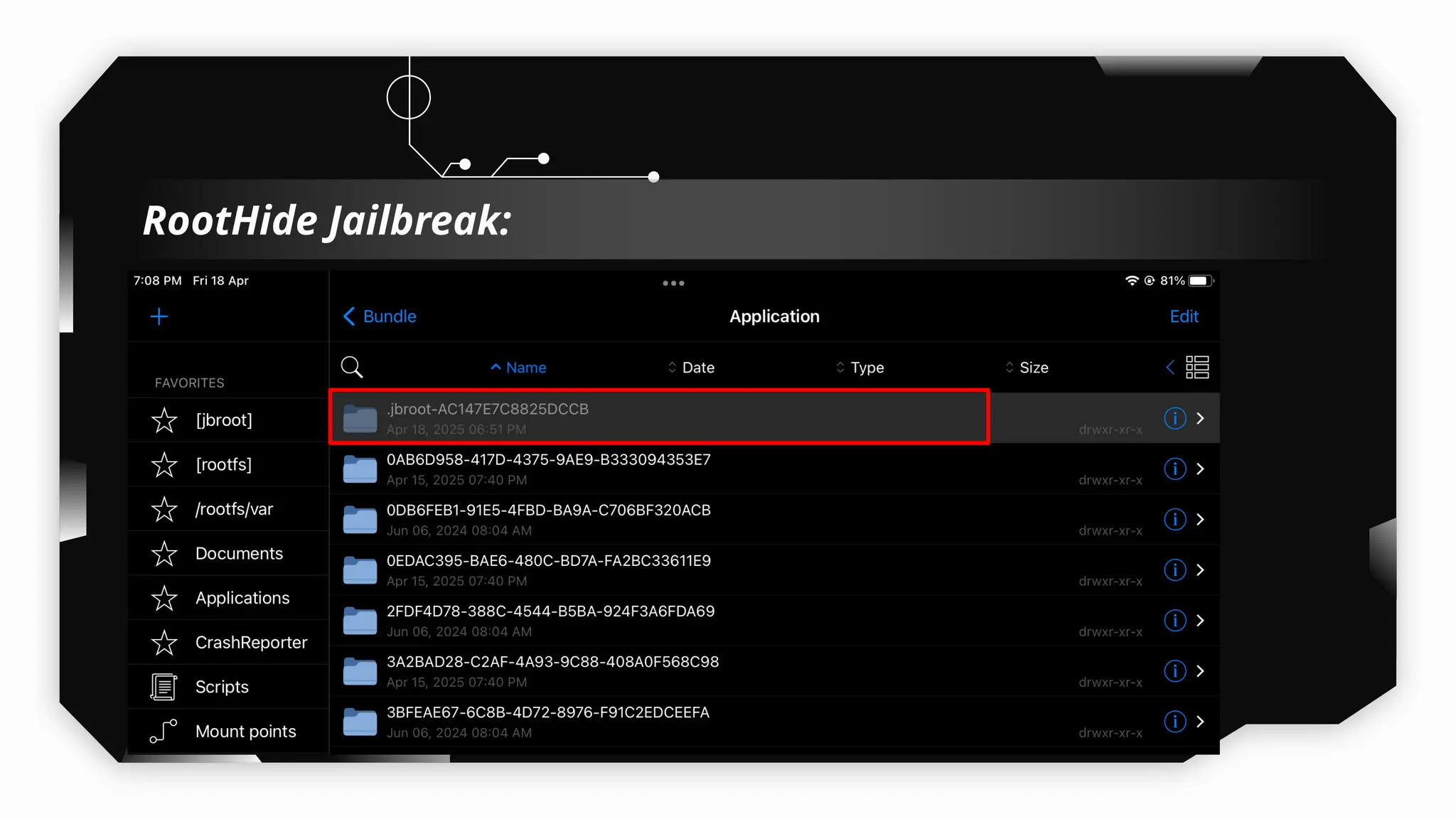
 roothide is also root-less, but it no longer installs the jailbreak to the fixed path
of /var/jb.
 it (re)installs the jailbreak to a directory(named jbroot) with a random name each
time we jailbreak.
 Refer:
RootHide vs RootLess:
RootHide Jailbreak:
iOS pentesting on
Physical Devices VS
Corellium
05
What is Corellium?
 Arm virtualization platform combines high-fidelity virtual devices with powerful
security tools.
 The ARM virtualization extensions provide a hardware means for a hypervisor to
virtualize the CPU, allowing for multiple OS to be run on the same system.
Currently Versions Supported By Corellium:
 iOS version (16.0 – 16.4.1)
 iPadOS (upto iOS 18.3.2)
 Android (7 - 14)
Link to Access Corellium:
https://www.corellium.com/
Demo Time
Corellium Overview
 Corellium is Paid and expensive too.
 No AppStore access, Corellium also does not support logging into an iCloud account or
downloading apps from the App Store.
 Corellium doesn’t provide any feature to access AppStore so in case client ask to install
the application from TestFlight you will not be able to install the neither TestFlight nor
the application.
 To install an iOS app on a virtual device, the binary must be an unencrypted and
signed.
 Cannot test cellular-related components or firmware-level vulnerabilities.
 To intercept the application traffic in burpsuite, our base machine must be connected
to corellium via their OpenVPN profiles. So in real world which is not feasible to test the
applications when the application is not public facing or require special vpn setup.
 Due to a lack of GPU (Metal) support, certain applications are not able to launch.
 This includes the native Maps, Watch, and Find My Friends apps. Corellium also does
not support logging into an iCloud account or downloading apps from the App Store.
The following peripherals are not currently supported for iOS:
 Cellular (calls, text messages)
 NFC
 Bluetooth
Limitations To Carry out Pentest on Corellium:
IPA File Structure
Breakdown (Swift,
Cordova, Flutter &
XAMARIN)
06
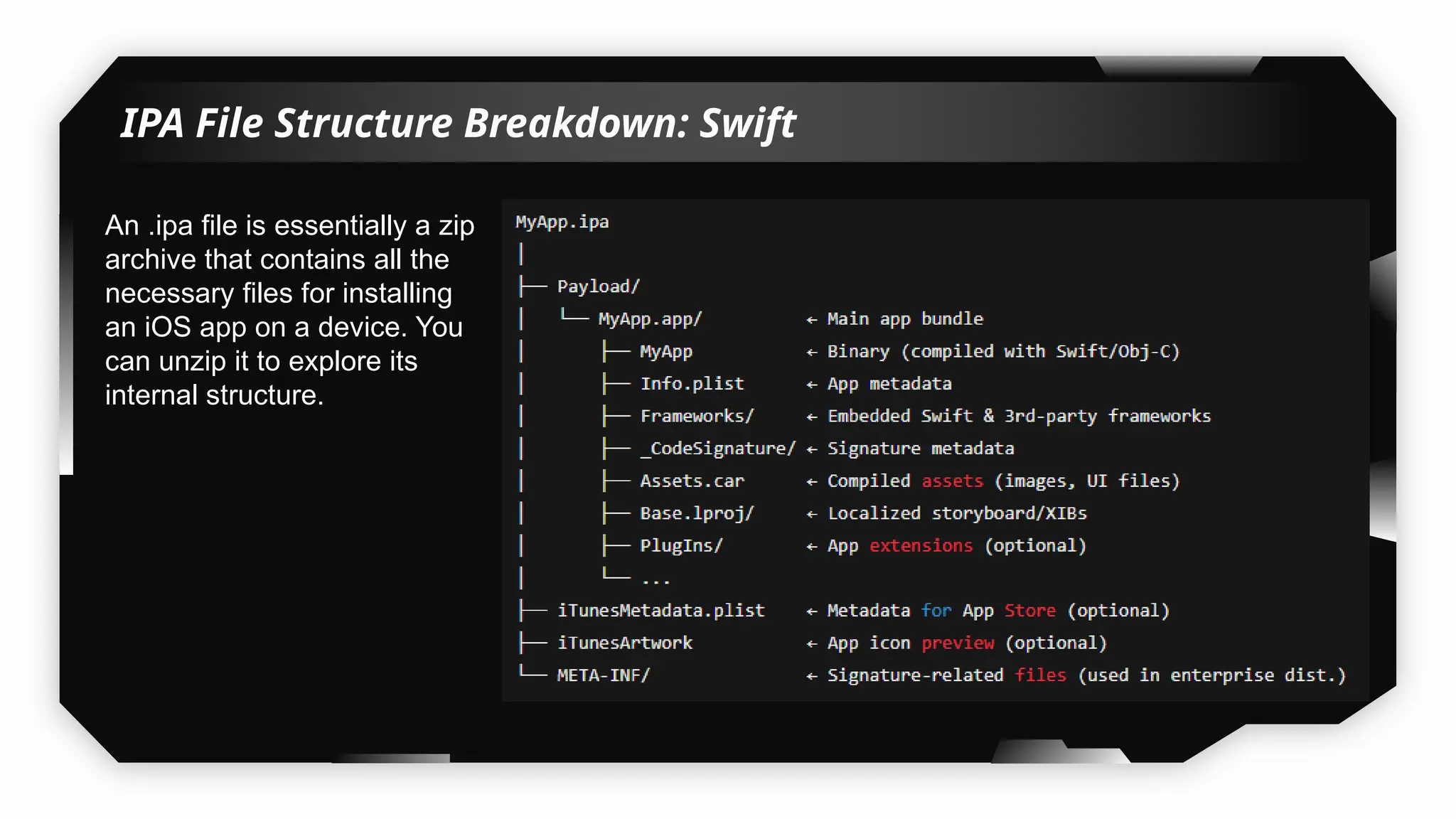
IPA File Structure Breakdown: Swift
An .ipa file is essentially a zip
archive that contains all the
necessary files for installing
an iOS app on a device. You
can unzip it to explore its
internal structure.
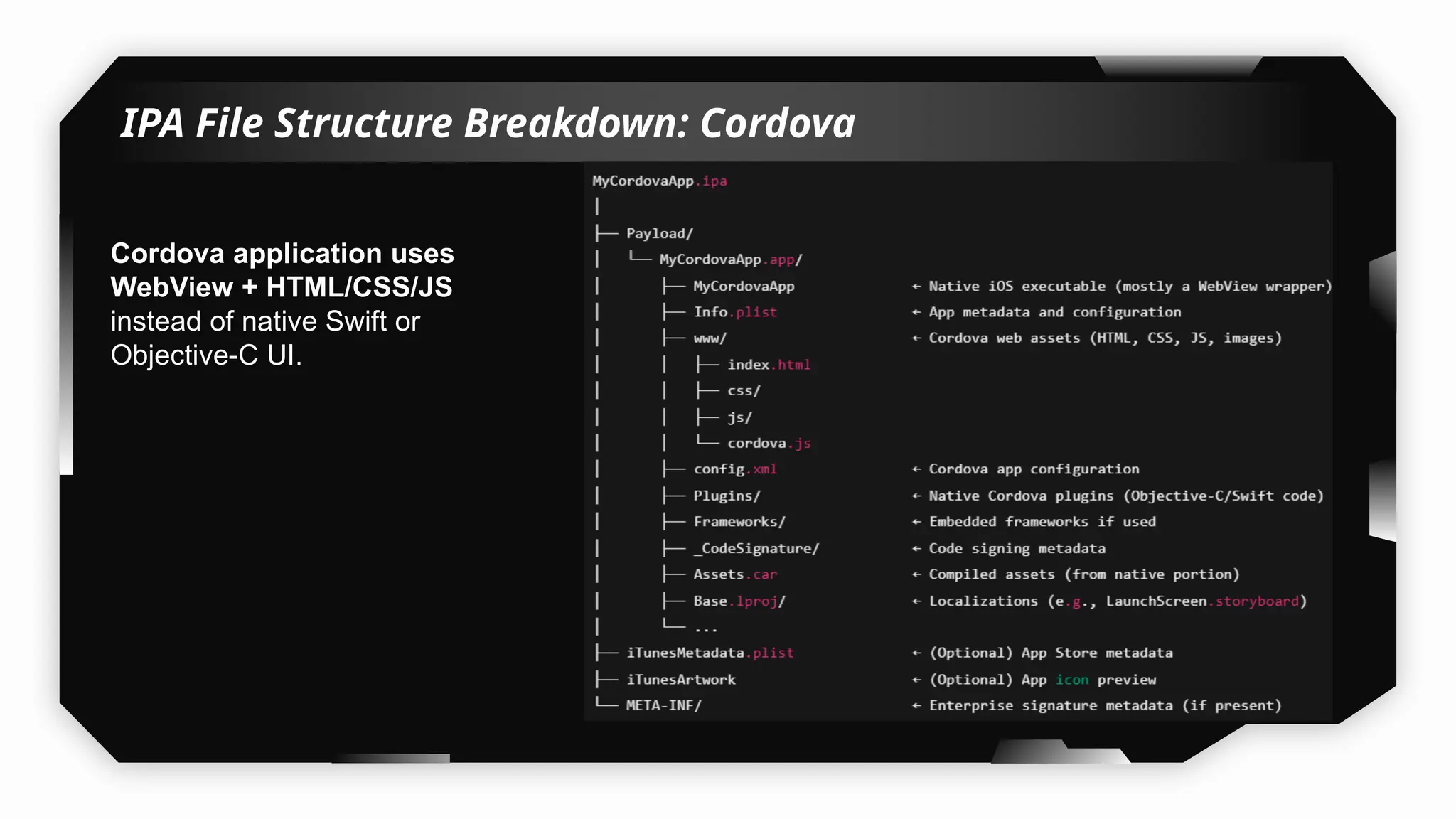
IPA File Structure Breakdown: Cordova
Cordova application uses
WebView + HTML/CSS/JS
instead of native Swift or
Objective-C UI.
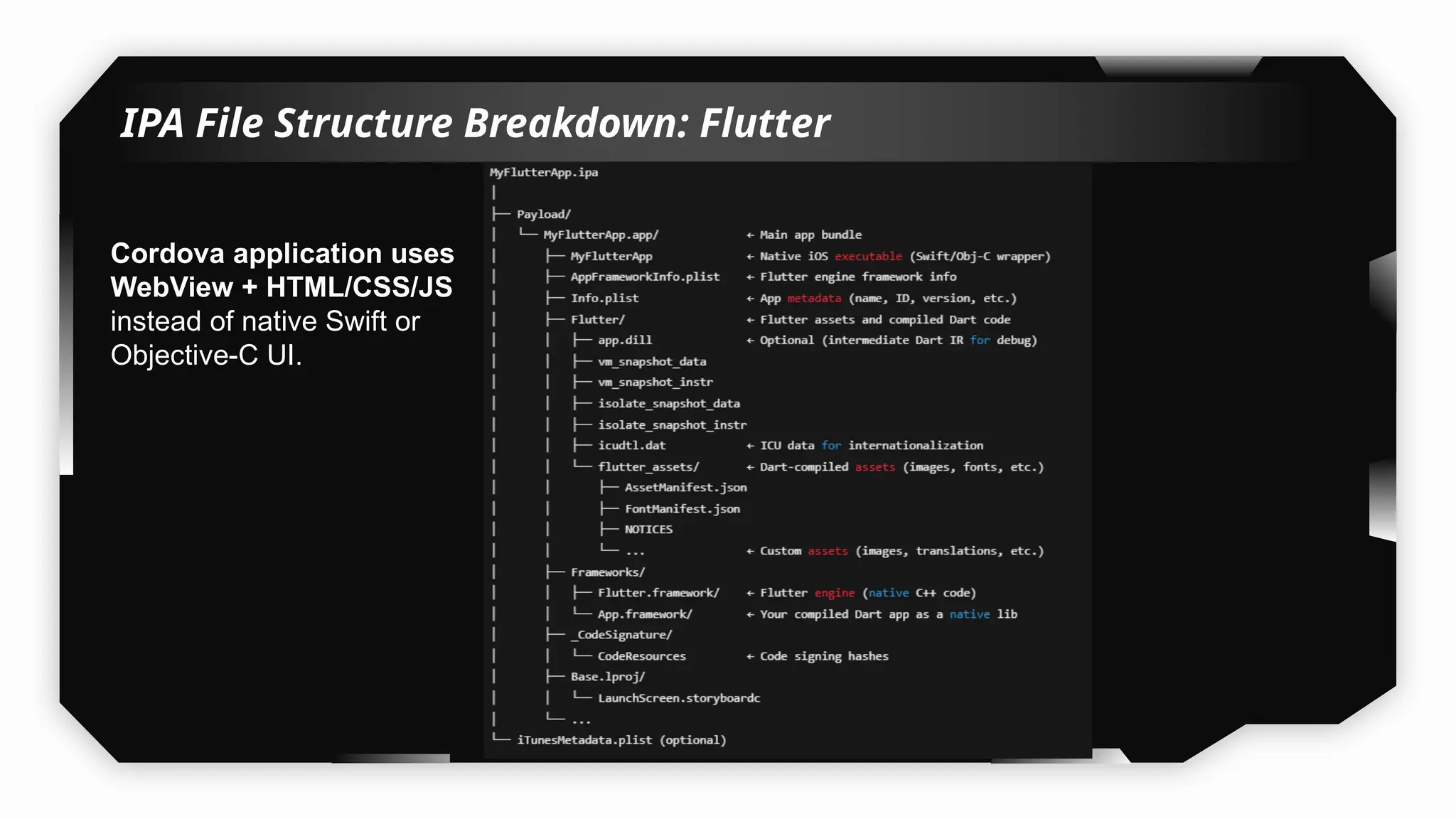
IPA File Structure Breakdown: Flutter
Cordova application uses
WebView + HTML/CSS/JS
instead of native Swift or
Objective-C UI.
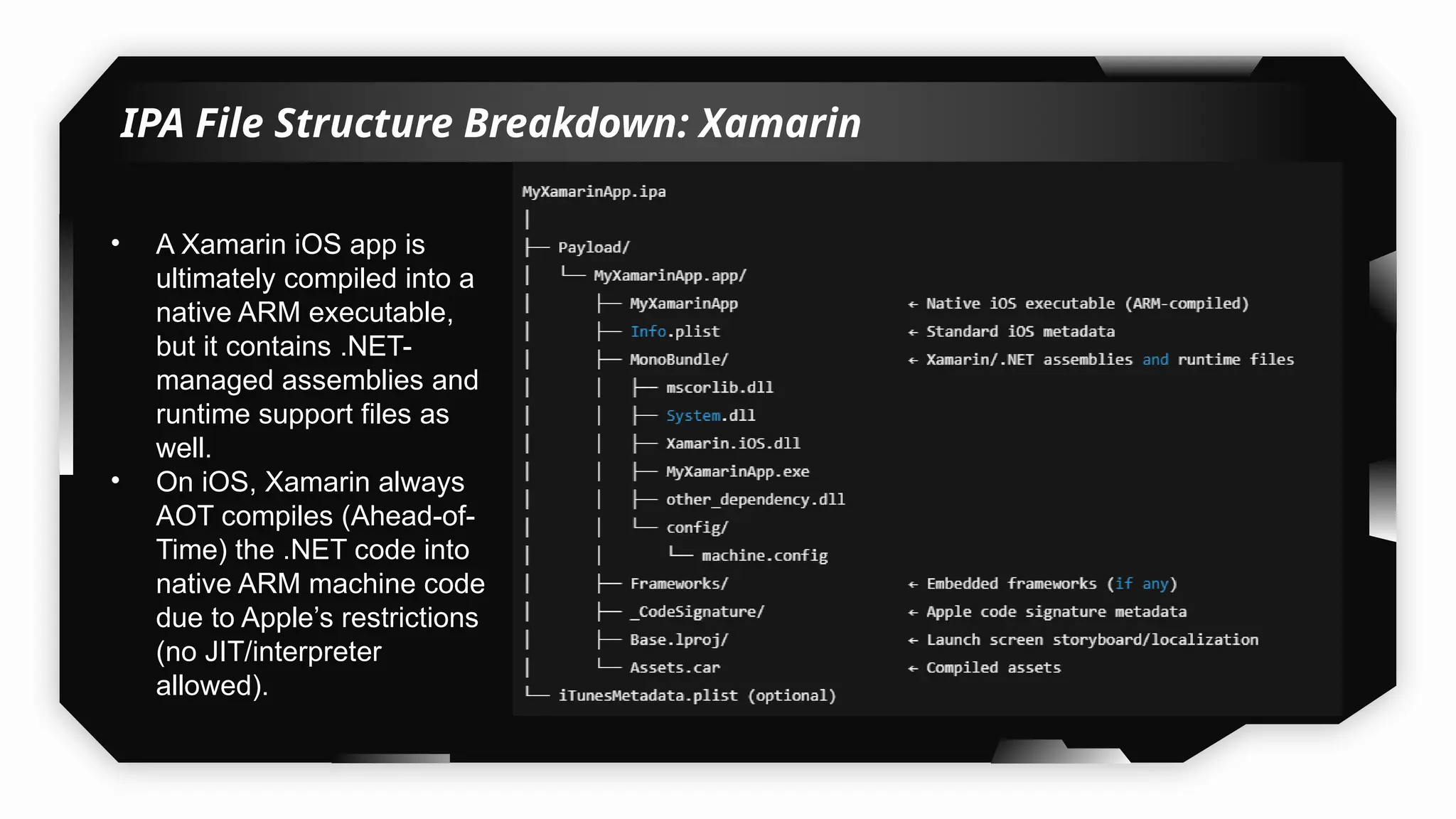
IPA File Structure Breakdown: Xamarin
• A Xamarin iOS app is
ultimately compiled into a
native ARM executable,
but it contains .NET-
managed assemblies and
runtime support files as
well.
• On iOS, Xamarin always
AOT compiles (Ahead-of-
Time) the .NET code into
native ARM machine code
due to Apple’s restrictions
(no JIT/interpreter
allowed).
iOS Pentesting Tools
Installation
07
iOS Pentesting Essential Tools:
Navigate to below-mentioned URL and add repos in Cydia/Sileo/Zebra:
 Github Link: https://github.com/akashkatare/iOS-Application-Pentest/tree/main
Windows Tools:
 Ghidra: https://github.com/NationalSecurityAgency/ghidra/releases
 MobSF: https://github.com/MobSF/Mobile-Security-Framework-MobSF or
https://mobsf.github.io/docs/#/docker_options
 Frida:
pip install frida==16.5.1
pip install frida-tools --upgrade
pip install objection --upgrade
Demo
Installing iOS Application on
Jailbroken & Non-Jailbroken
iDevices
08
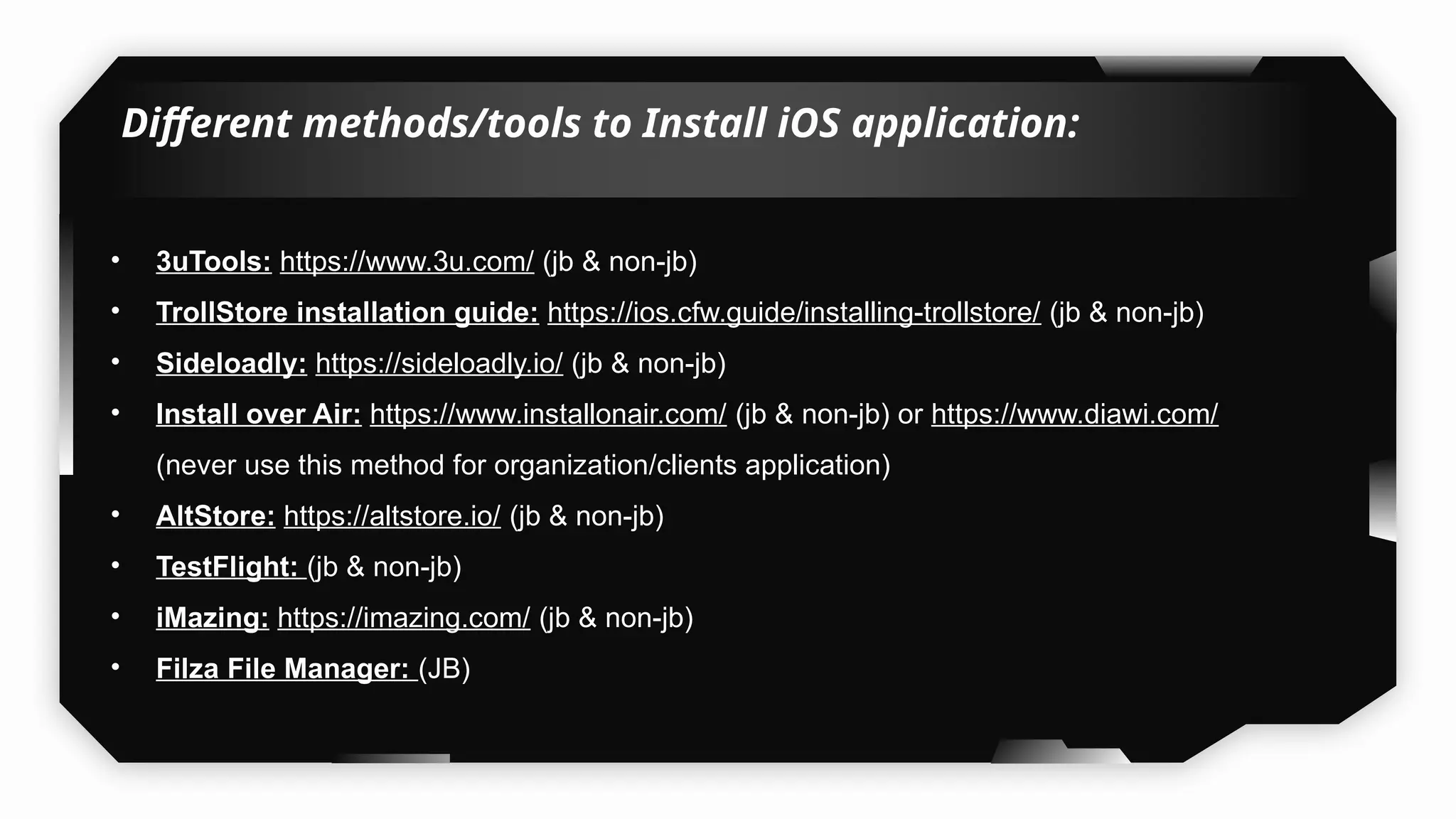
Different methods/tools to Install iOS application:
• 3uTools: https://www.3u.com/ (jb & non-jb)
• TrollStore installation guide: https://ios.cfw.guide/installing-trollstore/ (jb & non-jb)
• Sideloadly: https://sideloadly.io/ (jb & non-jb)
• Install over Air: https://www.installonair.com/ (jb & non-jb) or https://www.diawi.com/
(never use this method for organization/clients application)
• AltStore: https://altstore.io/ (jb & non-jb)
• TestFlight: (jb & non-jb)
• iMazing: https://imazing.com/ (jb & non-jb)
• Filza File Manager: (JB)
Demo
iOS Application Sandbox
Structure
09
iOS Application Sandbox Structure:
What happens when an iOS application is installed in the iDevice:
The iOS application sandbox is a security mechanism enforced by the operating
system to isolate apps from each other and from sensitive system resources. It plays a key
role in iOS security by limiting what an app can access, even if it becomes compromised.
There are 3 types of sandboxes in iDevice:
1) Pre-installed App Directory:
The applications that come pre-installed by default on the iDevice have their app files stored
in this directory.
Path: /var/Application
2) Bundle Directory/ IPA Container:
It contains all of the files that come with apps when downloaded from the Apple App Store.
Path: /var/containers/Bundle/Application
3) Data Directory/ Local Data Storage Container:
It contains files the developer wants to keep.
It stores files that could be used for caching information for quick access, or storing offline
data as a backup for resuming the application use
Path: /var/mobile/Containers/data/Application
Demo
Extracting & Dumping
Decrypted IPA Files
10
Extracting & Dumping Decrypted IPA Files:
Tools:
• CrackerXL+: http://cydia.iphonecake.com/
• TrollDecrypt: https://github.com/donato-fiore/TrollDecrypt/releases
• iMazing (When to use & when not use): https://imazing.com/
• Frida-ios-dump: https://github.com/AloneMonkey/frida-ios-dump
• Filza: (Encrypted or Decrypted IPA ?)
• iGameGods(When to use & when not use): https://iosgods.com/repo/
Demo
Static Analysis of iOS
Applications
11
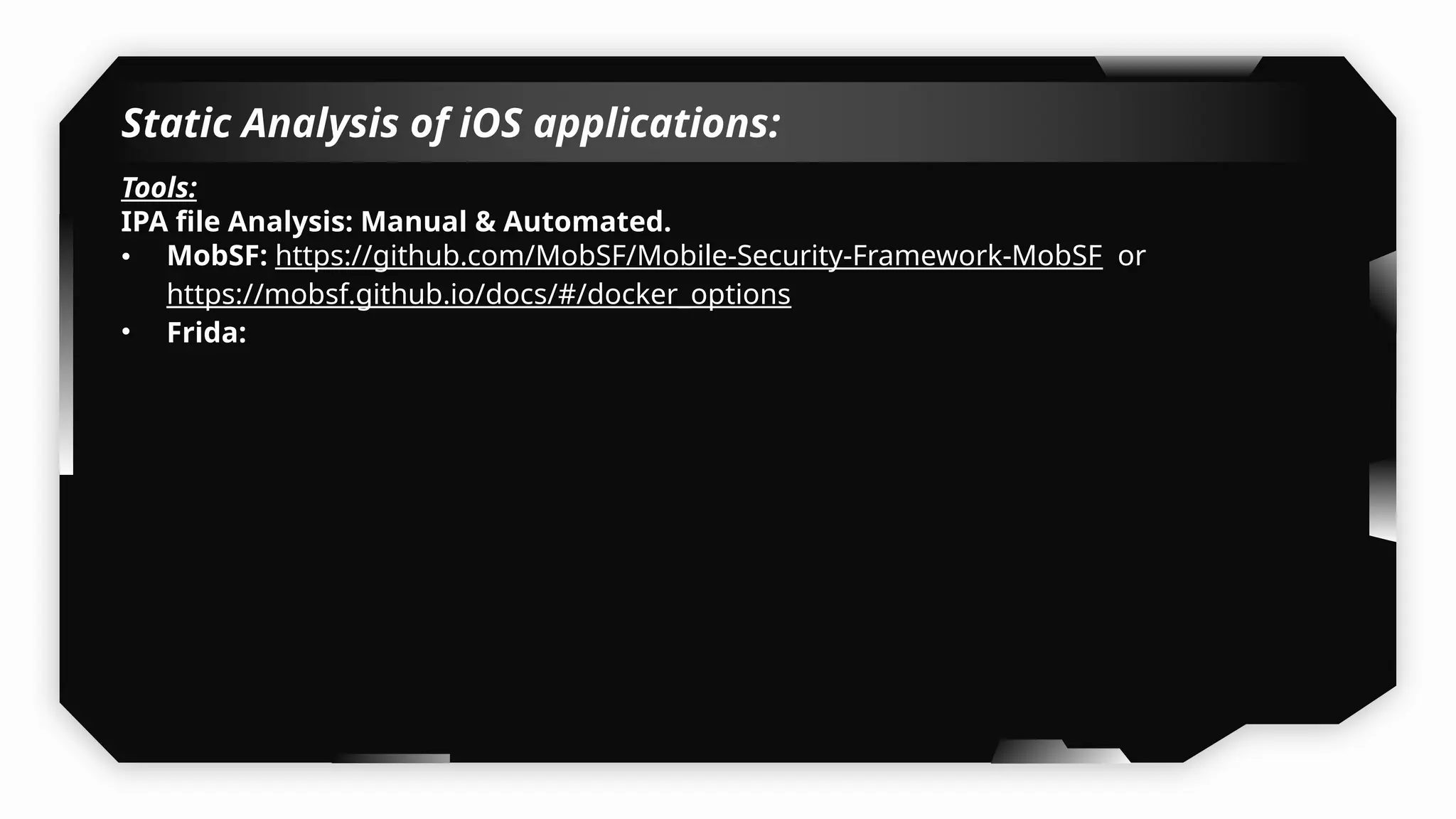
Static Analysis of iOS applications:
Tools:
IPA file Analysis: Manual & Automated.
• MobSF: https://github.com/MobSF/Mobile-Security-Framework-MobSF or
https://mobsf.github.io/docs/#/docker_options
• Frida:
Demo
Security Testing & Some
Vulnerabilities
Testing Local Storage of the
Application
12
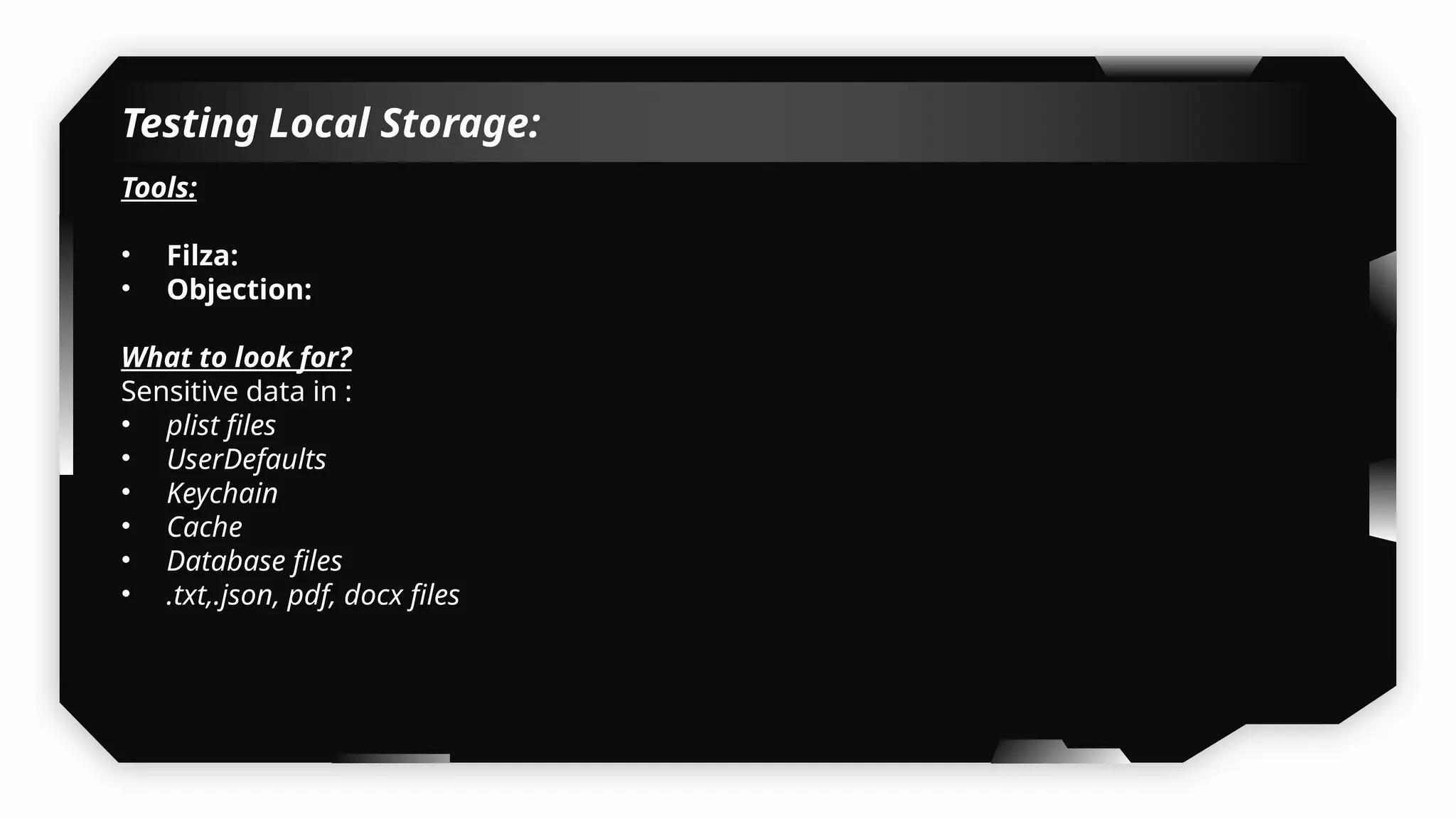
Testing Local Storage:
Tools:
• Filza:
• Objection:
What to look for?
Sensitive data in :
• plist files
• UserDefaults
• Keychain
• Cache
• Database files
• .txt,.json, pdf, docx files
Demo
Mitigation:
• Never Use NSUserDefaults for Sensitive Data.
• Use appropriate access control for keychain, avoid using
kSecAttrAccessibleAlways.
• If storing data in files, SQLite, or Core Data:
• Use CryptoKit or a third-party library like SQLCipher.
• Do not store API keys or secrets in Info.plist.
• Use server-side configs or obfuscation/encryption if you must embed
something.
• Wipe sensitive data after logout or inactivity.
• Use SecItemDelete() for Keychain cleanup.
• Never log tokens, passwords, or PII.
• Avoid NSLog or print statements in production code.
Assessing Application Binary
Protection
13
Testing Binary Protections:
Tools:
otool, strings, nm
What to look for?
 Check for PIE, ARC and stack trace protection are implemented or not.
 Find the shared libraries used by the app
 Check whether the app can be self-signed and deployed on a jailbreak device
 Check whether the app binary is a fat binary or not
 Check whether the class name are obfuscated in the application or not
 Find the signature used for signing the app
 Find the entitlements used by the app
 Usage of Insecure Random Number Generator
 Usage of Weak Hashing Algorithms
 Usage of Banned/Deprecated APIs
 Unencrypted Application Binary
 Sensitive Data in Strings
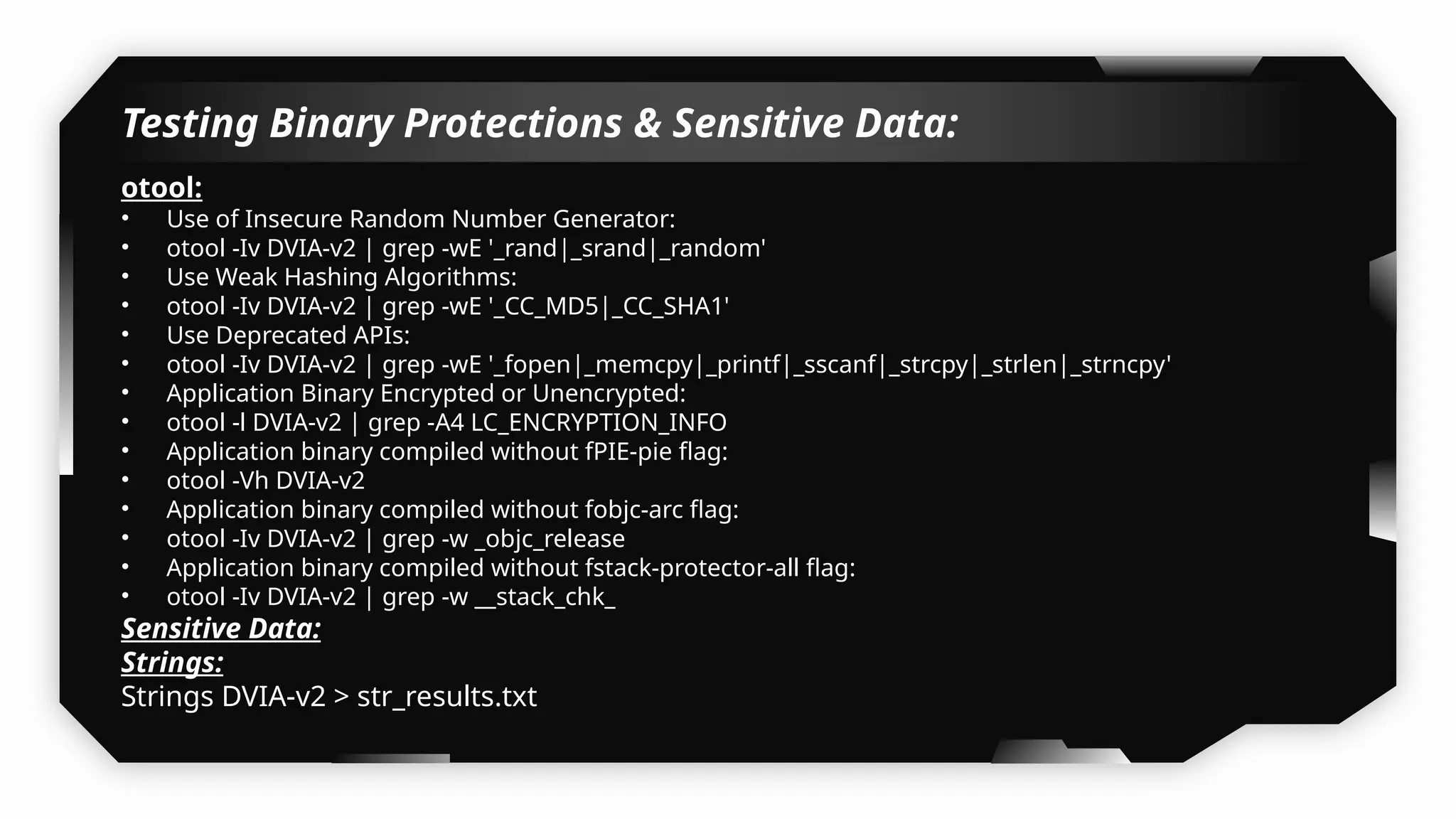
Testing Binary Protections & Sensitive Data:
otool:
• Use of Insecure Random Number Generator:
• otool -Iv DVIA-v2 | grep -wE '_rand|_srand|_random'
• Use Weak Hashing Algorithms:
• otool -Iv DVIA-v2 | grep -wE '_CC_MD5|_CC_SHA1'
• Use Deprecated APIs:
• otool -Iv DVIA-v2 | grep -wE '_fopen|_memcpy|_printf|_sscanf|_strcpy|_strlen|_strncpy'
• Application Binary Encrypted or Unencrypted:
• otool -l DVIA-v2 | grep -A4 LC_ENCRYPTION_INFO
• Application binary compiled without fPIE-pie flag:
• otool -Vh DVIA-v2
• Application binary compiled without fobjc-arc flag:
• otool -Iv DVIA-v2 | grep -w _objc_release
• Application binary compiled without fstack-protector-all flag:
• otool -Iv DVIA-v2 | grep -w __stack_chk_
Sensitive Data:
Strings:
Strings DVIA-v2 > str_results.txt
Demo
Performing Memory Dumps
14
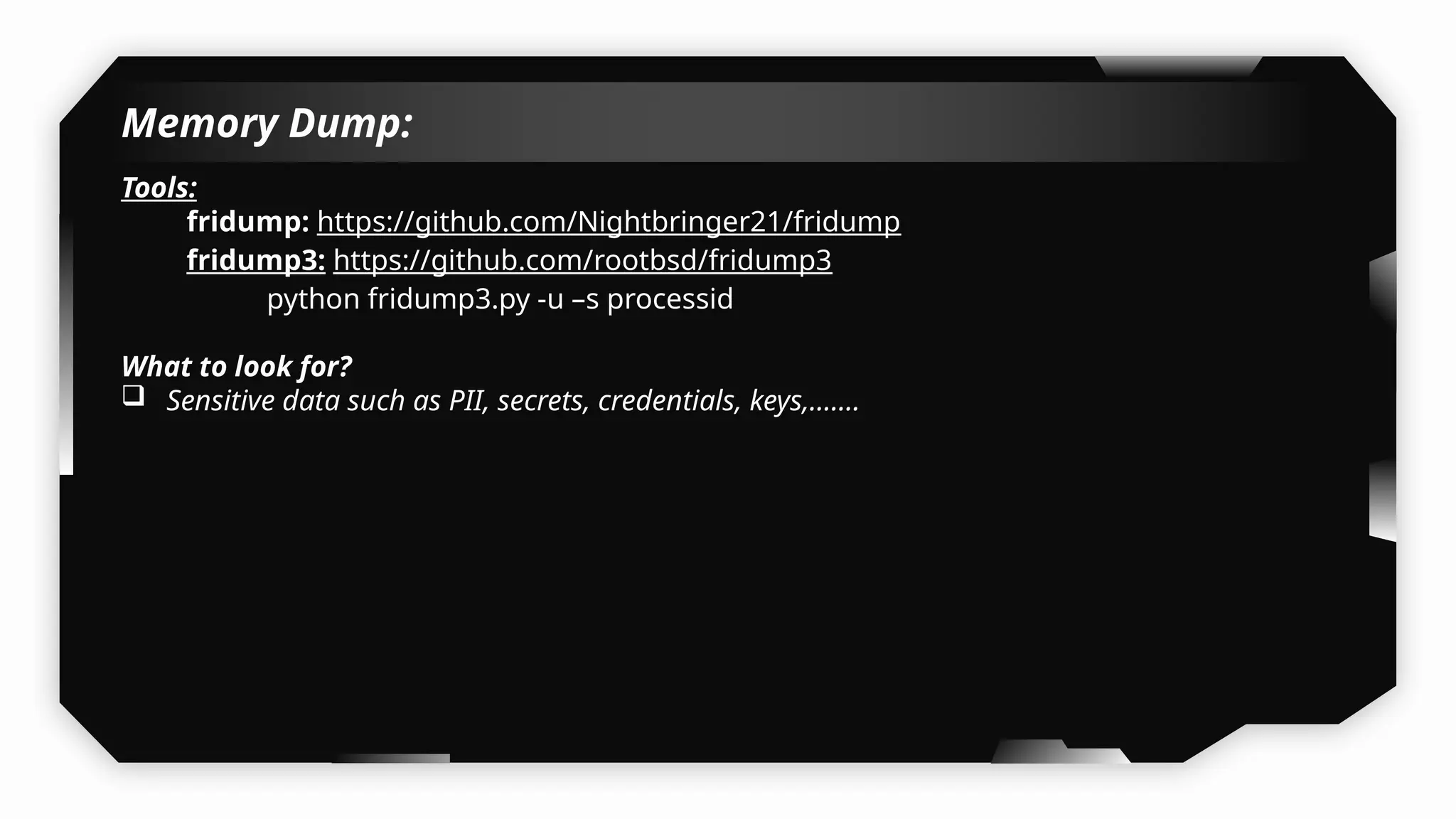
Memory Dump:
Tools:
fridump: https://github.com/Nightbringer21/fridump
fridump3: https://github.com/rootbsd/fridump3
python fridump3.py -u –s processid
What to look for?
 Sensitive data such as PII, secrets, credentials, keys,…….
Demo
Demo
Mitigation:
• Avoid Storing Sensitive Data in Memory Longer Than Needed, Immediately
clear credentials, tokens, or PII from memory after use.
• Implement Auto Logout and Memory Cleanup.
• Use Secure APIs for Sensitive Data Handling.
Advanced Testing Techniques
Jailbreak Detection Bypass
15
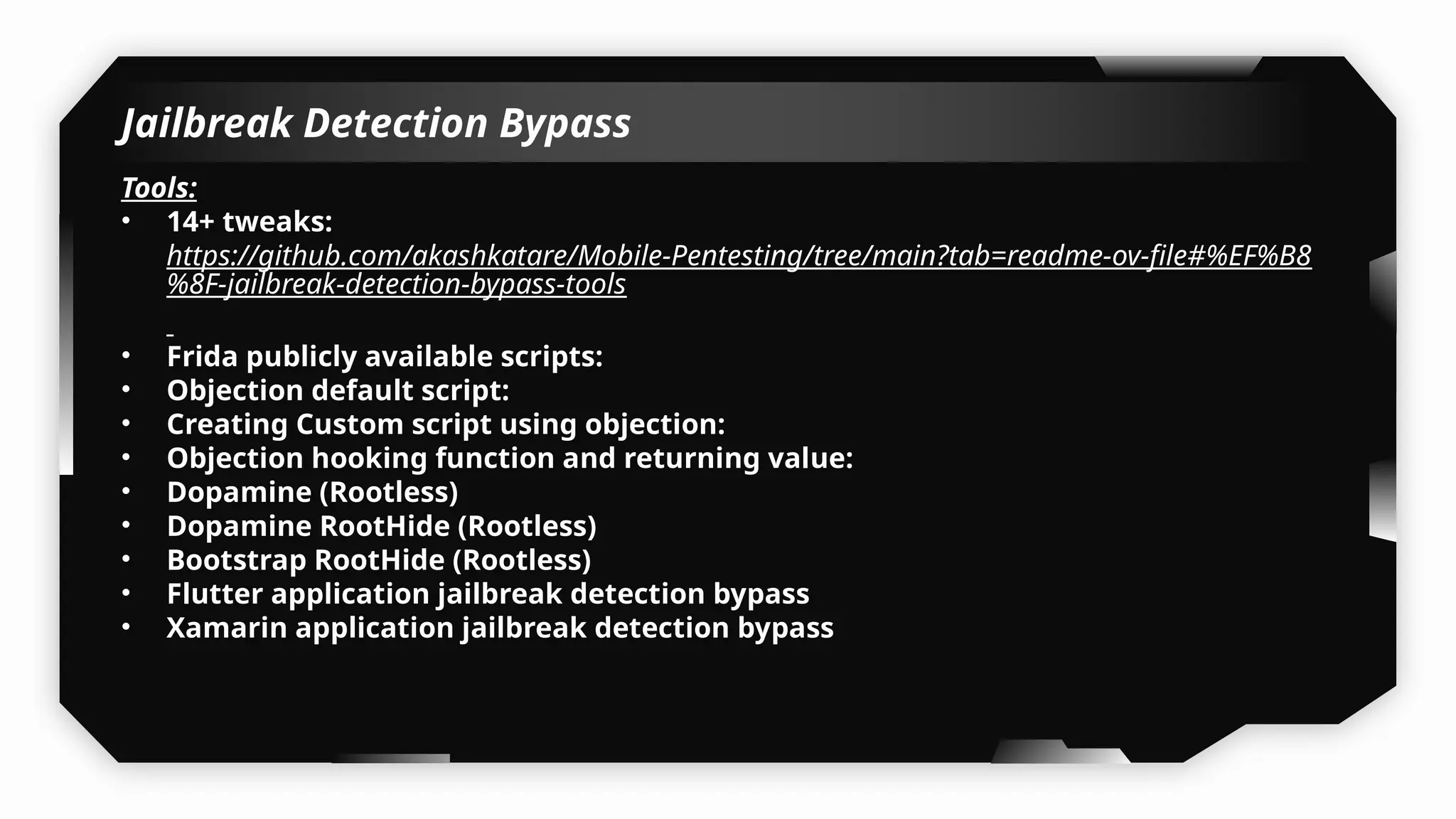
Jailbreak Detection Bypass
Tools:
• 14+ tweaks:
https://github.com/akashkatare/Mobile-Pentesting/tree/main?tab=readme-ov-file#%EF%B8
%8F-jailbreak-detection-bypass-tools
• Frida publicly available scripts:
• Objection default script:
• Creating Custom script using objection:
• Objection hooking function and returning value:
• Dopamine (Rootless)
• Dopamine RootHide (Rootless)
• Bootstrap RootHide (Rootless)
• Flutter application jailbreak detection bypass
• Xamarin application jailbreak detection bypass
Demo
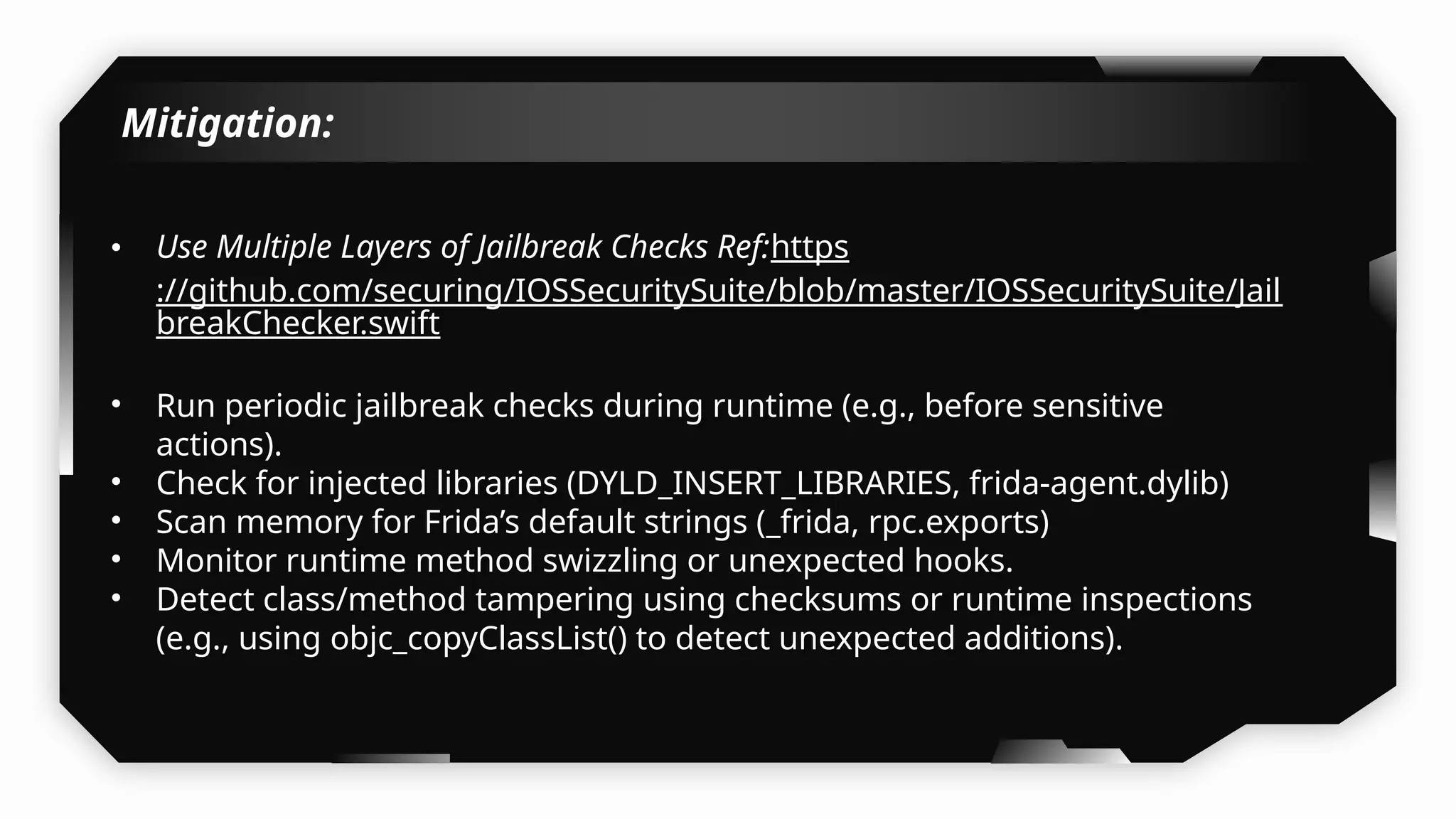
Mitigation:
• Use Multiple Layers of Jailbreak Checks Ref:https
://github.com/securing/IOSSecuritySuite/blob/master/IOSSecuritySuite/Jail
breakChecker.swift
• Run periodic jailbreak checks during runtime (e.g., before sensitive
actions).
• Check for injected libraries (DYLD_INSERT_LIBRARIES, frida-agent.dylib)
• Scan memory for Frida’s default strings (_frida, rpc.exports)
• Monitor runtime method swizzling or unexpected hooks.
• Detect class/method tampering using checksums or runtime inspections
(e.g., using objc_copyClassList() to detect unexpected additions).
Intercepting iOS Application
Traffic
16
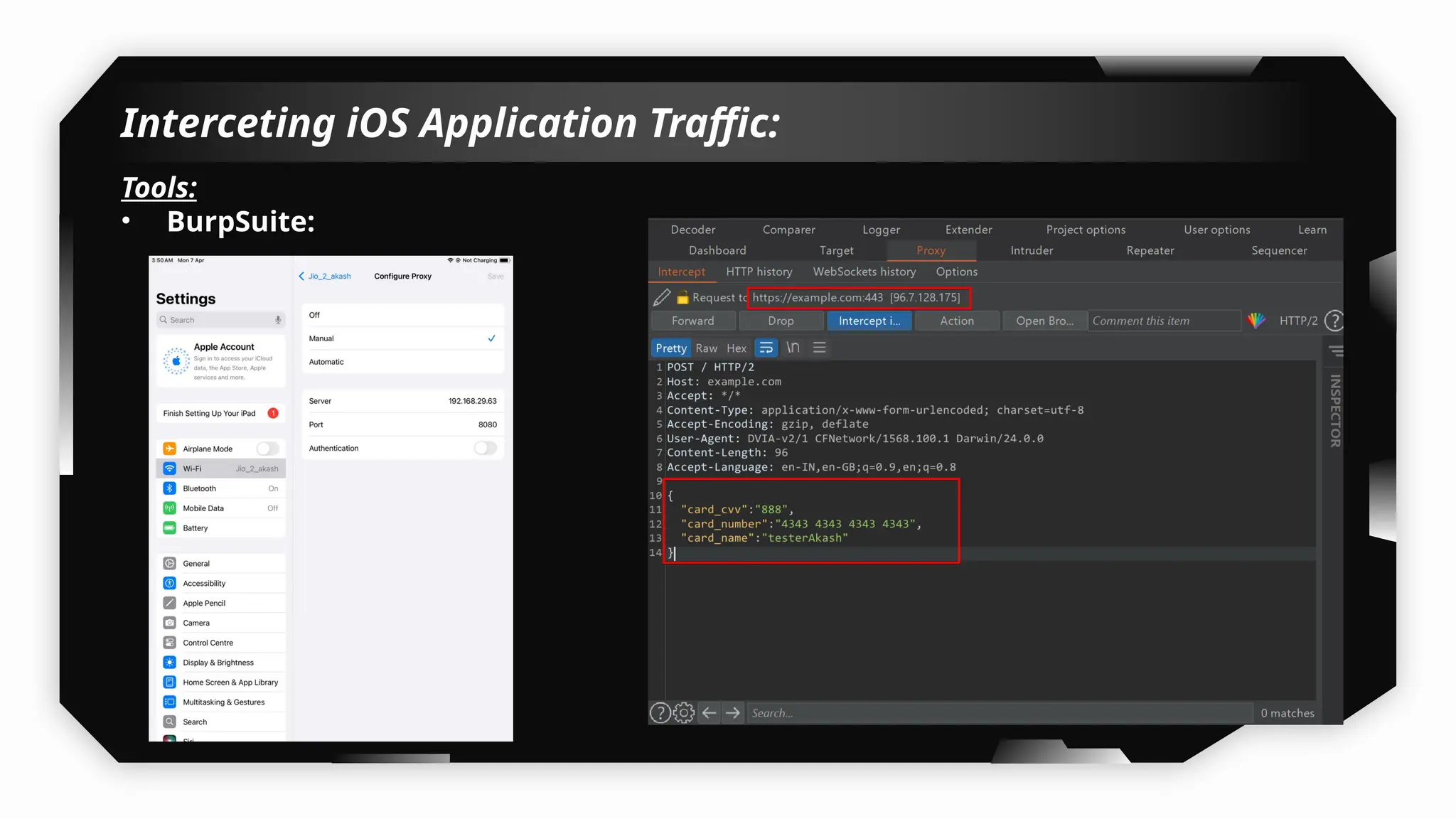
Interceting iOS Application Traffic:
Tools:
• BurpSuite:
Demo
Mitigation:
• Application should implemented Certificate Pinning.
Understanding Certificate
Pinning
17
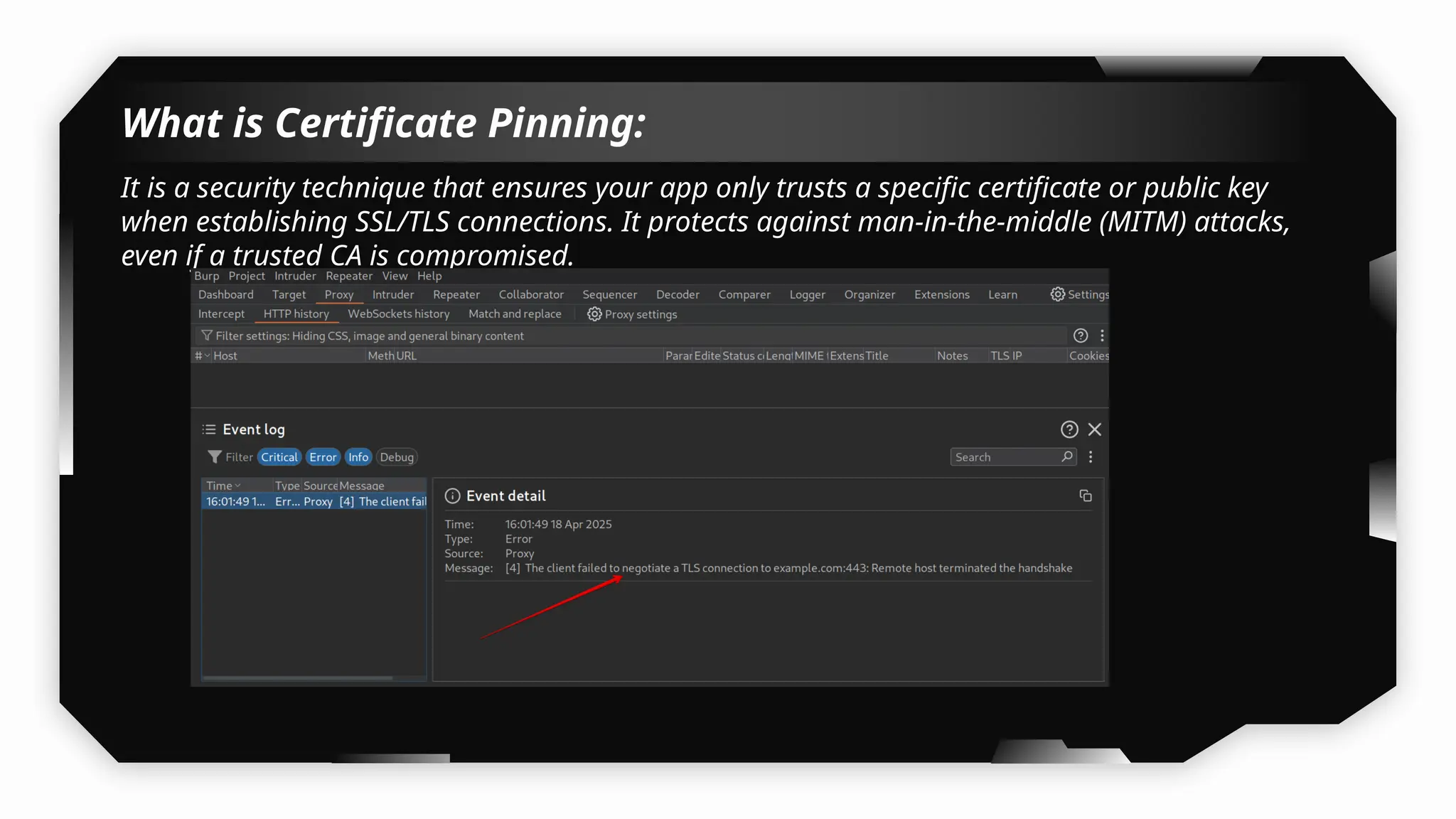
What is Certificate Pinning:
It is a security technique that ensures your app only trusts a specific certificate or public key
when establishing SSL/TLS connections. It protects against man-in-the-middle (MITM) attacks,
even if a trusted CA is compromised.
Demo
Bypassing Certificate
Pinning
18
Bypassing Certificate Pinning:
Tools:
Tweaks:
• SSLBypass
• SSLKillSwitch2
• SSLKillSwitch3
Using Frida scripts
Using objection
Demo
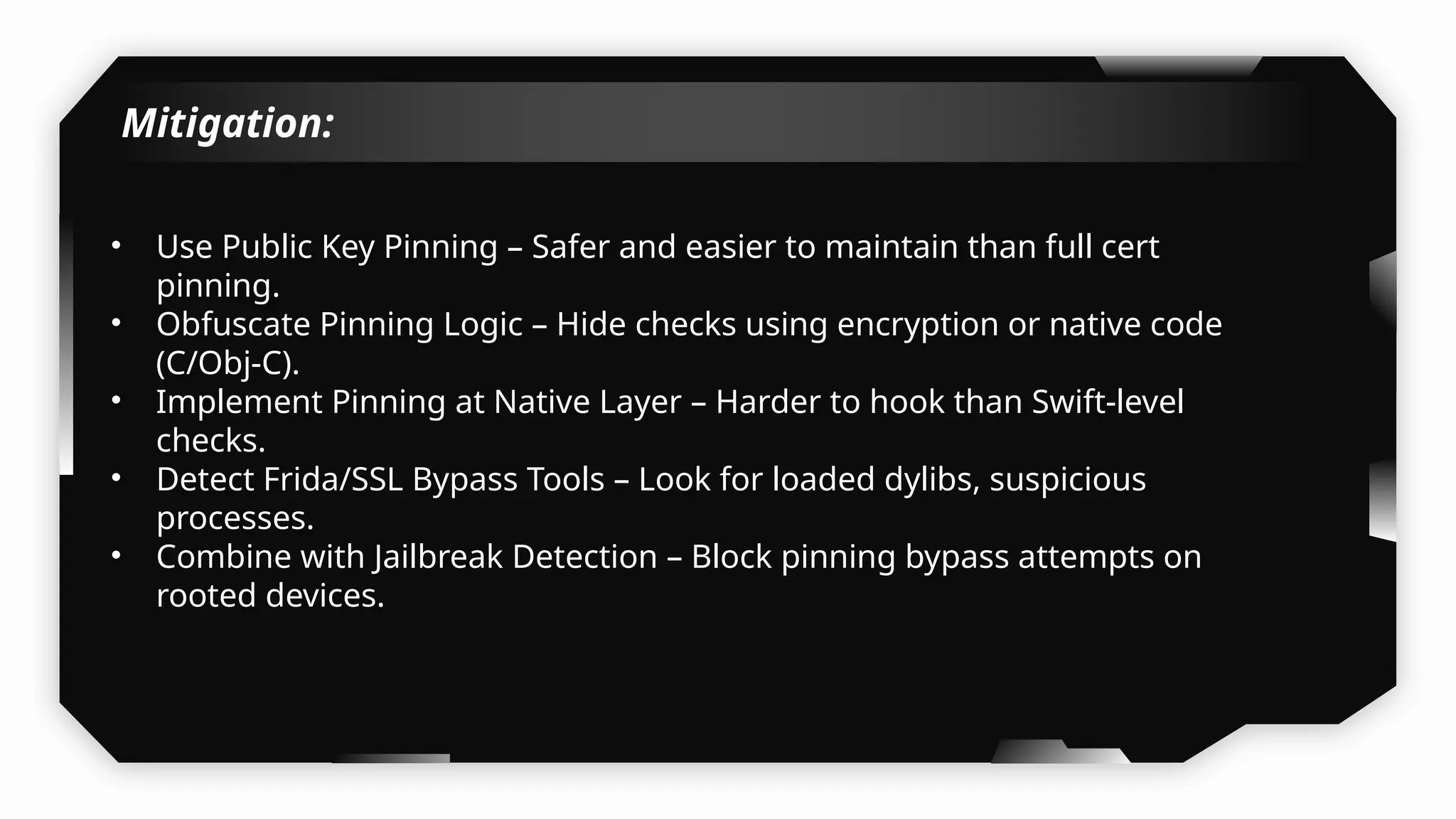
Mitigation:
• Use Public Key Pinning – Safer and easier to maintain than full cert
pinning.
• Obfuscate Pinning Logic – Hide checks using encryption or native code
(C/Obj-C).
• Implement Pinning at Native Layer – Harder to hook than Swift-level
checks.
• Detect Frida/SSL Bypass Tools – Look for loaded dylibs, suspicious
processes.
• Combine with Jailbreak Detection – Block pinning bypass attempts on
rooted devices.
Intercepting Traffic From
Flutter & Xamarin
Applications
19
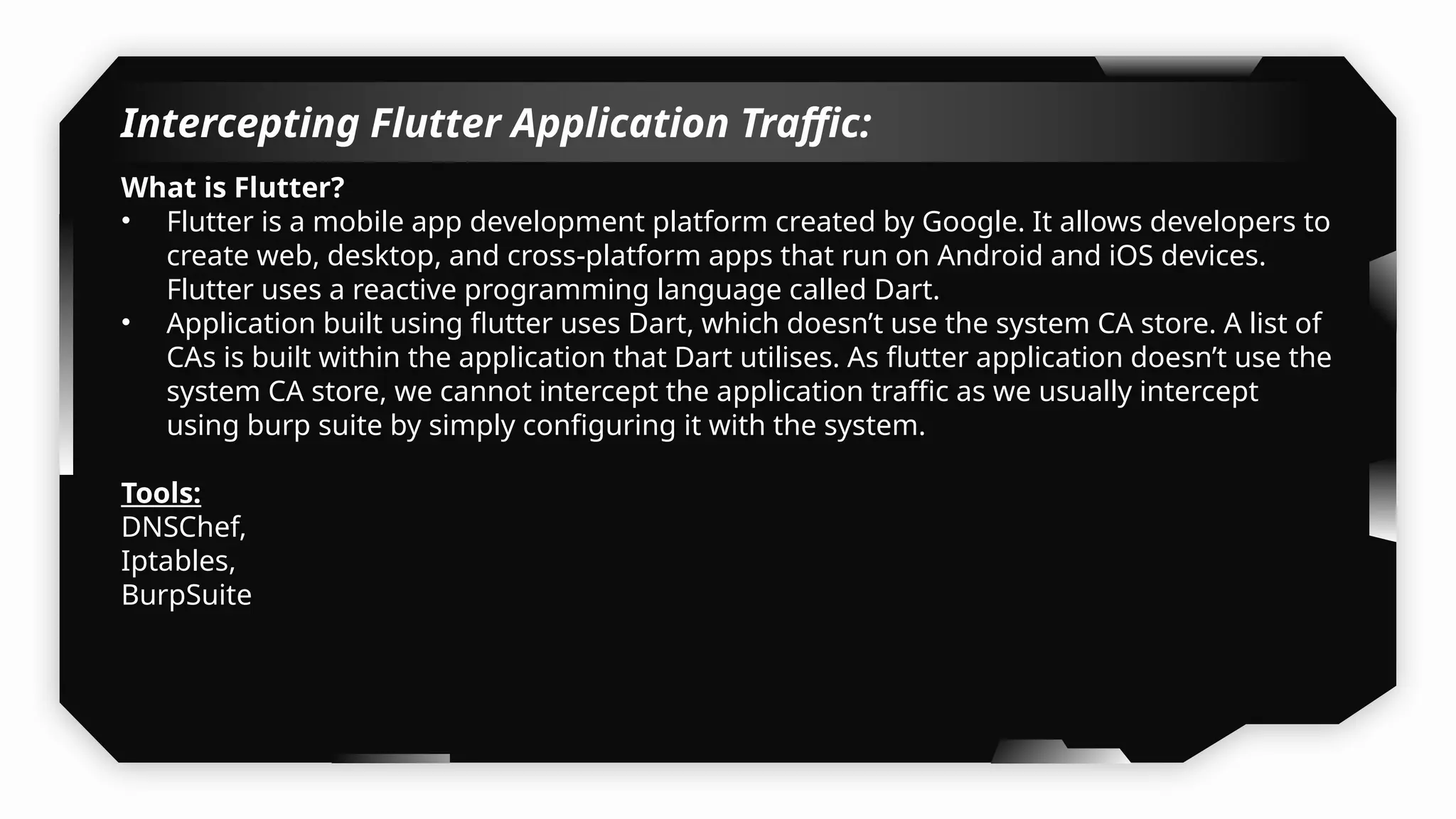
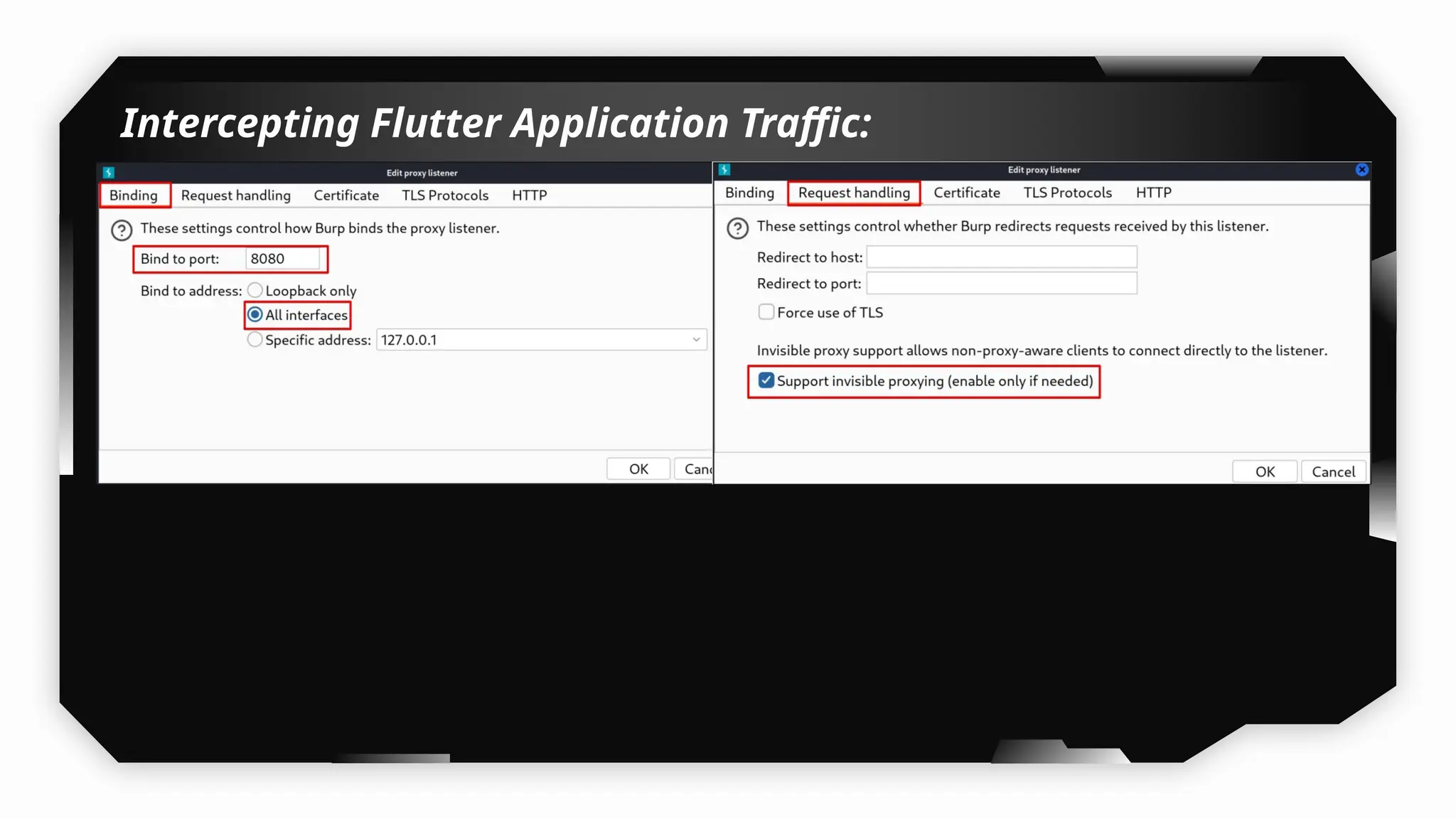
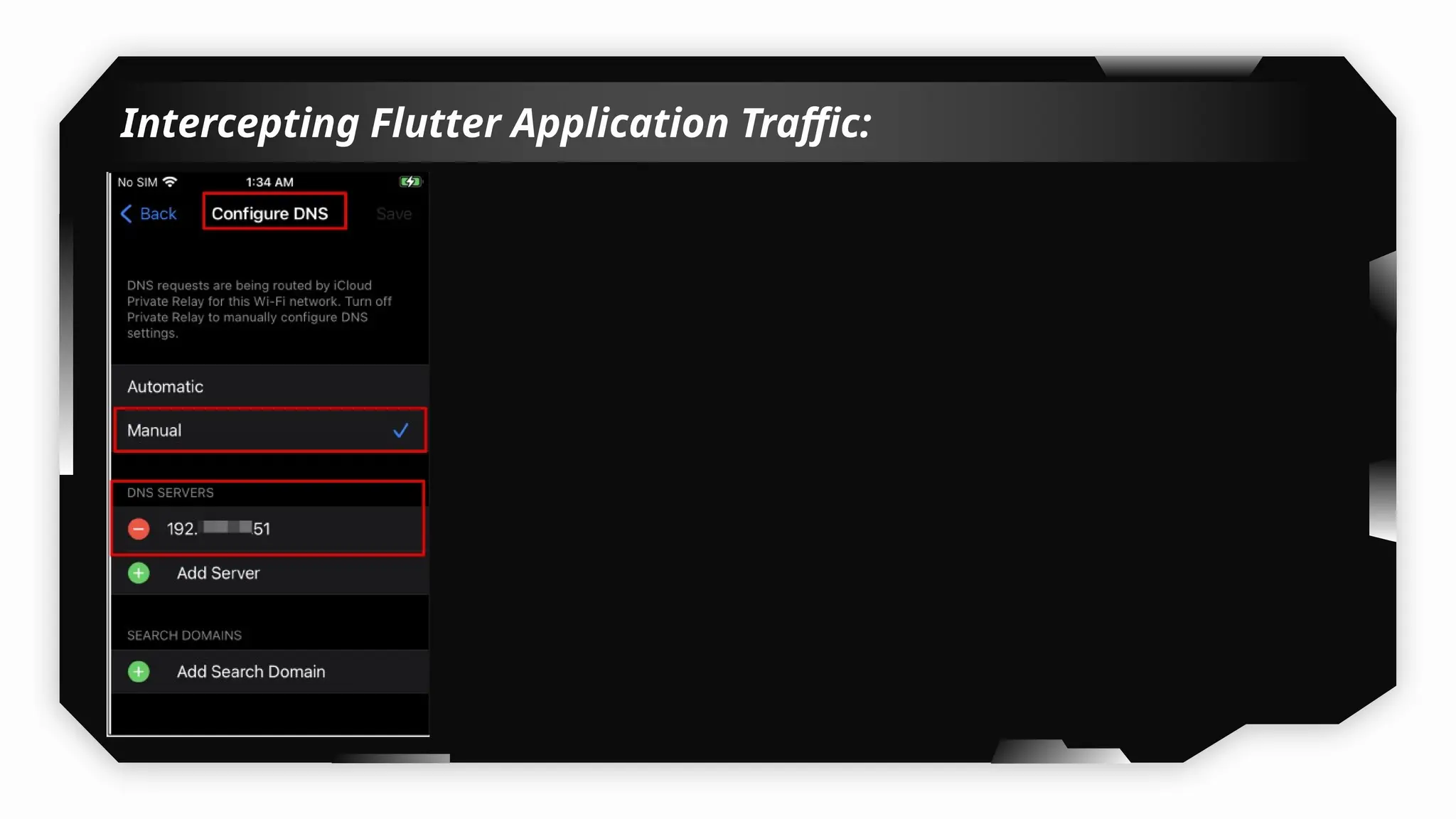
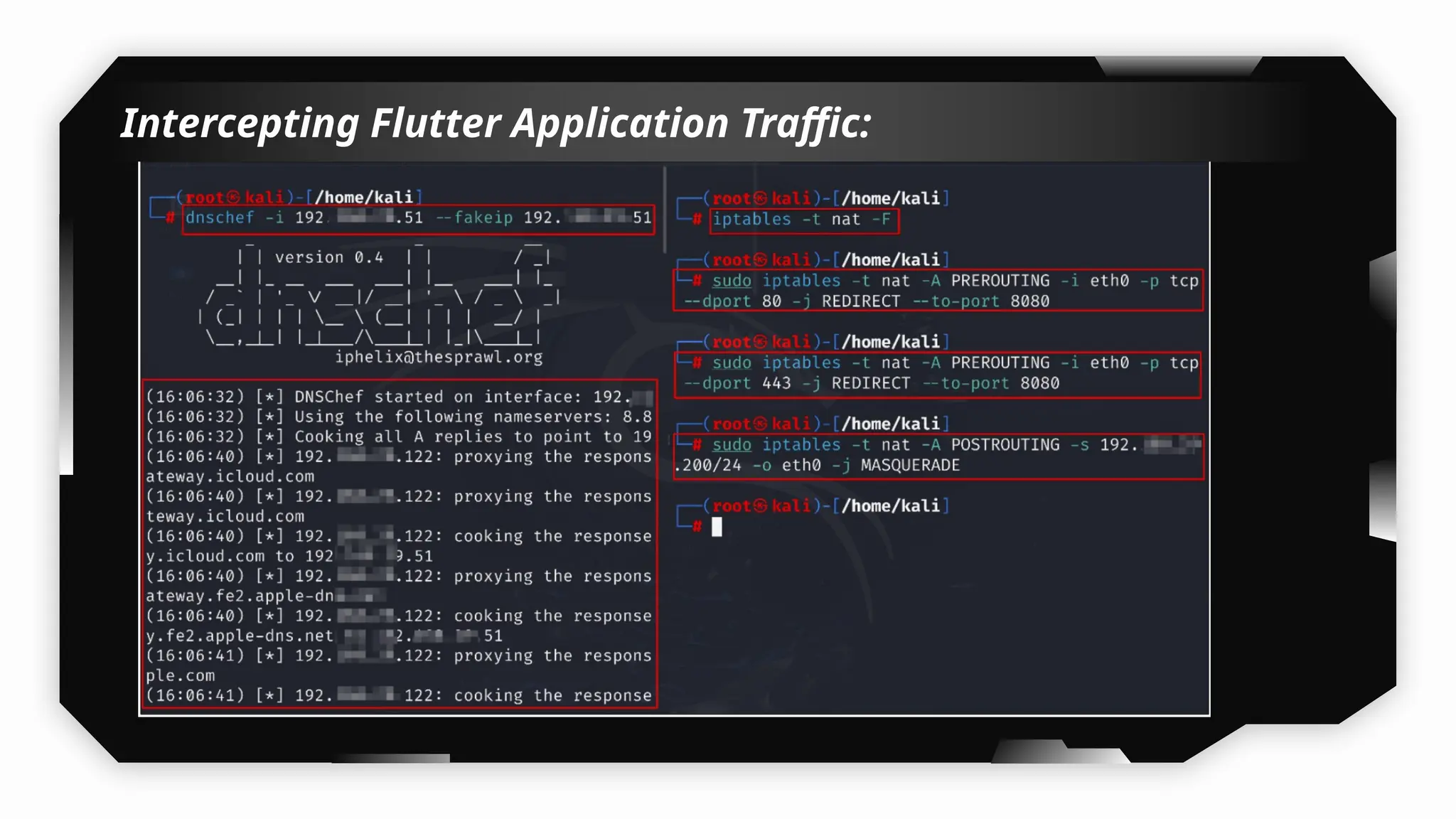
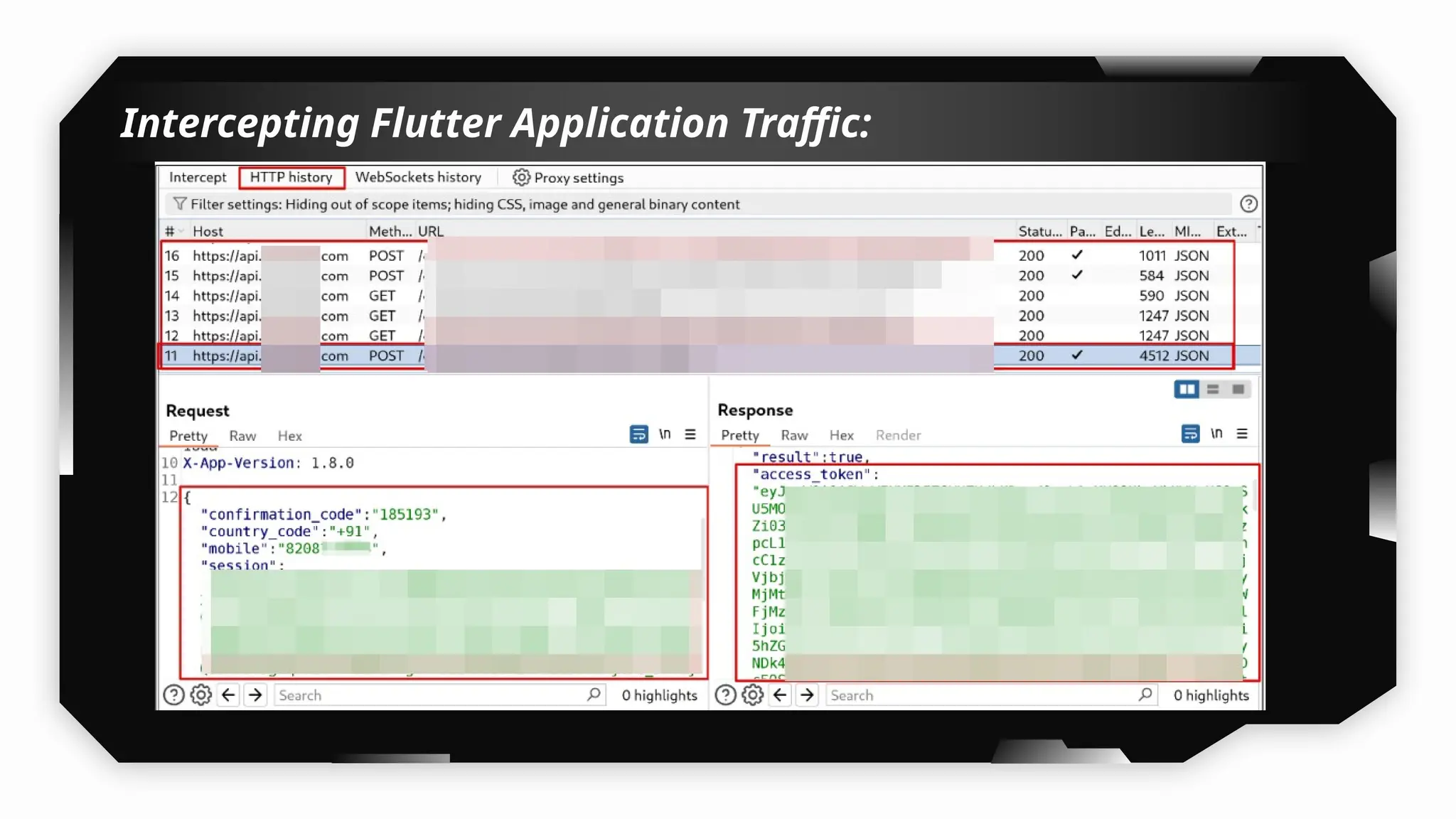
Intercepting Flutter Application Traffic:
What is Flutter?
• Flutter is a mobile app development platform created by Google. It allows developers to
create web, desktop, and cross-platform apps that run on Android and iOS devices.
Flutter uses a reactive programming language called Dart.
• Application built using flutter uses Dart, which doesn’t use the system CA store. A list of
CAs is built within the application that Dart utilises. As flutter application doesn’t use the
system CA store, we cannot intercept the application traffic as we usually intercept
using burp suite by simply configuring it with the system.
Tools:
DNSChef,
Iptables,
BurpSuite
Intercepting Flutter Application Traffic:
Demo
Intercepting Xamarin Application Traffic:
What is Xamarin?
• Xamarin iOS apps are iOS applications built using Xamarin, a cross-platform
development framework by Microsoft that allows developers to write mobile apps using
C# and .NET.
Tools:
DNSChef,
Iptables,
BurpSuite
Note: Follow same methods as demonstrated for intercepting and bypassing flutter
applications.
Demo
Mitigation:
• Use Public Key Pinning – Safer and easier to maintain than full cert
pinning.
• Obfuscate Pinning Logic – Hide checks using encryption or native code
(C/Obj-C).
• Implement Pinning at Native Layer – Harder to hook than Swift-level
checks.
• Detect Frida/SSL Bypass Tools – Look for loaded dylibs, suspicious
processes.
• Combine with Jailbreak Detection – Block pinning bypass attempts on
rooted devices.
Flutter & Xamarin Certificate
Pinning Bypass
20
Bypassing Flutter Application Traffic:
Tools:
1) Reflutter
2) DNSChef, Iptables, BurpSuite + Frida scripts
Bypassing Flutter Application Traffic:
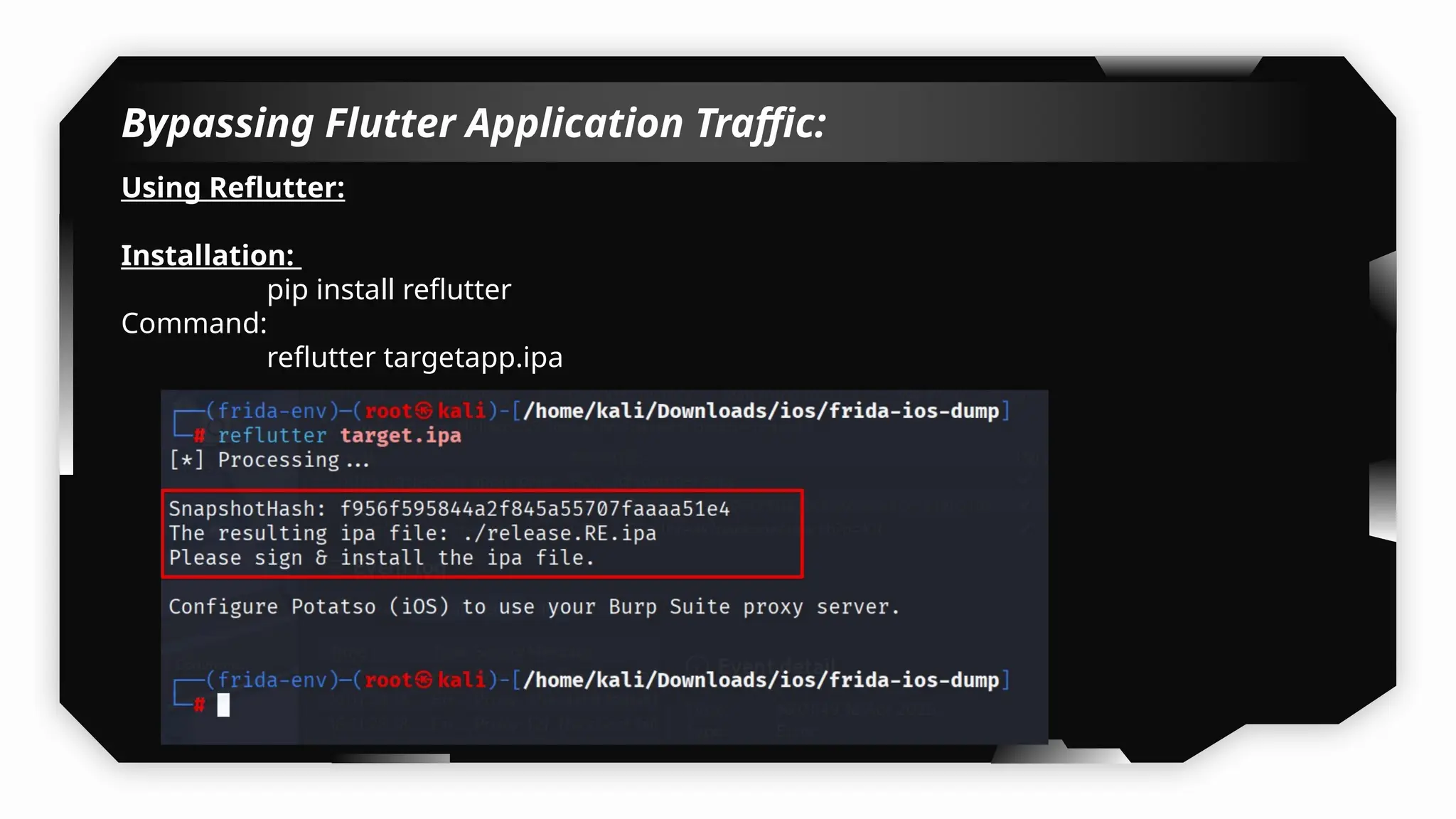
Using Reflutter:
Installation:
pip install reflutter
Command:
reflutter targetapp.ipa
Bypassing Flutter Application Traffic:
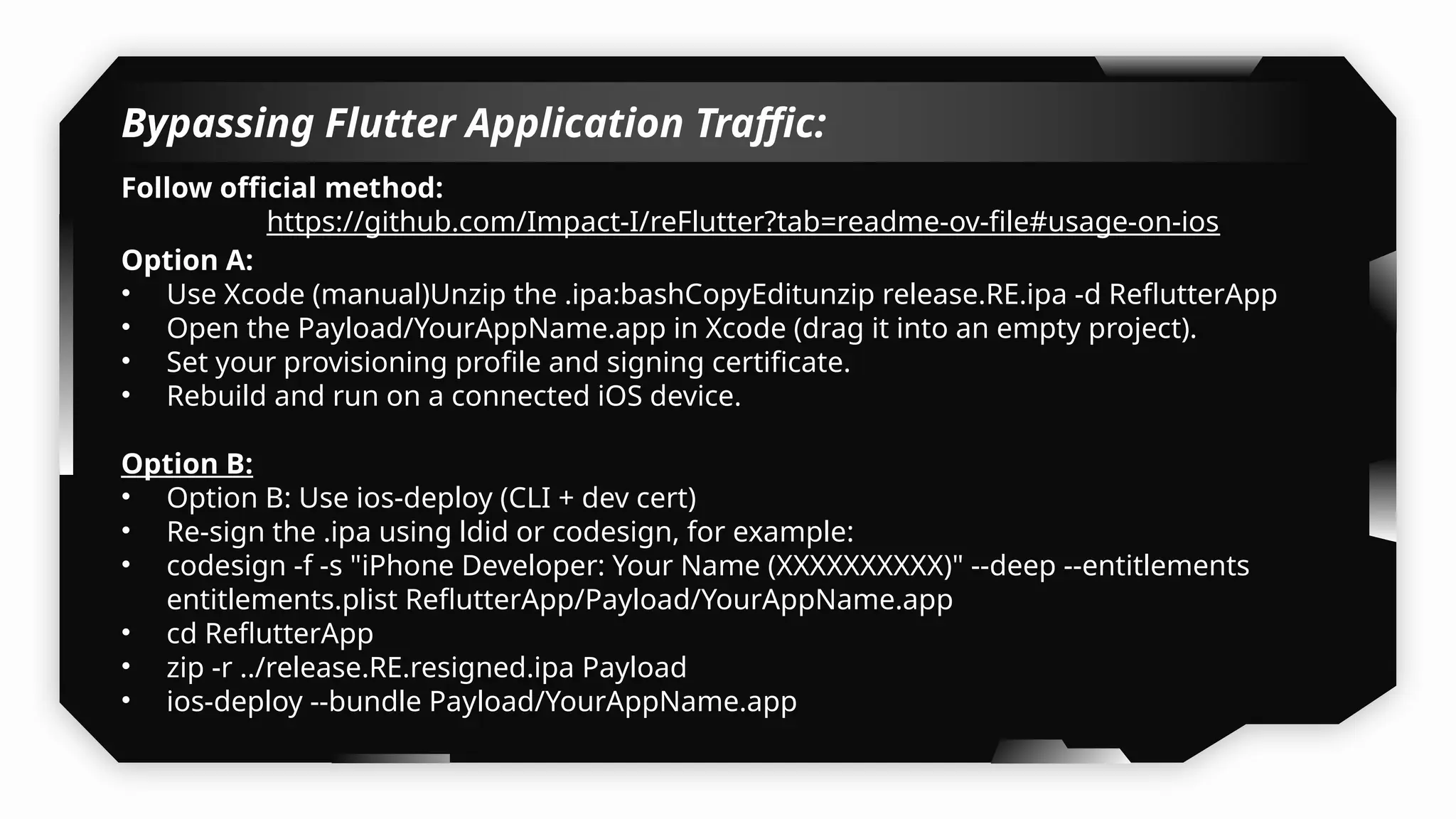
Follow official method:
https://github.com/Impact-I/reFlutter?tab=readme-ov-file#usage-on-ios
Option A:
• Use Xcode (manual)Unzip the .ipa:bashCopyEditunzip release.RE.ipa -d ReflutterApp
• Open the Payload/YourAppName.app in Xcode (drag it into an empty project).
• Set your provisioning profile and signing certificate.
• Rebuild and run on a connected iOS device.
Option B:
• Option B: Use ios-deploy (CLI + dev cert)
• Re-sign the .ipa using ldid or codesign, for example:
• codesign -f -s "iPhone Developer: Your Name (XXXXXXXXXX)" --deep --entitlements
entitlements.plist ReflutterApp/Payload/YourAppName.app
• cd ReflutterApp
• zip -r ../release.RE.resigned.ipa Payload
• ios-deploy --bundle Payload/YourAppName.app
Bypassing Flutter Application Traffic:
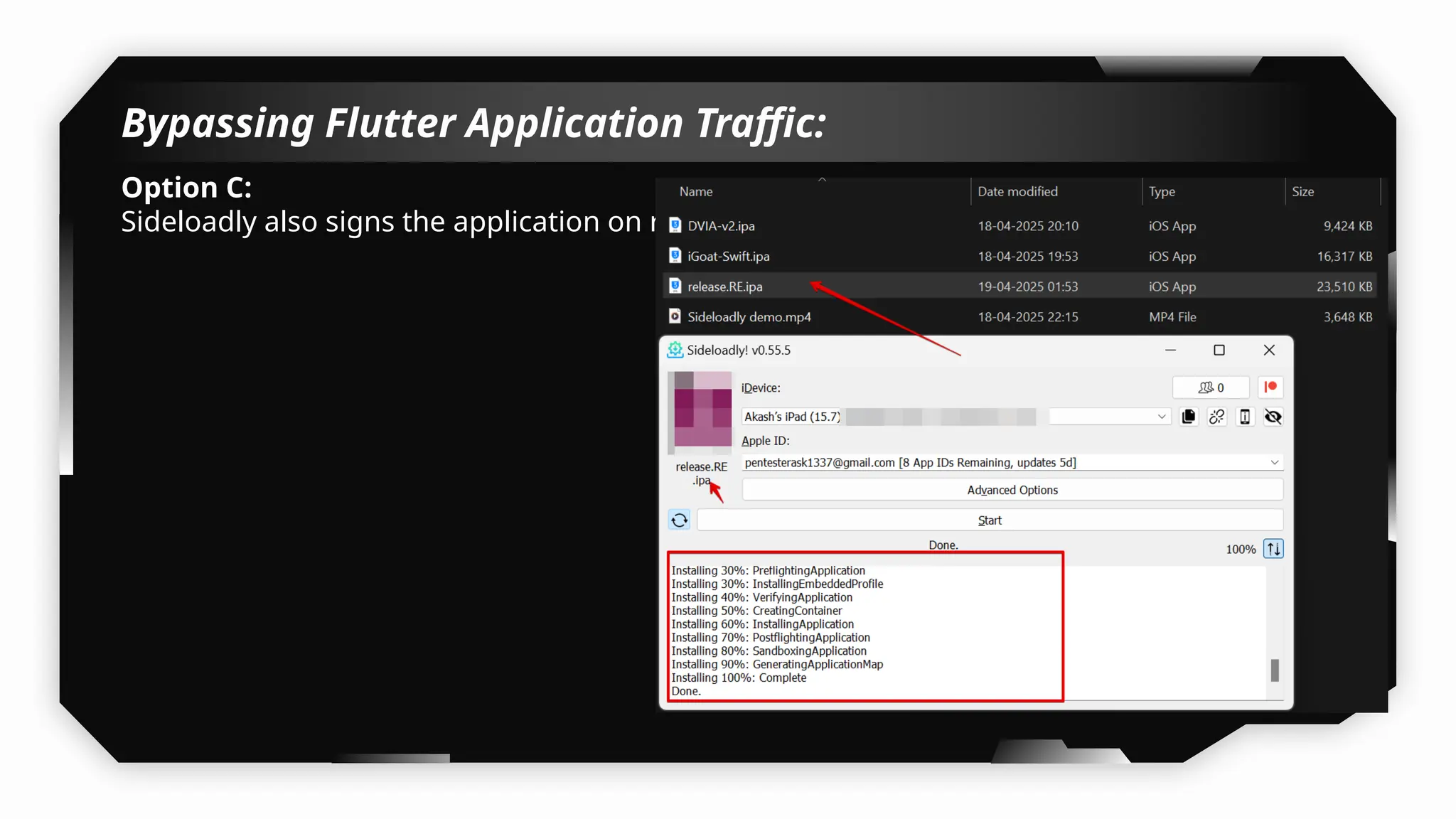
Option C:
Sideloadly also signs the application on runtime.
Bypassing Flutter Application Traffic:
Follow official method:
https://github.com/Impact-I/reFlutter?tab=readme-ov-file#usage-on-ios
Note: This method never worked for me but still you can try on the target application.
Intercepting Flutter Application Traffic:
• Still not able to intercept the flutter application traffic using DNSchef & iptables.
• Getting TLS verification error?
• Use following script with Frida and you will be able to intercept the application traffic:
• https://codeshare.frida.re/@TheDauntless/disable-flutter-tls-v1/
• For XAMARIN we can also try for some other Frida scripts.
Demo
Bypassing Xamarin Application Traffic:
Tools:
1) DNSChef, Iptables, BurpSuite + Frida scripts
Note: Follow same methods as demonstrated for intercepting and bypassing flutter
applications.
Mitigation:
• Use Public Key Pinning – Safer and easier to maintain than full cert
pinning.
• Obfuscate Pinning Logic – Hide checks using encryption or native code
(C/Obj-C).
• Implement Pinning at Native Layer – Harder to hook than Swift-level
checks.
• Detect Frida/SSL Bypass Tools – Look for loaded dylibs, suspicious
processes.
• Combine with Jailbreak Detection – Block pinning bypass attempts on
rooted devices.
Capturing HTTP/HTTPS traffic
without bypassing Certificate
Pinning
21
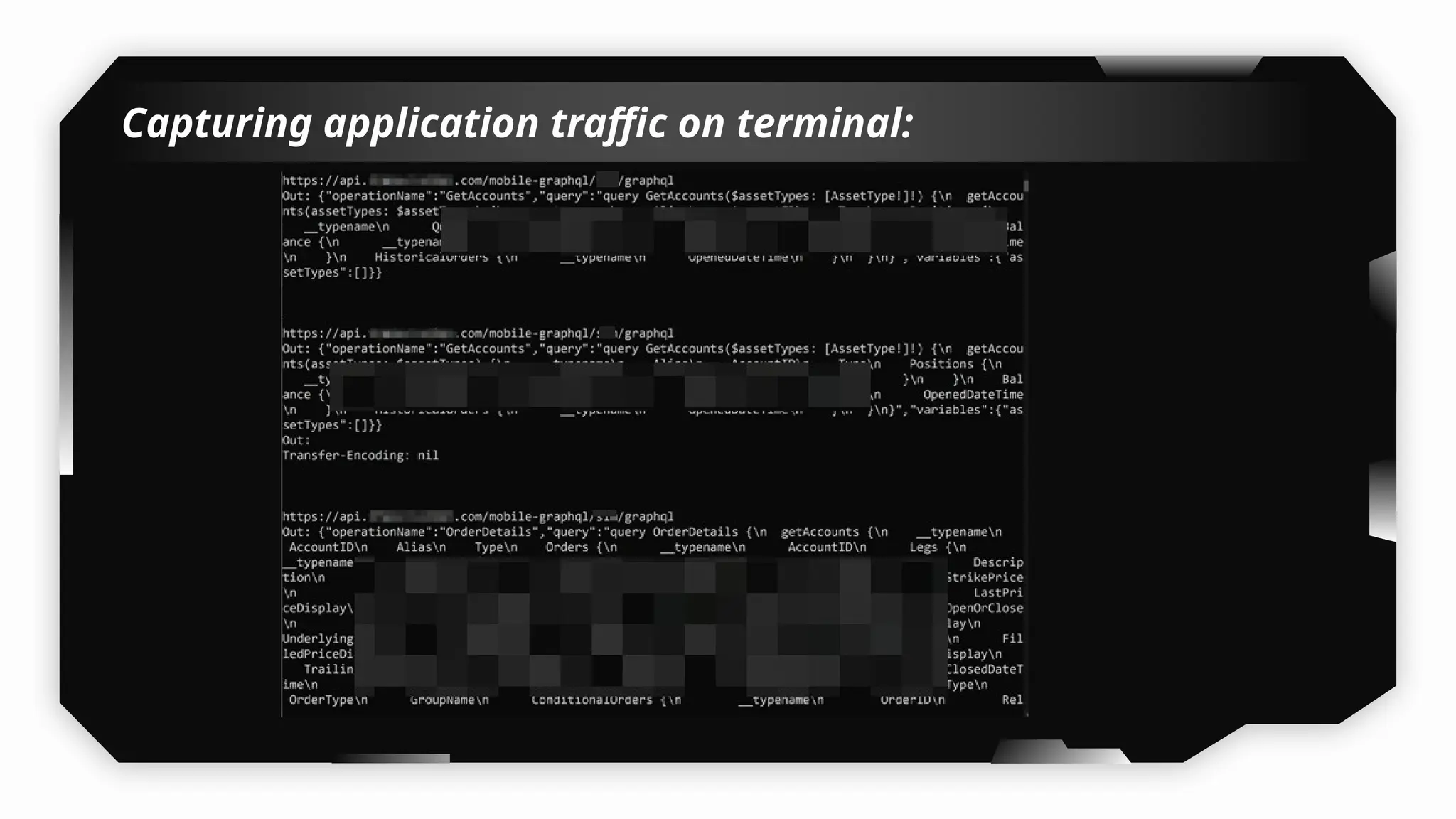
Capturing application traffic on terminal:
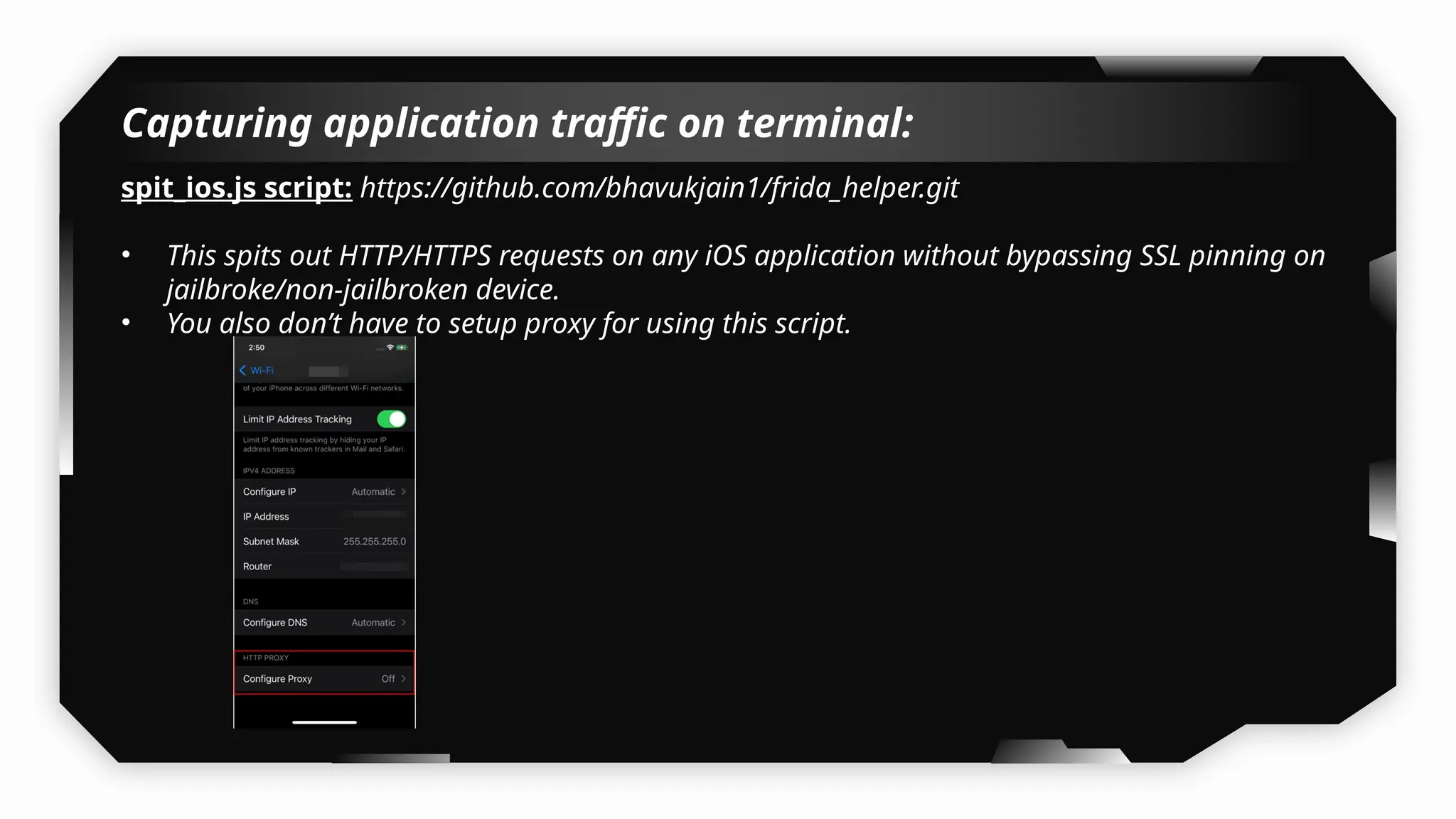
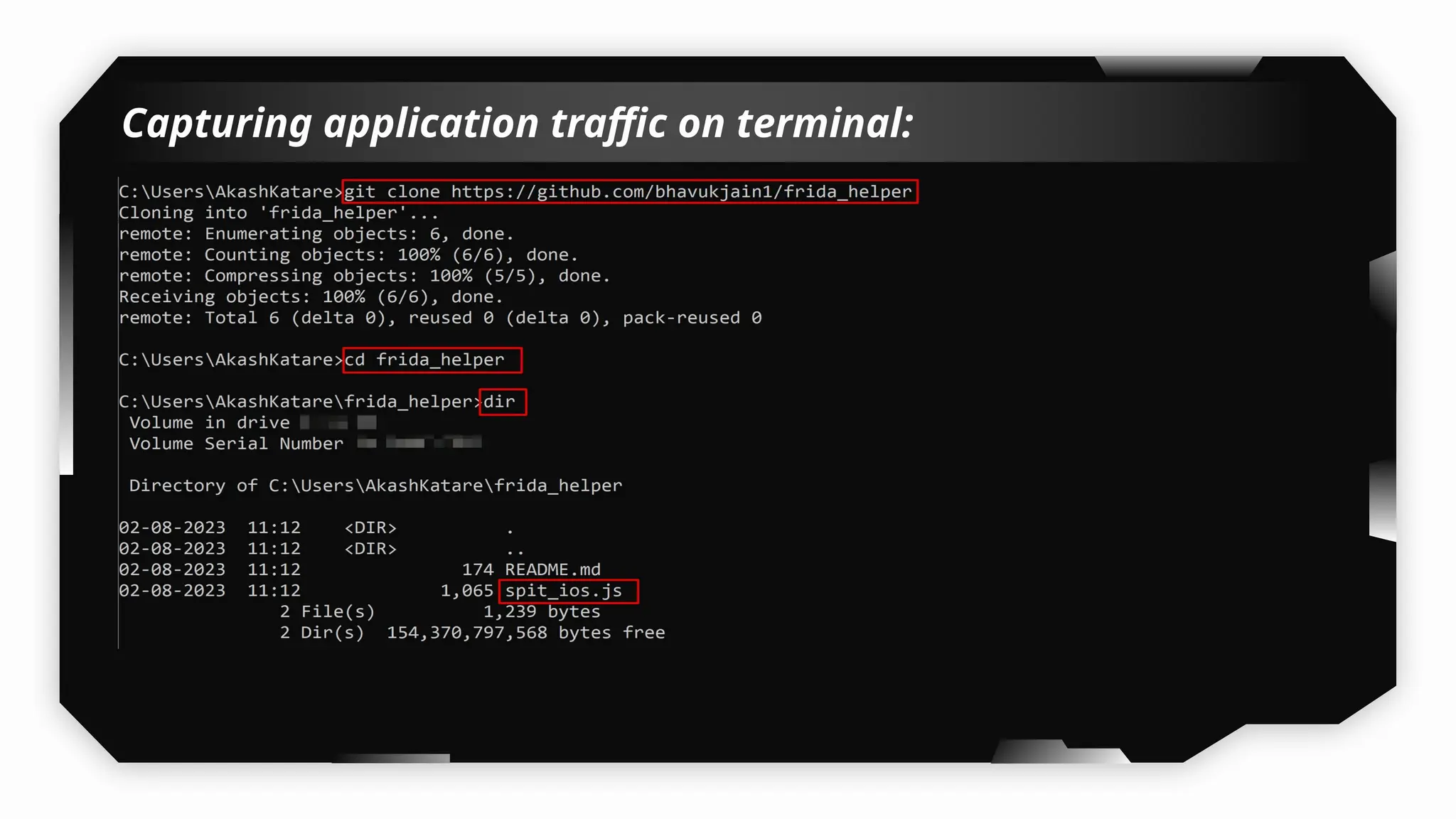
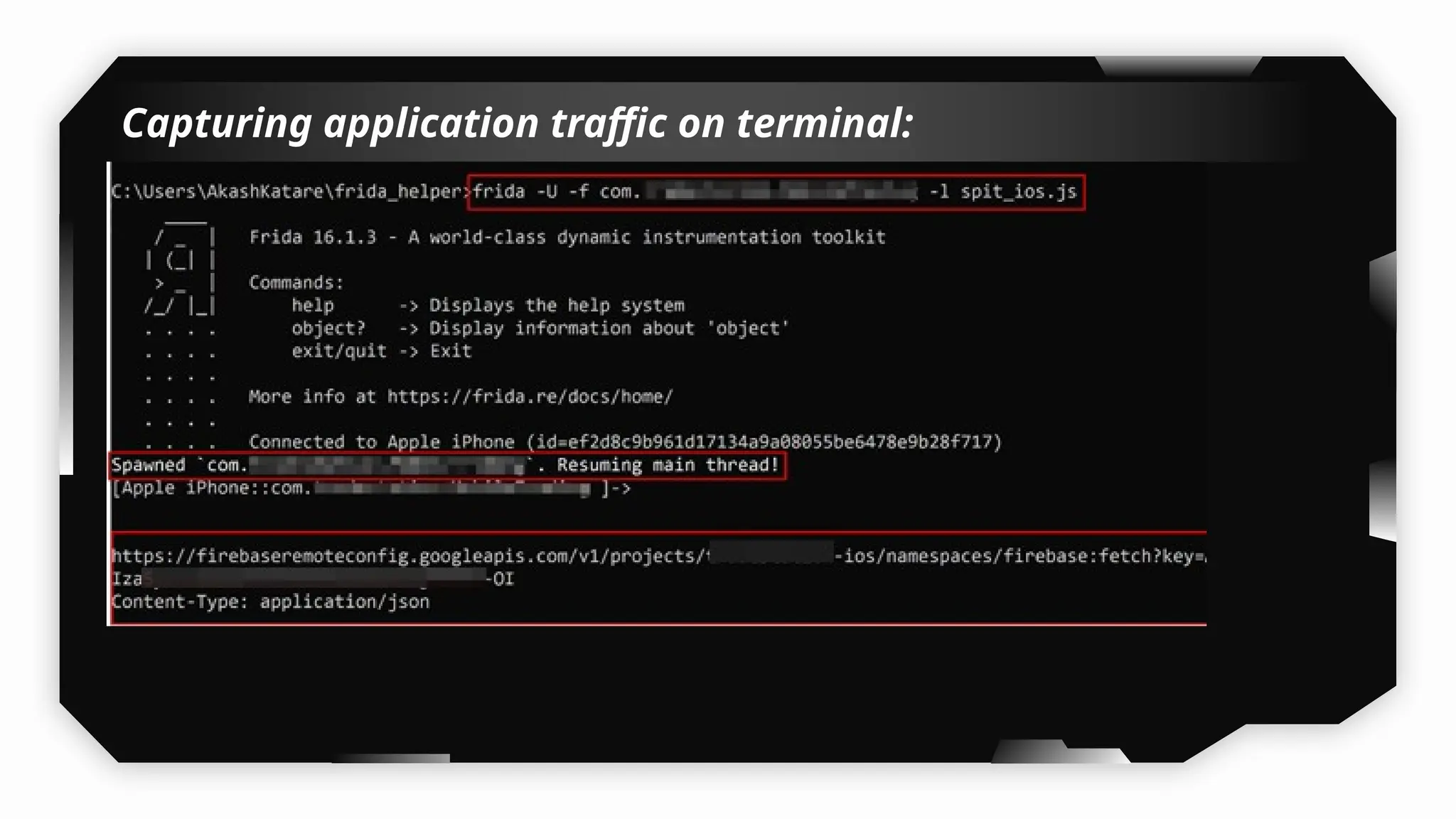
spit_ios.js script: https://github.com/bhavukjain1/frida_helper.git
• This spits out HTTP/HTTPS requests on any iOS application without bypassing SSL pinning on
jailbroke/non-jailbroken device.
• You also don’t have to setup proxy for using this script.
Capturing application traffic on terminal:
Note:
• In case after some time, it doesn’t show anything on the command
prompt you can press enter 1 or 2 times it will again continue
showing the data.
• This script does not transfer any request, to burp suite, You have to
manually copy the request body and craft in Burp Suite.
Demo
Reversing iOS application (Swift,
Cordova, Flutter & XAMARIN)
22
Reversing Swift, Cordova, Flutter & Xamarin Applications:
Tools:
• Ghidra
• Hopper
• radare2
• dnSpy
Demo
Pentesting on Non-Jailbroken
iDevices
Testing Local Storage on
Non-Jailbroken iDevices
23
Testing Local Storage on Non-Jailbroken idevice:
FilzaEscaped:
FizaEscaped is an iOS File Manager with Root Access. With the help of Filzaescaped
iOS application, you can access the device's root filesystem without jailbreaking
the iDevice. Also, utilising it does not violate your warranty. Without jailbreaking
the phone or iPad, you can still make the changes in the iPhone or iPad root
filesystem you need to.
How to install FilzaEscaped on Non-Jailbroken idevice?
Using Sideloadly
For detailed steps refer blog:
https://mrbypass.medium.com/assessing-security-risks-of-local-storage-on-non-jai
lbroken-ios-devices-8d303ebe0e77
Demo
Exploring Frida & Objection on Non-
Jailbroken Devices without Application
Patching
24
Exploring Frida & Objection on Non-Jailbroken
Devices by patching ipa:
1) Patching Method
Method A: objection patchipa
https://github.com/sensepost/objection/wiki/Pat
ching-iOS-Applications
objection patchipa --source my-app.ipa --
codesign-signature 0C2E8200Dxxxx
Exploring Frida & Objection on Non-Jailbroken
Devices by patching ipa:
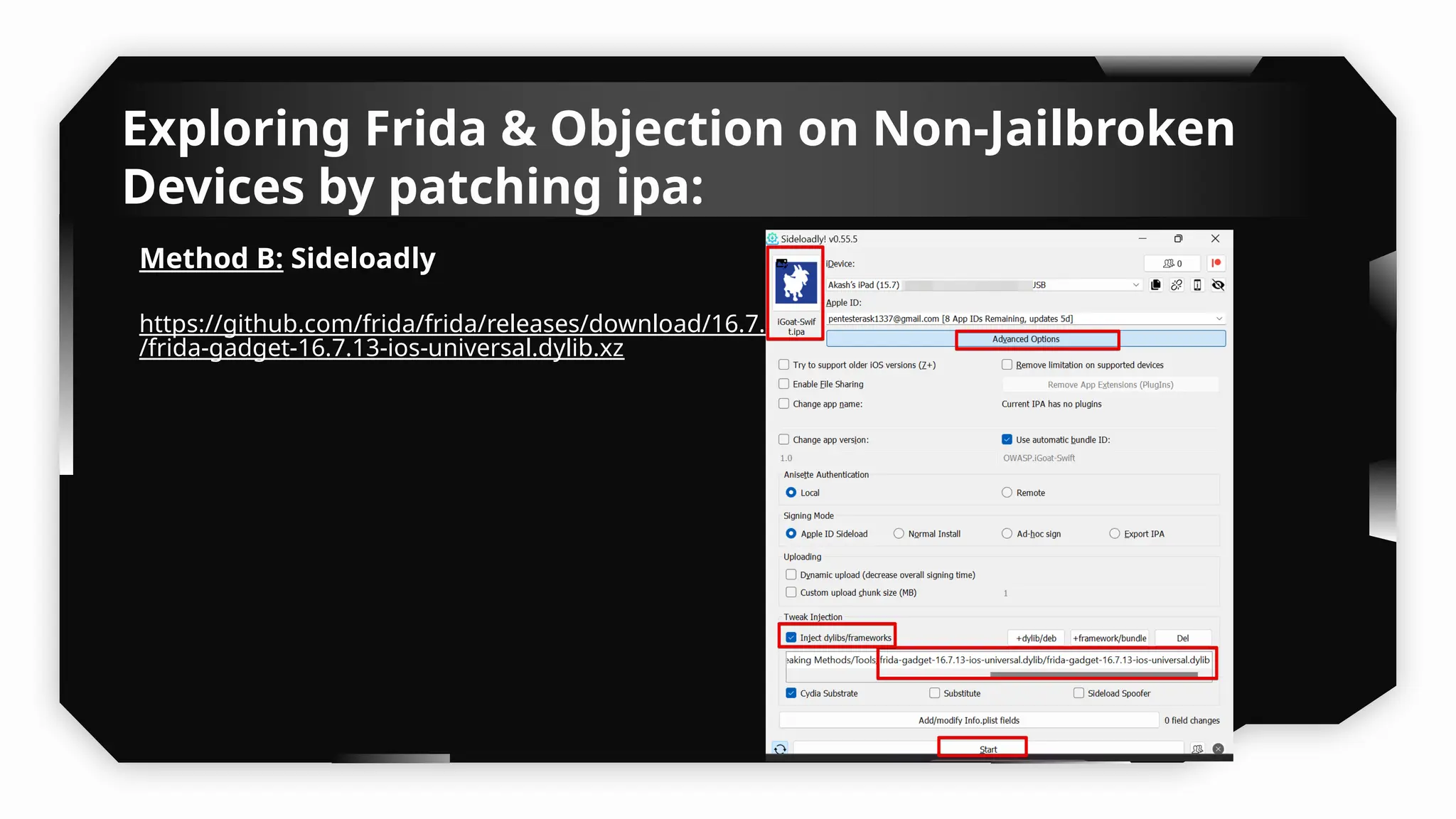
Method B: Sideloadly
https://github.com/frida/frida/releases/download/16.7.13
/frida-gadget-16.7.13-ios-universal.dylib.xz
Exploring Frida & Objection on Non-Jailbroken
Devices by patching ipa:
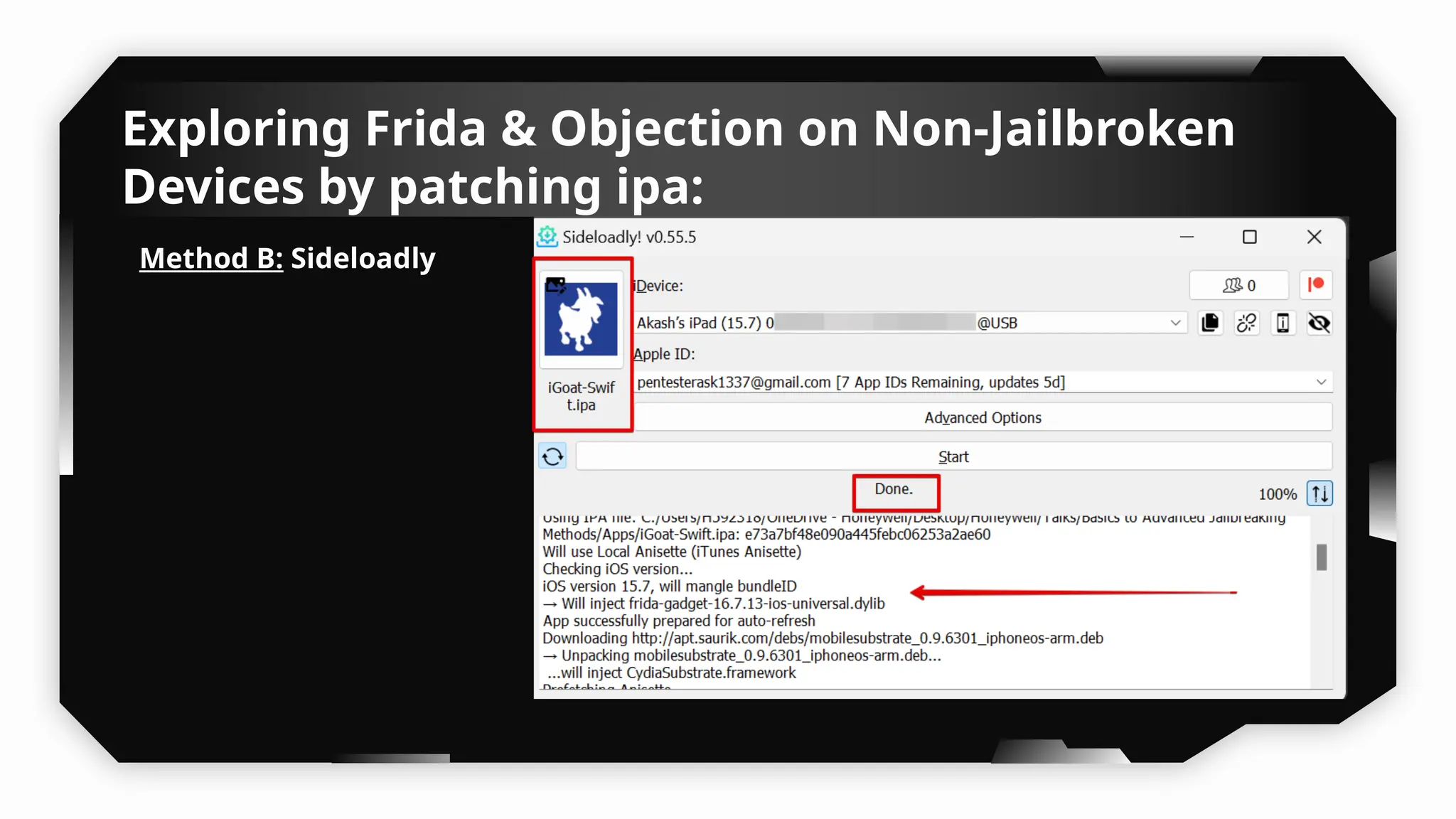
Method B: Sideloadly
Exploring Frida & Objection on Non-Jailbroken
Devices by patching ipa:
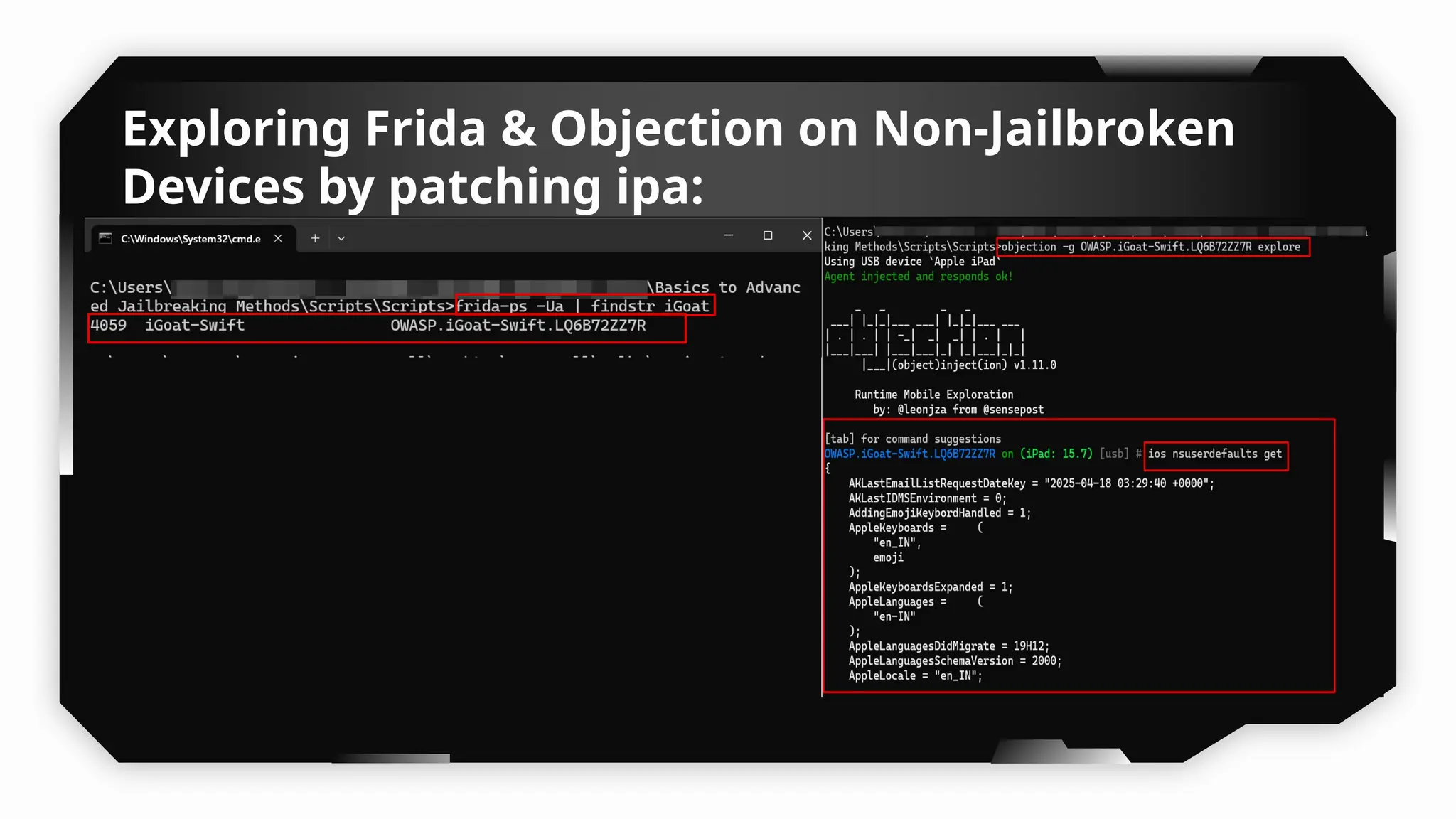
Exploring Frida & Objection on Non-Jailbroken
Devices by patching ipa:
2) Without Patching the Application:
Tools:
• Libimobiledevice
• Developer Disk Image
• Frida
• Objection
For Detailed steps refer to:
https://infosecwriteups.com/unlocking-potential-exploring-frida-object
ion-on-non-jailbroken-devices-without-application-ed0367a84f07
Demo
Exploiting DeepLinking: URLScheme
& Universal Link
25
What is DeepLink?
What is DeepLink?
DeepLinks are URIs or custom URIs which sends users directly into a specific point in
the application, rather than opening an external website.
There are mainly two types of Deep Link available for iOS applications:
1. URL Scheme:
2. Universal Link:
URLScheme in iOS:
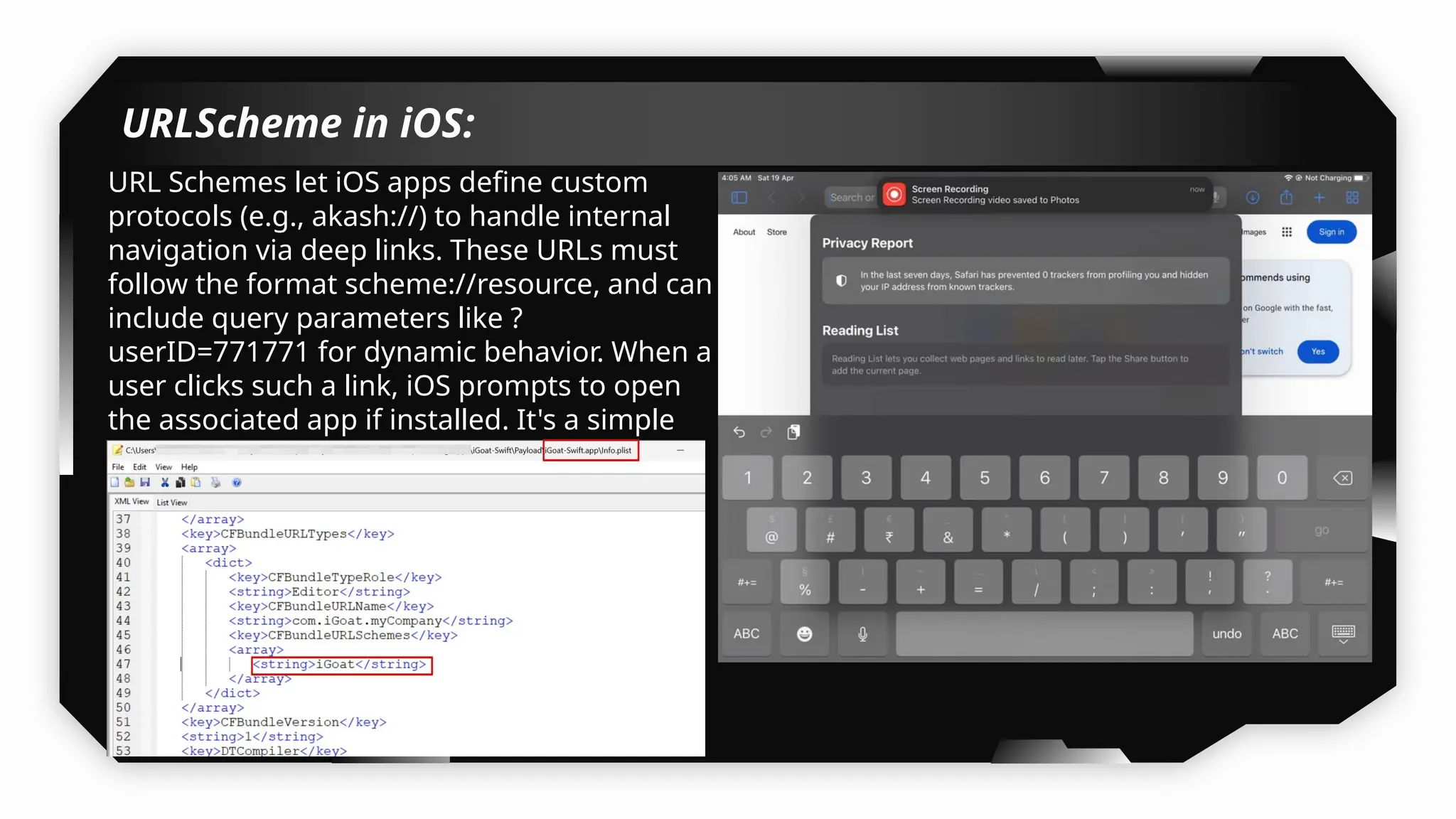
URL Schemes let iOS apps define custom
protocols (e.g., akash://) to handle internal
navigation via deep links. These URLs must
follow the format scheme://resource, and can
include query parameters like ?
userID=771771 for dynamic behavior. When a
user clicks such a link, iOS prompts to open
the associated app if installed. It's a simple
but less secure method compared to
Universal Links.
URLScheme in iOS:
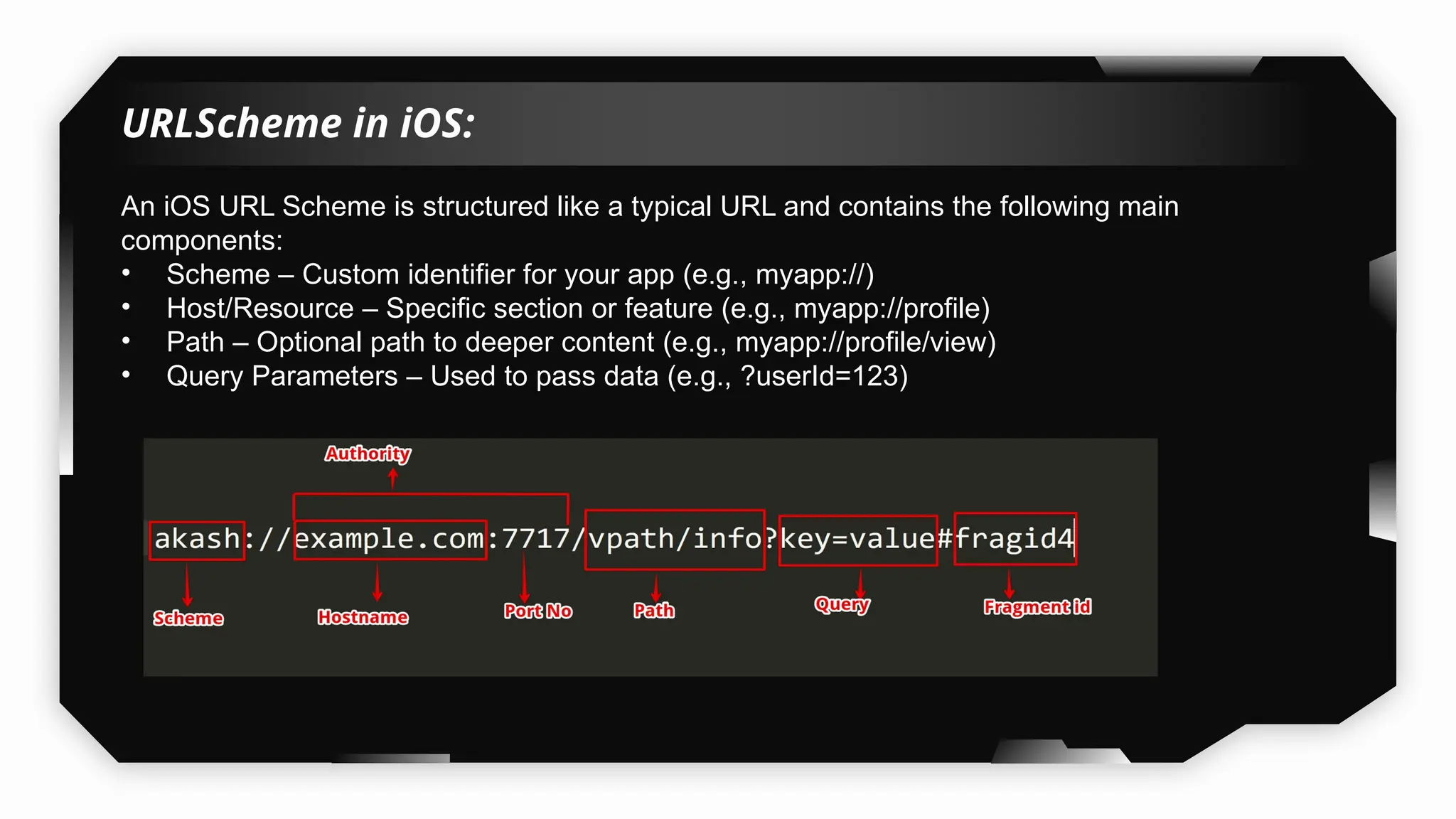
An iOS URL Scheme is structured like a typical URL and contains the following main
components:
• Scheme – Custom identifier for your app (e.g., myapp://)
• Host/Resource – Specific section or feature (e.g., myapp://profile)
• Path – Optional path to deeper content (e.g., myapp://profile/view)
• Query Parameters – Used to pass data (e.g., ?userId=123)
Universal Link in iOS:
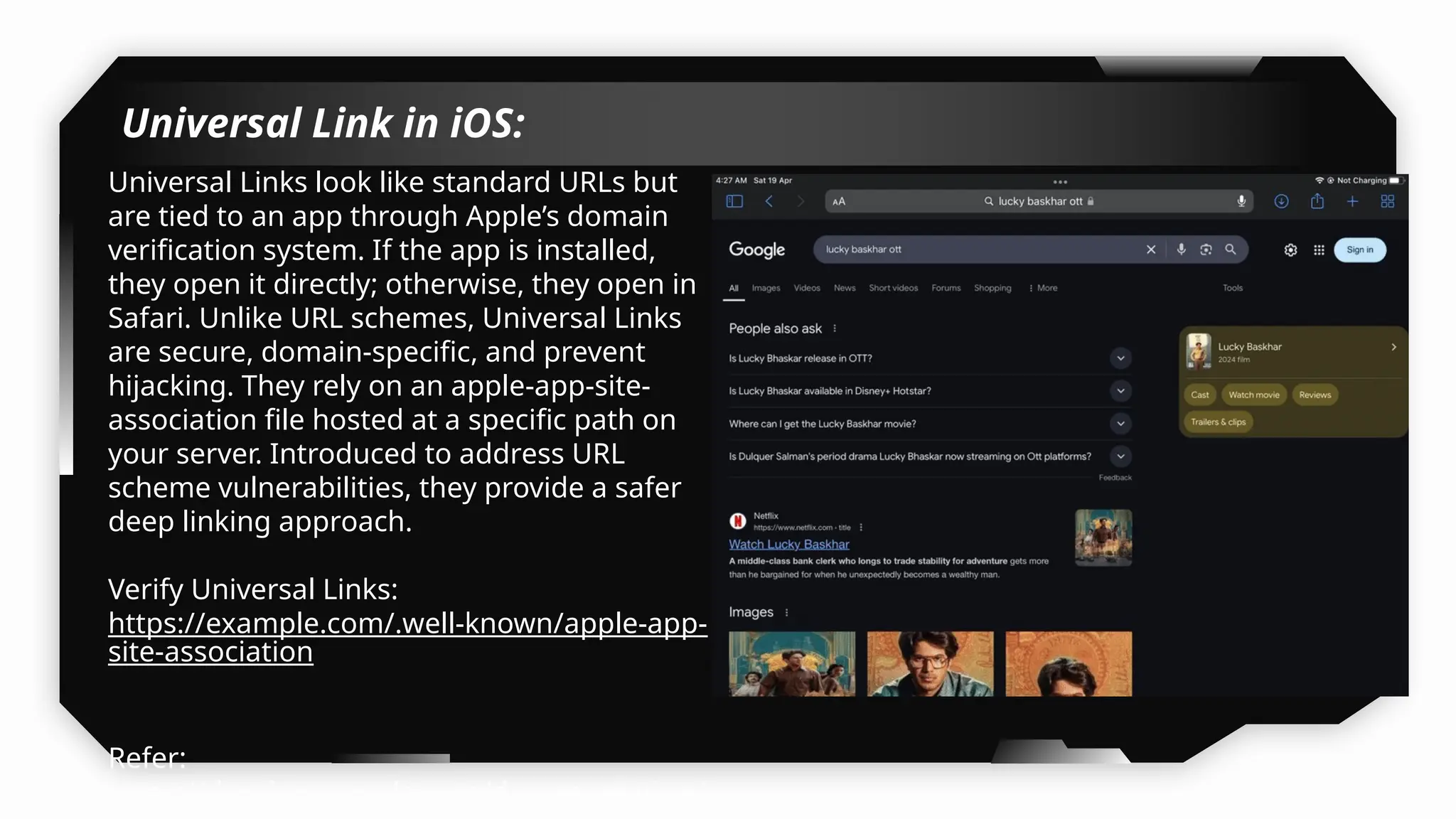
Universal Links look like standard URLs but
are tied to an app through Apple’s domain
verification system. If the app is installed,
they open it directly; otherwise, they open in
Safari. Unlike URL schemes, Universal Links
are secure, domain-specific, and prevent
hijacking. They rely on an apple-app-site-
association file hosted at a specific path on
your server. Introduced to address URL
scheme vulnerabilities, they provide a safer
deep linking approach.
Verify Universal Links:
https://example.com/.well-known/apple-app-
site-association
Refer:
https://developer.apple.com/documentation/
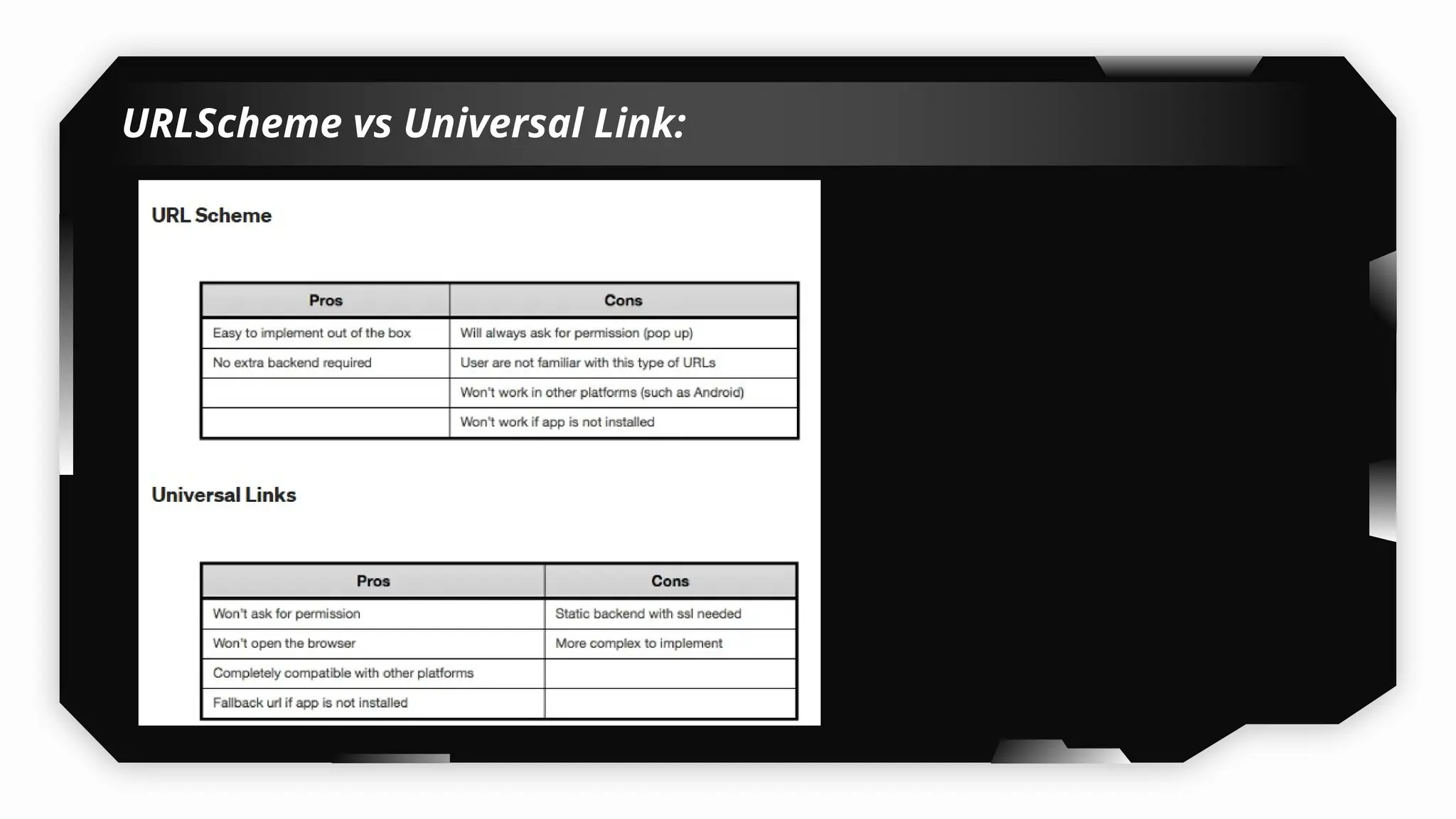
URLScheme vs Universal Link:
Fuzzing:
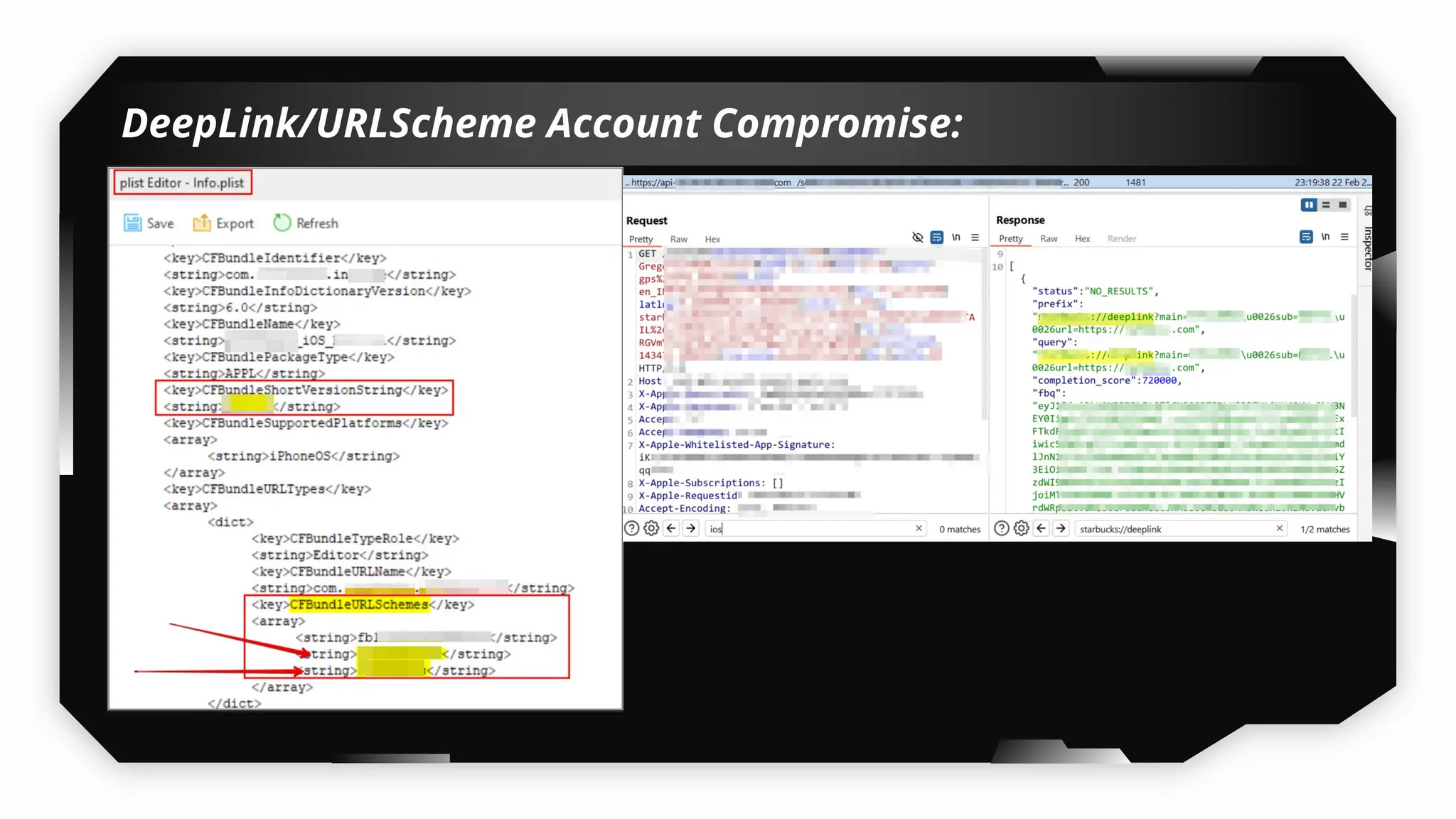
• Check info.plist file for scheme.
• Browse through entire application and observer any functionality loading content
into the application from outside.
• Reverse the application using ghidra look for hardcoded deeplink.
• In Ghidra search for references to openURL in the Symbol Tree column of Ghidra to
identify functions that reference it
• Modern iOS development relies on canOpenURL(:)
• by searching for openURL in the Symbol Tree, we identified a function inside
SceneDelegate that appears to handle deep link processing through the
openURLContexts property.
• Use Frida script to fuzz in the background, while navigating to all the functionalities
in the application.
• Scripts:
• https://codeshare.frida.re/@ivan-sincek/ios-deeplink-fuzzing/
• https://github.com/In3tinct/frida-scripts/blob/main/find-customlinks-ios.js
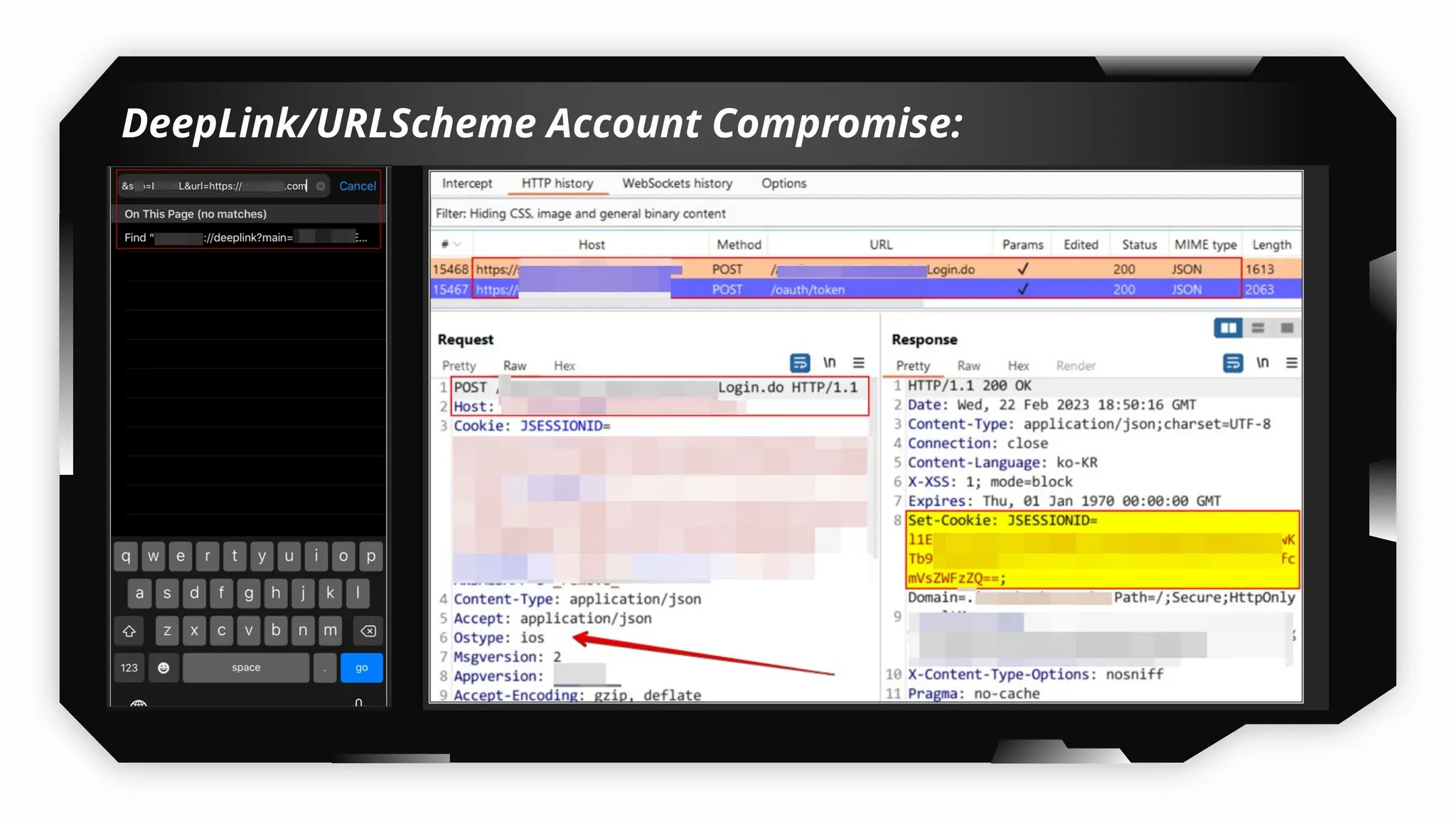
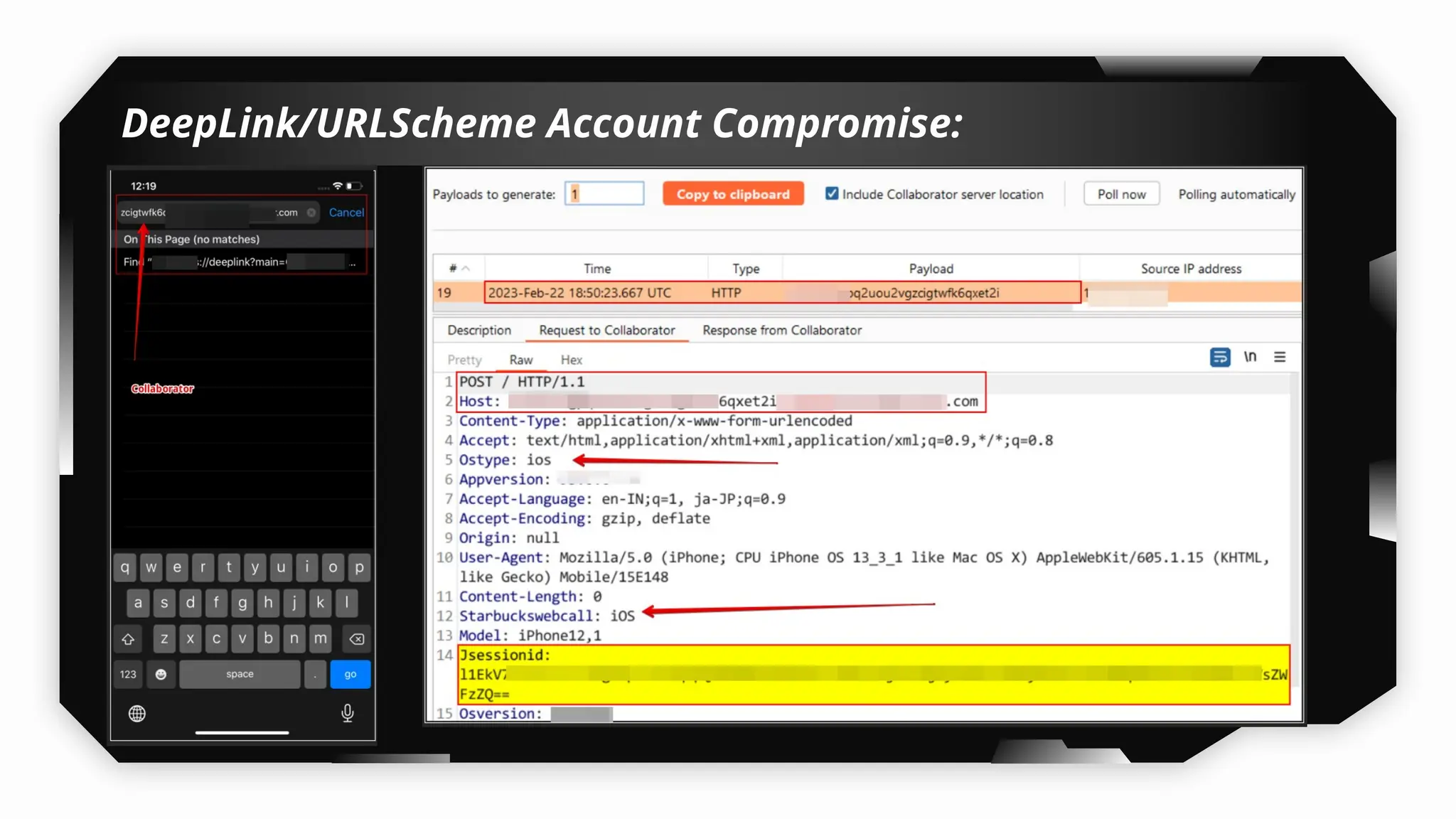
DeepLink/URLScheme Account Compromise:
References
• Fuzzing:
• https://8ksec.io/ios-deeplink-attacks-part-1-introduction-8ksec-blogs/?srsltid=AfmBOooW
j8jNrT3tLySU6YR80DveCQs0Yn5u6j_zoz3g4T4d--wH5Qpz
• https://8ksec.io/ios-deep-link-attacks-part-2-exploitation-8ksec-blogs/?srsltid=AfmBOops
B98dA3kg4N30Ks9q-b6pNWTKjsOhR-pfR2fwbQWELS0kicXW
• SQL Injection:
• https://grepharder.github.io/blog/0x03_learning_about_universal_links_and_fuzzing_url_s
chemes_on_ios_with_frida.html
Universal Link in iOS:
Universal Links look like standard URLs but
are tied to an app through Apple’s domain
verification system. If the app is installed,
they open it directly; otherwise, they open in
Safari. Unlike URL schemes, Universal Links
are secure, domain-specific, and prevent
hijacking. They rely on an apple-app-site-
association file hosted at a specific path on
your server. Introduced to address URL
scheme vulnerabilities, they provide a safer
deep linking approach.
Verify Universal Links:
https://example.com/.well-known/apple-app-
site-association
Refer:
https://developer.apple.com/documentation/
Any Questions
Thank You !!
Contact:
Akash Katare
• Linked-in: https://www.linkedin.com/in/akash-katare-382802117
• Email id: askatare97@gmail.com
• X: https://x.com/AkashKatare18
Let’s connect on LinkedIn

Hands-On iOS Application Penetraion Testing.pptx

  • 1.
    Hands-On iOS Application PenetrationTesting By Akash Katare
  • 2.
    - Experienced SecurityConsultant with 6+ years of expertise in VAPT, specializing in Web, API, Thick Client, Android, iOS, and Source Code Reviews. - Currently serving as an Advanced Cybersecurity Architect/Engineer at Honeywell. - Passionate about analyzing and breaking the logic of mobile applications. - Previously worked renowned companies: - Synopsys SIG - AppSecure Security - Securelayer7 Technologies Private Limited Akash Katare Null Bangalore / OWASP® Foundation Bangalore Chapters Combined Meetup
  • 3.
    Agenda: iOS Application &Pentesting Background: ● iOS Architecture Overview ● Understanding Jailbreak & Its Types ● Rootless vs. Rootful Jailbreaks ● Jailbreaking an iDevice (Multiple Methods) ○ Unc0ver, Palera1n (Rootful & Rootless), Dopamine, Dopamine RootHide, Bootstrap Roothide etc. ● Physical Device vs. Corellium for Testing ● IPA File Structure Breakdown (Swift, Cordova, Flutter & XAMARIN) ● Installing iOS Applications on Jailbroken & Non-Jailbroken Devices (Various Methods) ● iOS Application Sandbox Structure ● Necessary Tools Installation ● Extracting & Dumping Decrypted IPA Files (Multiple Methods) ● Static Analysis of Applications (Manual & Automated Approaches)
  • 4.
    Agenda: Exploring Some basic Vulnerabilities: ●Testing Local Storage Security (Filza & Objection) ● Assessing Application Binary Protection ● Dumping & Analyzing Sensitive Data in Keychain ● Performing Memory Dumps
  • 5.
    Agenda: Advanced Testing Techniques: ●Bypassing Advanced Jailbreak Detection Using (Swift, Cordova, Flutter & XAMARIN): ○ 14+ Tweaks ○ Frida & Custom Script Creation ○ Objection ○ Custom Hooking ● Intercepting iOS application traffic ● Understanding Certificate Pinning ● Bypassing Certificate Pinning Using: ○ Tweaks ○ Frida ○ Objection ● Intercepting Traffic from Flutter Applications ● Bypassing Certificate Pinning on Flutter Apps (Multiple Methods) ● Bypassing Certificate Pinning on XAMARIN Apps ● Capturing HTTP/HTTPS Traffic Without Bypassing Certificate Pinning ● Reversing iOS application (Swift, Cordova, Flutter & XAMARIN)
  • 6.
    Agenda: Exploiting DeepLinking: URLScheme &Universal Link ● URLScheme vs Universal Link ● To load an Arbitrary load (Host Validation, No validation) ● Testing DeepLink to Perform Account Compromise ● Testing DeepLink via URL (browser) ● Testing DeepLink via html webpage
  • 7.
    Agenda: Pentesting Non-Jailbroken Devices: ●Evaluating Local Storage Security Risks on Non-Jailbroken iOS Devices ● Exploring Frida & Objection on Non-Jailbroken Devices: ○ By Patching the Application ○ Without Patching the Application
  • 8.
    Disclaimer: All applications andtools mentioned in the following slides are publicly available and intended for use in practice and training purposes only. The attacks demonstrated are solely performed on publicly available vulnerable applications. The objective of demonstrating the attack scenarios is to educate on identifying, testing, and ultimately securing vulnerabilities.
  • 9.
  • 10.
    iOS Architecture: Core OS:The Core OS layer provides various low-level features upon which different services are built. These include Accelerate Framework, Directory Services, System Configuration, OpenCL, etc. Core Services: The core services layer provides an abstraction over the services that are provided in the Core OS layer. These services generally include Address Book, Social, Security, Webkit, etc. Media: The media layer provides various media services that can be utilized in the device, i.e. it basically enables all the audio-visual technologies. It provides various functions such as Core Image, Core Audio, Core Text, etc. Cocoa Touch (Application): The cocoa touch layer is also known as the Application Layer. It is the topmost layer in the architecture and exposes various APIs for programming the iPhone devices.
  • 11.
  • 12.
    • A jailbreakis typically a third-party program that uses a string of vulnerabilities to achieve root access. • Jailbreaking allows the user to bypass/remove software restrictions imposed by the manufacturer on iOS devices. • Jailbreaking allows the user to install third-party applications on the iDevices. • Jailbreaking permits root access to the iOS file system and manager. There are 4 main types of jailbreaks: Untethered Jailbreak, Semi-Untethered Jailbreak, Semi-tethered Jailbreak, Tethered Jailbreak.  Untethered Jailbreaks:  They only require the exploit to be ran once either via a website, an app or a computer.  The iDevices remains jailbroken even after a reboot.  Types of Jailbreak: What is Jailbreak?
  • 13.
     Semi –Untethered:  This type of jailbreak requires an exploit to be executed every time you reboot or turn off your device.  This jailbreak works by running the exploit through an app or website on the device itself.  For e.g.: UnC0ver (iOS 11.0-14.8, A7-A13 Chipset), Dopamine (iOS 15.0 – 16.6.1*, A8-A16,M1-M2 Chipset), Taurine (iOS 14.0-14.8.1, A9-A14 Chipset), Odyssey (iOS 13.0-13.7, A9-A13 Chipset), XinaA15 (iOS 15.0-15.4.1, A12+ chipset)  Semi – Tethered:  Semi-tethered jailbreaks are very similar to semi-untethered jailbreaks, however the exploit must be ran using a computer rather than using a sideloaded app.  For e.g. Checkra1n (iOS 12.0- 14.8.1, A7-A11 Chipset), Palera1n (iOS 15.0 – 18.3.2, A8-A11,T2), Odysseyra1n (upto 14.8.1, A8,A9,A10X, A11 Chipset) (A8X Types of Jailbreak (Continued):
  • 14.
     Tethered:  Atethered jailbreak is only able to temporarily jailbreak the device during a single boot.  A tethered jailbreak is a type of iOS jailbreak where your device requires a computer to boot into a jailbroken state every time it restarts or powers off.  A computer is needed to turn the device on, each time it is rebooted. If the device starts backing up on its own, it will not longer have a patched kernel and may get stuck in a partially started state.  These are the most inconvenient for end users, which is why they're typically only used by jailbreak developers preparing for upcoming iOS versions.  For e.g.: Blackra1n (older iOS versions 3.x up to iOS 4.x.), Redsn0w (older iOS versions, including iOS 3.x, iOS 4.x, and some versions of iOS 5.x.) Ref: https://ios.cfw.guide/get-started/ Types of Jailbreak (Continued):
  • 15.
    Demo Time Let’s Jailbreakthe iDevice (Multiple Methods) 03
  • 16.
     Backup data. Always format the entire device.  iDevice must be charged (>75%).  Don’t upgrade device before confirming the available jailbreaks for respective iOS version.  Check compatibility  How to enter DFU mode or get rescued from DFU your device  Disable passcode/fingerprint/facelock (if required)  Learn how to jailbreak & un-jailbreak the iDevice properly. Precautions to be taken before doing jailbreak:
  • 17.
     There aremultiple methods to install Unc0ver and jailbreak the idevice :  Semi-Untethered Jailbreak:  3Utools  https://www.3u.com/  Sideloadly  https://sideloadly.io/  AltServer  https://altstore.io/  TrollStore  https://trollstore.app/  Semi-Tethered Jailbreak:  Macbook  Bootable pendrive  Windows Required Tools :
  • 18.
     Don’t GetJailbroken by a Jailbreak:  Unc0ver Gold Edition:  https://unc0ver.co/  https://www.youtube.com/watch?v=eqAw_YGGaCE  https://pangu8.com/  https://cydia2.com/ios-18-5/  https://zjailbreak.store/jailbreak-ios-18-5/  https://palera1n.com/online/ Spot Fake Jailbreaks:
  • 19.
     Jailbreaking &Un-jailbreaking using :  Unc0ver (Rootful)  Taurine (Rootful)  Unc0ver (Rootful)  Odyssey (Rootful)  Palera1n (Rootful)  Palera1n (Rootless)  Dopamine (Rootless)  Dopamine RootHide (Rootless)  Dopamine2RootHide  Bootstrap RootHide (Rootless) Multiple Methods of Jailbreaking the iDevice:
  • 20.
     For someof the iDevices such as iPhone X, iPhone 8, iPhone 8 Plus devices, to jailbreak them using palera1n you need to disable the passcode/Face ID/Touch ID and then only you will be able to successfully jailbreak the above devices.  As you have already disabled the passcode/Face ID/Touch ID you will not be able to use your passcode, or other SEP functionality, until you boot into a stock iOS state. SEP functionality includes things such as a passcode, Face ID/Touch ID, and Apple Pay.  If you enable the any of the above-mentioned SEP functionalities the device will automatically restarts, and you will lose the Jailbreak. Some of the Limitation of Palera1n Jailbreak:
  • 21.
    Understanding RootLess vs RootFulvs RootHide Jailbreaks 04
  • 22.
     Rootful Jailbreak: A "rootful" jailbreak allows modifications to the main operating system, specifically the root/ directory. This grants full superuser (root) access to the system, enabling deep modifications that directly affect the main operating system located in the root/ directory.  Some of the Rootful Jailbreak methods which we use currently:  Electra, Chimera, Taurine, Unc0ver, Odyssey, Checkra1n, Palera1n (Rootful) What is Rootful Jailbreak?
  • 23.
  • 24.
     Rootless Jailbreak: The rootless jailbreak stores all data and files in a directory i.e. /var/jb, which is a completely fixed path. It allows the execution of unauthorized applications, theme modifications, user interface customizations and other tweaks that do not directly affect the main operating system located in the root / directory. By limiting modifications to /var/jb, it is safer and less intrusive, as it does not directly alter the operating system core in the root directory /.  With the use of rootless there is a possibility of incompatibility in some repositories.  Does not modify the system partition (/), only the user partition (/var).  Some of the Rootless Jailbreak methods which we use currently:  Dopamine (formerly Fugu15 Max), Dopamine RootHide, Bootstrap RootHide, Palera1n (Rootless) , XinaA15 What is Rootless Jailbreak?
  • 25.
  • 26.
     RootHide:  /var/jb: roothide is also root-less, but it no longer installs the jailbreak to the fixed path of /var/jb.  it (re)installs the jailbreak to a directory(named jbroot) with a random name each time we jailbreak.  Refer: RootHide vs RootLess:
  • 27.
  • 28.
    iOS pentesting on PhysicalDevices VS Corellium 05
  • 29.
    What is Corellium? Arm virtualization platform combines high-fidelity virtual devices with powerful security tools.  The ARM virtualization extensions provide a hardware means for a hypervisor to virtualize the CPU, allowing for multiple OS to be run on the same system. Currently Versions Supported By Corellium:  iOS version (16.0 – 16.4.1)  iPadOS (upto iOS 18.3.2)  Android (7 - 14) Link to Access Corellium: https://www.corellium.com/
  • 30.
  • 31.
     Corellium isPaid and expensive too.  No AppStore access, Corellium also does not support logging into an iCloud account or downloading apps from the App Store.  Corellium doesn’t provide any feature to access AppStore so in case client ask to install the application from TestFlight you will not be able to install the neither TestFlight nor the application.  To install an iOS app on a virtual device, the binary must be an unencrypted and signed.  Cannot test cellular-related components or firmware-level vulnerabilities.  To intercept the application traffic in burpsuite, our base machine must be connected to corellium via their OpenVPN profiles. So in real world which is not feasible to test the applications when the application is not public facing or require special vpn setup.  Due to a lack of GPU (Metal) support, certain applications are not able to launch.  This includes the native Maps, Watch, and Find My Friends apps. Corellium also does not support logging into an iCloud account or downloading apps from the App Store. The following peripherals are not currently supported for iOS:  Cellular (calls, text messages)  NFC  Bluetooth Limitations To Carry out Pentest on Corellium:
  • 32.
    IPA File Structure Breakdown(Swift, Cordova, Flutter & XAMARIN) 06
  • 33.
    IPA File StructureBreakdown: Swift An .ipa file is essentially a zip archive that contains all the necessary files for installing an iOS app on a device. You can unzip it to explore its internal structure.
  • 34.
    IPA File StructureBreakdown: Cordova Cordova application uses WebView + HTML/CSS/JS instead of native Swift or Objective-C UI.
  • 35.
    IPA File StructureBreakdown: Flutter Cordova application uses WebView + HTML/CSS/JS instead of native Swift or Objective-C UI.
  • 36.
    IPA File StructureBreakdown: Xamarin • A Xamarin iOS app is ultimately compiled into a native ARM executable, but it contains .NET- managed assemblies and runtime support files as well. • On iOS, Xamarin always AOT compiles (Ahead-of- Time) the .NET code into native ARM machine code due to Apple’s restrictions (no JIT/interpreter allowed).
  • 37.
  • 38.
    iOS Pentesting EssentialTools: Navigate to below-mentioned URL and add repos in Cydia/Sileo/Zebra:  Github Link: https://github.com/akashkatare/iOS-Application-Pentest/tree/main Windows Tools:  Ghidra: https://github.com/NationalSecurityAgency/ghidra/releases  MobSF: https://github.com/MobSF/Mobile-Security-Framework-MobSF or https://mobsf.github.io/docs/#/docker_options  Frida: pip install frida==16.5.1 pip install frida-tools --upgrade pip install objection --upgrade
  • 39.
  • 40.
    Installing iOS Applicationon Jailbroken & Non-Jailbroken iDevices 08
  • 41.
    Different methods/tools toInstall iOS application: • 3uTools: https://www.3u.com/ (jb & non-jb) • TrollStore installation guide: https://ios.cfw.guide/installing-trollstore/ (jb & non-jb) • Sideloadly: https://sideloadly.io/ (jb & non-jb) • Install over Air: https://www.installonair.com/ (jb & non-jb) or https://www.diawi.com/ (never use this method for organization/clients application) • AltStore: https://altstore.io/ (jb & non-jb) • TestFlight: (jb & non-jb) • iMazing: https://imazing.com/ (jb & non-jb) • Filza File Manager: (JB)
  • 42.
  • 43.
  • 44.
    iOS Application SandboxStructure: What happens when an iOS application is installed in the iDevice: The iOS application sandbox is a security mechanism enforced by the operating system to isolate apps from each other and from sensitive system resources. It plays a key role in iOS security by limiting what an app can access, even if it becomes compromised. There are 3 types of sandboxes in iDevice: 1) Pre-installed App Directory: The applications that come pre-installed by default on the iDevice have their app files stored in this directory. Path: /var/Application 2) Bundle Directory/ IPA Container: It contains all of the files that come with apps when downloaded from the Apple App Store. Path: /var/containers/Bundle/Application 3) Data Directory/ Local Data Storage Container: It contains files the developer wants to keep. It stores files that could be used for caching information for quick access, or storing offline data as a backup for resuming the application use Path: /var/mobile/Containers/data/Application
  • 45.
  • 46.
  • 47.
    Extracting & DumpingDecrypted IPA Files: Tools: • CrackerXL+: http://cydia.iphonecake.com/ • TrollDecrypt: https://github.com/donato-fiore/TrollDecrypt/releases • iMazing (When to use & when not use): https://imazing.com/ • Frida-ios-dump: https://github.com/AloneMonkey/frida-ios-dump • Filza: (Encrypted or Decrypted IPA ?) • iGameGods(When to use & when not use): https://iosgods.com/repo/
  • 48.
  • 49.
    Static Analysis ofiOS Applications 11
  • 50.
    Static Analysis ofiOS applications: Tools: IPA file Analysis: Manual & Automated. • MobSF: https://github.com/MobSF/Mobile-Security-Framework-MobSF or https://mobsf.github.io/docs/#/docker_options • Frida:
  • 51.
  • 52.
    Security Testing &Some Vulnerabilities
  • 53.
    Testing Local Storageof the Application 12
  • 54.
    Testing Local Storage: Tools: •Filza: • Objection: What to look for? Sensitive data in : • plist files • UserDefaults • Keychain • Cache • Database files • .txt,.json, pdf, docx files
  • 55.
  • 56.
    Mitigation: • Never UseNSUserDefaults for Sensitive Data. • Use appropriate access control for keychain, avoid using kSecAttrAccessibleAlways. • If storing data in files, SQLite, or Core Data: • Use CryptoKit or a third-party library like SQLCipher. • Do not store API keys or secrets in Info.plist. • Use server-side configs or obfuscation/encryption if you must embed something. • Wipe sensitive data after logout or inactivity. • Use SecItemDelete() for Keychain cleanup. • Never log tokens, passwords, or PII. • Avoid NSLog or print statements in production code.
  • 57.
  • 58.
    Testing Binary Protections: Tools: otool,strings, nm What to look for?  Check for PIE, ARC and stack trace protection are implemented or not.  Find the shared libraries used by the app  Check whether the app can be self-signed and deployed on a jailbreak device  Check whether the app binary is a fat binary or not  Check whether the class name are obfuscated in the application or not  Find the signature used for signing the app  Find the entitlements used by the app  Usage of Insecure Random Number Generator  Usage of Weak Hashing Algorithms  Usage of Banned/Deprecated APIs  Unencrypted Application Binary  Sensitive Data in Strings
  • 59.
    Testing Binary Protections& Sensitive Data: otool: • Use of Insecure Random Number Generator: • otool -Iv DVIA-v2 | grep -wE '_rand|_srand|_random' • Use Weak Hashing Algorithms: • otool -Iv DVIA-v2 | grep -wE '_CC_MD5|_CC_SHA1' • Use Deprecated APIs: • otool -Iv DVIA-v2 | grep -wE '_fopen|_memcpy|_printf|_sscanf|_strcpy|_strlen|_strncpy' • Application Binary Encrypted or Unencrypted: • otool -l DVIA-v2 | grep -A4 LC_ENCRYPTION_INFO • Application binary compiled without fPIE-pie flag: • otool -Vh DVIA-v2 • Application binary compiled without fobjc-arc flag: • otool -Iv DVIA-v2 | grep -w _objc_release • Application binary compiled without fstack-protector-all flag: • otool -Iv DVIA-v2 | grep -w __stack_chk_ Sensitive Data: Strings: Strings DVIA-v2 > str_results.txt
  • 60.
  • 61.
  • 62.
    Memory Dump: Tools: fridump: https://github.com/Nightbringer21/fridump fridump3:https://github.com/rootbsd/fridump3 python fridump3.py -u –s processid What to look for?  Sensitive data such as PII, secrets, credentials, keys,…….
  • 63.
  • 64.
  • 65.
    Mitigation: • Avoid StoringSensitive Data in Memory Longer Than Needed, Immediately clear credentials, tokens, or PII from memory after use. • Implement Auto Logout and Memory Cleanup. • Use Secure APIs for Sensitive Data Handling.
  • 66.
  • 67.
  • 68.
    Jailbreak Detection Bypass Tools: •14+ tweaks: https://github.com/akashkatare/Mobile-Pentesting/tree/main?tab=readme-ov-file#%EF%B8 %8F-jailbreak-detection-bypass-tools • Frida publicly available scripts: • Objection default script: • Creating Custom script using objection: • Objection hooking function and returning value: • Dopamine (Rootless) • Dopamine RootHide (Rootless) • Bootstrap RootHide (Rootless) • Flutter application jailbreak detection bypass • Xamarin application jailbreak detection bypass
  • 69.
  • 70.
    Mitigation: • Use MultipleLayers of Jailbreak Checks Ref:https ://github.com/securing/IOSSecuritySuite/blob/master/IOSSecuritySuite/Jail breakChecker.swift • Run periodic jailbreak checks during runtime (e.g., before sensitive actions). • Check for injected libraries (DYLD_INSERT_LIBRARIES, frida-agent.dylib) • Scan memory for Frida’s default strings (_frida, rpc.exports) • Monitor runtime method swizzling or unexpected hooks. • Detect class/method tampering using checksums or runtime inspections (e.g., using objc_copyClassList() to detect unexpected additions).
  • 71.
  • 72.
    Interceting iOS ApplicationTraffic: Tools: • BurpSuite:
  • 73.
  • 74.
    Mitigation: • Application shouldimplemented Certificate Pinning.
  • 75.
  • 76.
    What is CertificatePinning: It is a security technique that ensures your app only trusts a specific certificate or public key when establishing SSL/TLS connections. It protects against man-in-the-middle (MITM) attacks, even if a trusted CA is compromised.
  • 77.
  • 78.
  • 79.
    Bypassing Certificate Pinning: Tools: Tweaks: •SSLBypass • SSLKillSwitch2 • SSLKillSwitch3 Using Frida scripts Using objection
  • 80.
  • 81.
    Mitigation: • Use PublicKey Pinning – Safer and easier to maintain than full cert pinning. • Obfuscate Pinning Logic – Hide checks using encryption or native code (C/Obj-C). • Implement Pinning at Native Layer – Harder to hook than Swift-level checks. • Detect Frida/SSL Bypass Tools – Look for loaded dylibs, suspicious processes. • Combine with Jailbreak Detection – Block pinning bypass attempts on rooted devices.
  • 82.
    Intercepting Traffic From Flutter& Xamarin Applications 19
  • 83.
    Intercepting Flutter ApplicationTraffic: What is Flutter? • Flutter is a mobile app development platform created by Google. It allows developers to create web, desktop, and cross-platform apps that run on Android and iOS devices. Flutter uses a reactive programming language called Dart. • Application built using flutter uses Dart, which doesn’t use the system CA store. A list of CAs is built within the application that Dart utilises. As flutter application doesn’t use the system CA store, we cannot intercept the application traffic as we usually intercept using burp suite by simply configuring it with the system. Tools: DNSChef, Iptables, BurpSuite
  • 84.
  • 85.
  • 86.
  • 87.
  • 88.
  • 89.
    Intercepting Xamarin ApplicationTraffic: What is Xamarin? • Xamarin iOS apps are iOS applications built using Xamarin, a cross-platform development framework by Microsoft that allows developers to write mobile apps using C# and .NET. Tools: DNSChef, Iptables, BurpSuite Note: Follow same methods as demonstrated for intercepting and bypassing flutter applications.
  • 90.
  • 91.
    Mitigation: • Use PublicKey Pinning – Safer and easier to maintain than full cert pinning. • Obfuscate Pinning Logic – Hide checks using encryption or native code (C/Obj-C). • Implement Pinning at Native Layer – Harder to hook than Swift-level checks. • Detect Frida/SSL Bypass Tools – Look for loaded dylibs, suspicious processes. • Combine with Jailbreak Detection – Block pinning bypass attempts on rooted devices.
  • 92.
    Flutter & XamarinCertificate Pinning Bypass 20
  • 93.
    Bypassing Flutter ApplicationTraffic: Tools: 1) Reflutter 2) DNSChef, Iptables, BurpSuite + Frida scripts
  • 94.
    Bypassing Flutter ApplicationTraffic: Using Reflutter: Installation: pip install reflutter Command: reflutter targetapp.ipa
  • 95.
    Bypassing Flutter ApplicationTraffic: Follow official method: https://github.com/Impact-I/reFlutter?tab=readme-ov-file#usage-on-ios Option A: • Use Xcode (manual)Unzip the .ipa:bashCopyEditunzip release.RE.ipa -d ReflutterApp • Open the Payload/YourAppName.app in Xcode (drag it into an empty project). • Set your provisioning profile and signing certificate. • Rebuild and run on a connected iOS device. Option B: • Option B: Use ios-deploy (CLI + dev cert) • Re-sign the .ipa using ldid or codesign, for example: • codesign -f -s "iPhone Developer: Your Name (XXXXXXXXXX)" --deep --entitlements entitlements.plist ReflutterApp/Payload/YourAppName.app • cd ReflutterApp • zip -r ../release.RE.resigned.ipa Payload • ios-deploy --bundle Payload/YourAppName.app
  • 96.
    Bypassing Flutter ApplicationTraffic: Option C: Sideloadly also signs the application on runtime.
  • 97.
    Bypassing Flutter ApplicationTraffic: Follow official method: https://github.com/Impact-I/reFlutter?tab=readme-ov-file#usage-on-ios Note: This method never worked for me but still you can try on the target application.
  • 98.
    Intercepting Flutter ApplicationTraffic: • Still not able to intercept the flutter application traffic using DNSchef & iptables. • Getting TLS verification error? • Use following script with Frida and you will be able to intercept the application traffic: • https://codeshare.frida.re/@TheDauntless/disable-flutter-tls-v1/ • For XAMARIN we can also try for some other Frida scripts.
  • 99.
  • 100.
    Bypassing Xamarin ApplicationTraffic: Tools: 1) DNSChef, Iptables, BurpSuite + Frida scripts Note: Follow same methods as demonstrated for intercepting and bypassing flutter applications.
  • 101.
    Mitigation: • Use PublicKey Pinning – Safer and easier to maintain than full cert pinning. • Obfuscate Pinning Logic – Hide checks using encryption or native code (C/Obj-C). • Implement Pinning at Native Layer – Harder to hook than Swift-level checks. • Detect Frida/SSL Bypass Tools – Look for loaded dylibs, suspicious processes. • Combine with Jailbreak Detection – Block pinning bypass attempts on rooted devices.
  • 102.
    Capturing HTTP/HTTPS traffic withoutbypassing Certificate Pinning 21
  • 103.
    Capturing application trafficon terminal: spit_ios.js script: https://github.com/bhavukjain1/frida_helper.git • This spits out HTTP/HTTPS requests on any iOS application without bypassing SSL pinning on jailbroke/non-jailbroken device. • You also don’t have to setup proxy for using this script.
  • 104.
  • 105.
  • 106.
  • 107.
    Capturing application trafficon terminal: Note: • In case after some time, it doesn’t show anything on the command prompt you can press enter 1 or 2 times it will again continue showing the data. • This script does not transfer any request, to burp suite, You have to manually copy the request body and craft in Burp Suite.
  • 108.
  • 109.
    Reversing iOS application(Swift, Cordova, Flutter & XAMARIN) 22
  • 110.
    Reversing Swift, Cordova,Flutter & Xamarin Applications: Tools: • Ghidra • Hopper • radare2 • dnSpy
  • 111.
  • 112.
  • 113.
    Testing Local Storageon Non-Jailbroken iDevices 23
  • 114.
    Testing Local Storageon Non-Jailbroken idevice: FilzaEscaped: FizaEscaped is an iOS File Manager with Root Access. With the help of Filzaescaped iOS application, you can access the device's root filesystem without jailbreaking the iDevice. Also, utilising it does not violate your warranty. Without jailbreaking the phone or iPad, you can still make the changes in the iPhone or iPad root filesystem you need to. How to install FilzaEscaped on Non-Jailbroken idevice? Using Sideloadly For detailed steps refer blog: https://mrbypass.medium.com/assessing-security-risks-of-local-storage-on-non-jai lbroken-ios-devices-8d303ebe0e77
  • 115.
  • 116.
    Exploring Frida &Objection on Non- Jailbroken Devices without Application Patching 24
  • 117.
    Exploring Frida &Objection on Non-Jailbroken Devices by patching ipa: 1) Patching Method Method A: objection patchipa https://github.com/sensepost/objection/wiki/Pat ching-iOS-Applications objection patchipa --source my-app.ipa -- codesign-signature 0C2E8200Dxxxx
  • 118.
    Exploring Frida &Objection on Non-Jailbroken Devices by patching ipa: Method B: Sideloadly https://github.com/frida/frida/releases/download/16.7.13 /frida-gadget-16.7.13-ios-universal.dylib.xz
  • 119.
    Exploring Frida &Objection on Non-Jailbroken Devices by patching ipa: Method B: Sideloadly
  • 120.
    Exploring Frida &Objection on Non-Jailbroken Devices by patching ipa:
  • 121.
    Exploring Frida &Objection on Non-Jailbroken Devices by patching ipa: 2) Without Patching the Application: Tools: • Libimobiledevice • Developer Disk Image • Frida • Objection For Detailed steps refer to: https://infosecwriteups.com/unlocking-potential-exploring-frida-object ion-on-non-jailbroken-devices-without-application-ed0367a84f07
  • 122.
  • 123.
  • 124.
    What is DeepLink? Whatis DeepLink? DeepLinks are URIs or custom URIs which sends users directly into a specific point in the application, rather than opening an external website. There are mainly two types of Deep Link available for iOS applications: 1. URL Scheme: 2. Universal Link:
  • 125.
    URLScheme in iOS: URLSchemes let iOS apps define custom protocols (e.g., akash://) to handle internal navigation via deep links. These URLs must follow the format scheme://resource, and can include query parameters like ? userID=771771 for dynamic behavior. When a user clicks such a link, iOS prompts to open the associated app if installed. It's a simple but less secure method compared to Universal Links.
  • 126.
    URLScheme in iOS: AniOS URL Scheme is structured like a typical URL and contains the following main components: • Scheme – Custom identifier for your app (e.g., myapp://) • Host/Resource – Specific section or feature (e.g., myapp://profile) • Path – Optional path to deeper content (e.g., myapp://profile/view) • Query Parameters – Used to pass data (e.g., ?userId=123)
  • 127.
    Universal Link iniOS: Universal Links look like standard URLs but are tied to an app through Apple’s domain verification system. If the app is installed, they open it directly; otherwise, they open in Safari. Unlike URL schemes, Universal Links are secure, domain-specific, and prevent hijacking. They rely on an apple-app-site- association file hosted at a specific path on your server. Introduced to address URL scheme vulnerabilities, they provide a safer deep linking approach. Verify Universal Links: https://example.com/.well-known/apple-app- site-association Refer: https://developer.apple.com/documentation/
  • 128.
  • 129.
    Fuzzing: • Check info.plistfile for scheme. • Browse through entire application and observer any functionality loading content into the application from outside. • Reverse the application using ghidra look for hardcoded deeplink. • In Ghidra search for references to openURL in the Symbol Tree column of Ghidra to identify functions that reference it • Modern iOS development relies on canOpenURL(:) • by searching for openURL in the Symbol Tree, we identified a function inside SceneDelegate that appears to handle deep link processing through the openURLContexts property. • Use Frida script to fuzz in the background, while navigating to all the functionalities in the application. • Scripts: • https://codeshare.frida.re/@ivan-sincek/ios-deeplink-fuzzing/ • https://github.com/In3tinct/frida-scripts/blob/main/find-customlinks-ios.js
  • 130.
  • 131.
  • 132.
  • 133.
    References • Fuzzing: • https://8ksec.io/ios-deeplink-attacks-part-1-introduction-8ksec-blogs/?srsltid=AfmBOooW j8jNrT3tLySU6YR80DveCQs0Yn5u6j_zoz3g4T4d--wH5Qpz •https://8ksec.io/ios-deep-link-attacks-part-2-exploitation-8ksec-blogs/?srsltid=AfmBOops B98dA3kg4N30Ks9q-b6pNWTKjsOhR-pfR2fwbQWELS0kicXW • SQL Injection: • https://grepharder.github.io/blog/0x03_learning_about_universal_links_and_fuzzing_url_s chemes_on_ios_with_frida.html
  • 134.
    Universal Link iniOS: Universal Links look like standard URLs but are tied to an app through Apple’s domain verification system. If the app is installed, they open it directly; otherwise, they open in Safari. Unlike URL schemes, Universal Links are secure, domain-specific, and prevent hijacking. They rely on an apple-app-site- association file hosted at a specific path on your server. Introduced to address URL scheme vulnerabilities, they provide a safer deep linking approach. Verify Universal Links: https://example.com/.well-known/apple-app- site-association Refer: https://developer.apple.com/documentation/
  • 135.
  • 136.
    Thank You !! Contact: AkashKatare • Linked-in: https://www.linkedin.com/in/akash-katare-382802117 • Email id: askatare97@gmail.com • X: https://x.com/AkashKatare18 Let’s connect on LinkedIn